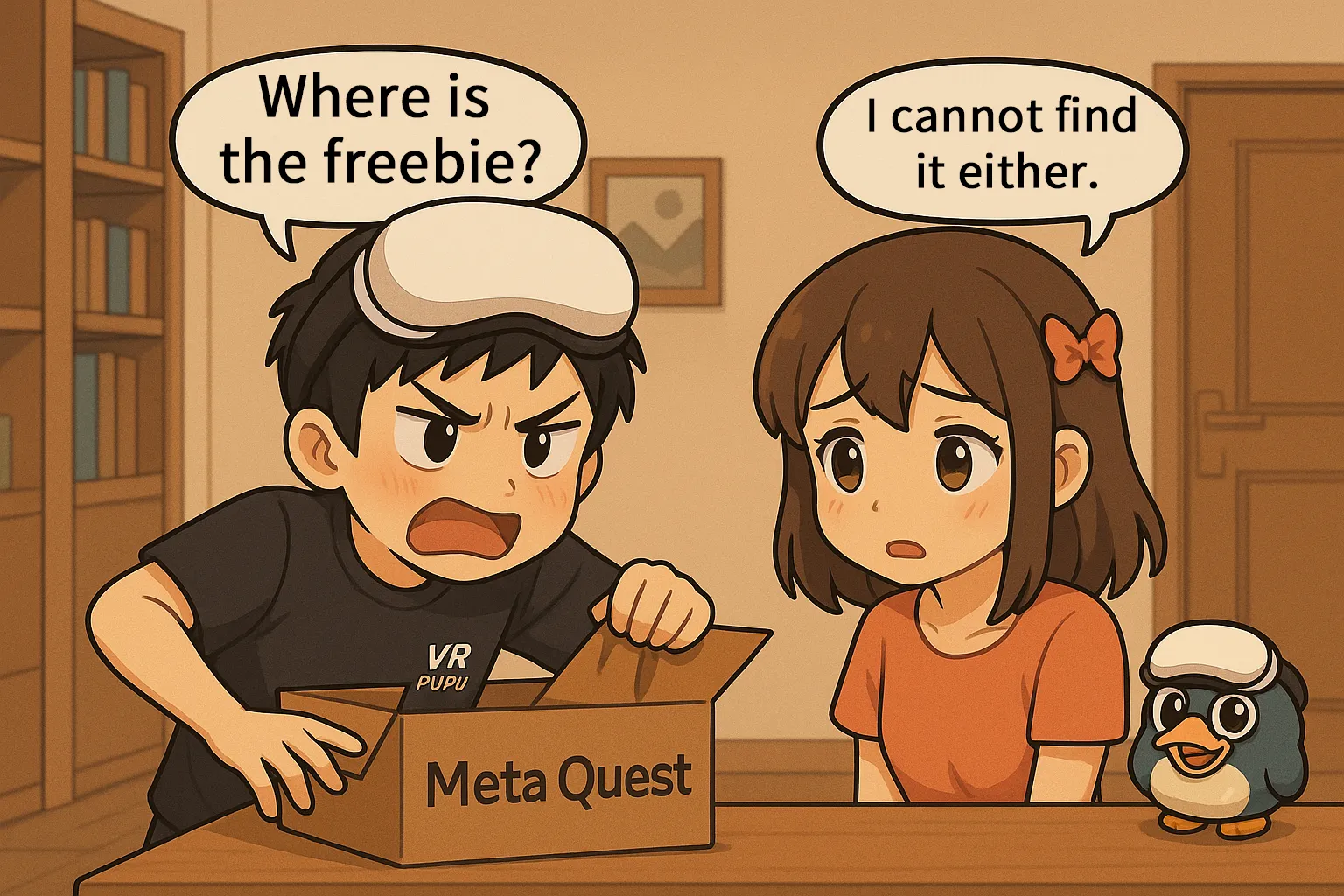
Did you buy a new Meta Quest 3 or 3S but cannot find your free copy of Batman: Arkham Shadow or your 3-month Horizon+ trial? You are not alone. Claiming bundled bonuses can be surprisingly confusing, and the rules change frequently. In this complete guide, we walk you through the exact steps to locate and redeem your free games within the Meta Horizon app. Missing the Batman promo entirely? We provide proven, copy-and-paste email templates to help you contact Meta Support and claim the game manually. We will even show you the secret method to transfer your bundled game to a family member’s account. Read on to make sure you get every free perk you paid for.
About Meta Quest purchase bonuses.
To grow the metaverse ecosystem, Meta has been running fairly generous promotions since 2024. When you buy a Quest 3 or 3S, you usually get these two bonuses bundled with the headset.
- A top-rated, popular game from that period
- Three months of free access to Horizon+
One of Meta’s hottest, top-tier games at the time
This is a bonus that only comes with a brand-new headset.
As part of the hardware promotion, Meta generously includes a flagship title from that period.
Recent bonuses have looked like this:
- October 2023 to September 2024: Asgard’s Wrath 2 ($59.99)
- October 2024 to June 2025: Batman: Arkham Shadow ($49.99)
When you buy the headset, the official site clearly shows the current bonus, and the box you receive after purchase also has the game’s package image displayed.
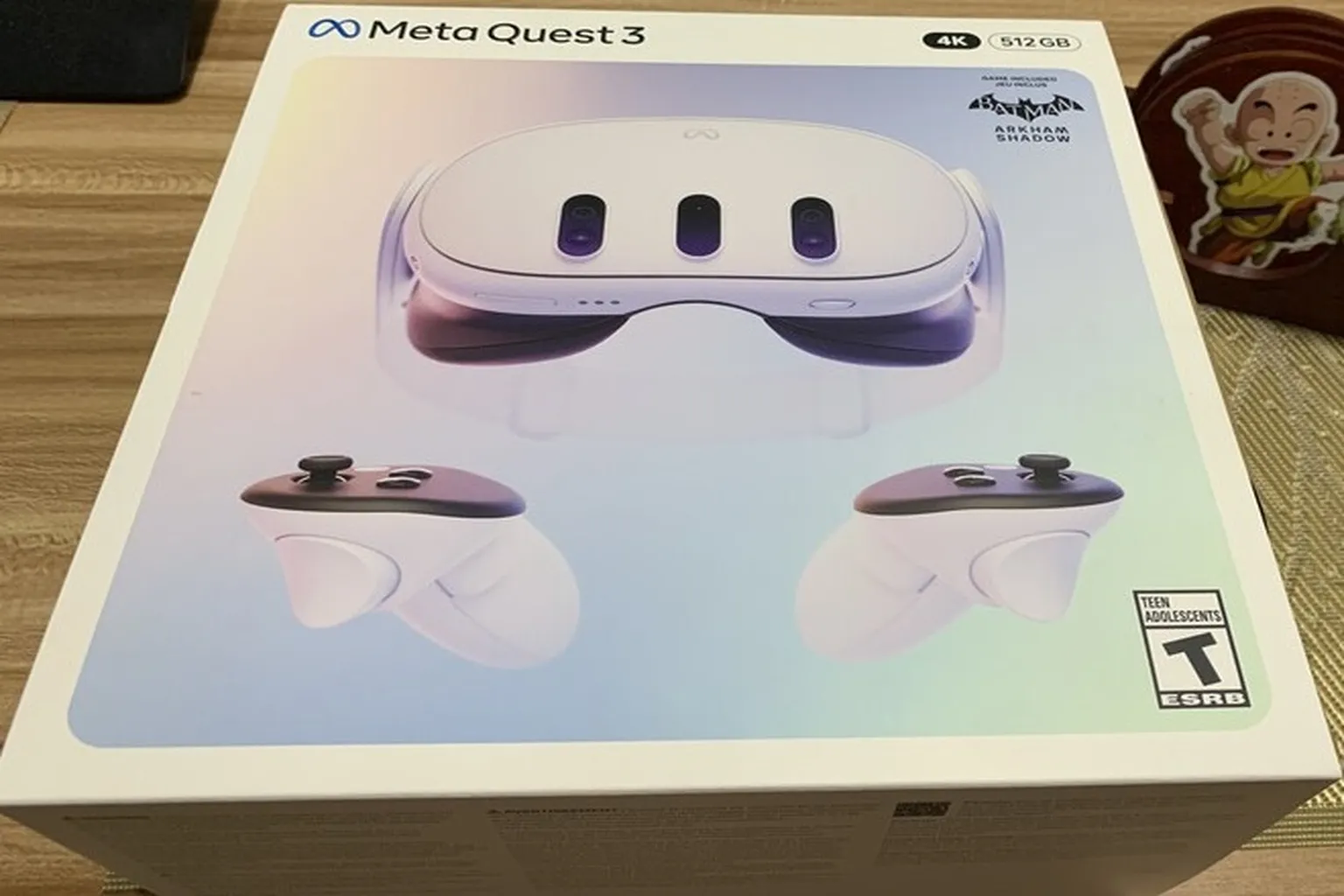
Important note. The Batman bonus game can only be claimed by the account that connects to the headset for the very first time.
If you want to receive it, make sure you have these two things ready first.
- A smartphone with the Meta Horizon app installed
- You must be logged into your own account in the app and use that account to pair with the new headset
Step 1: In the Meta Horizon app on your phone, type “Batman” into the search bar.
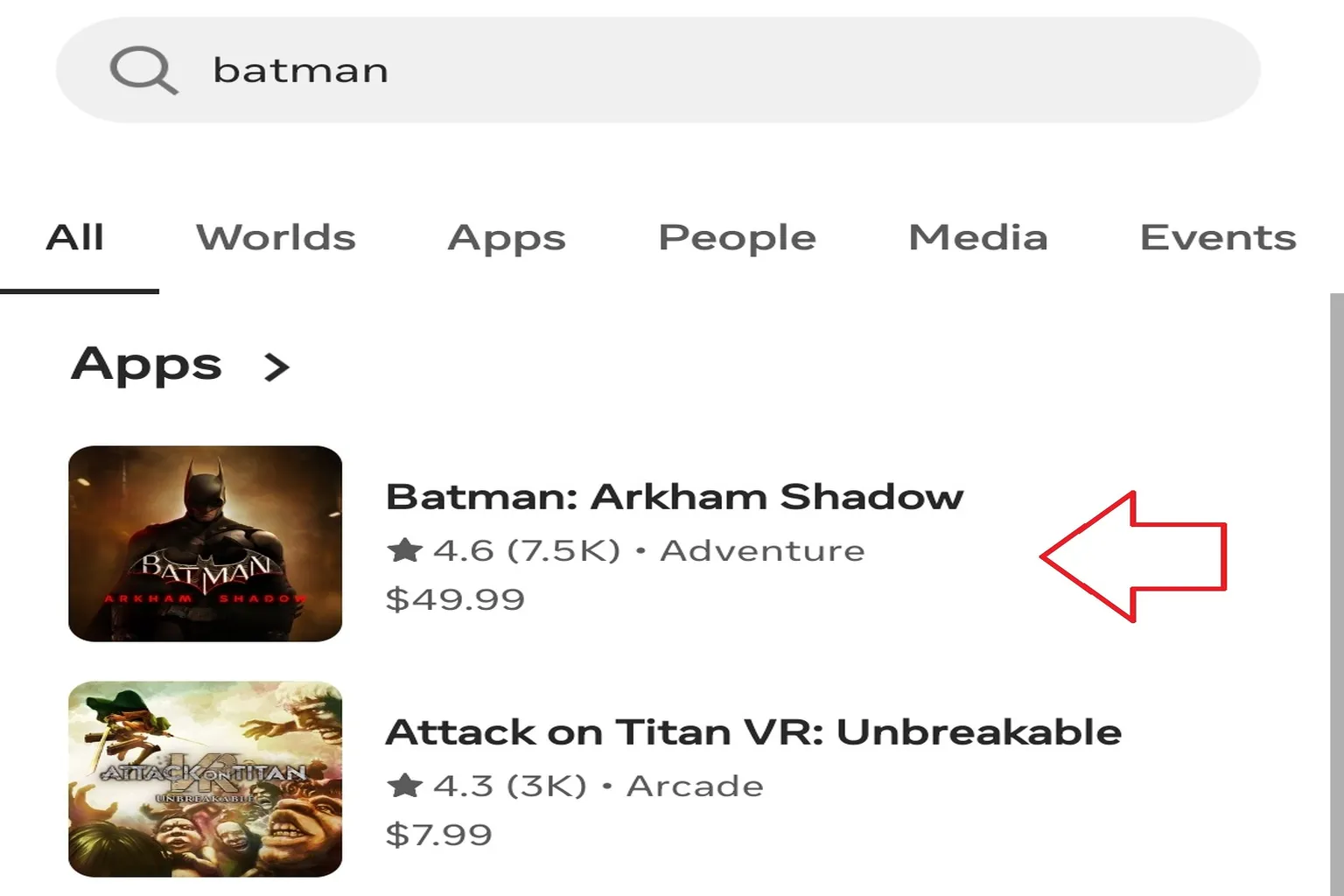
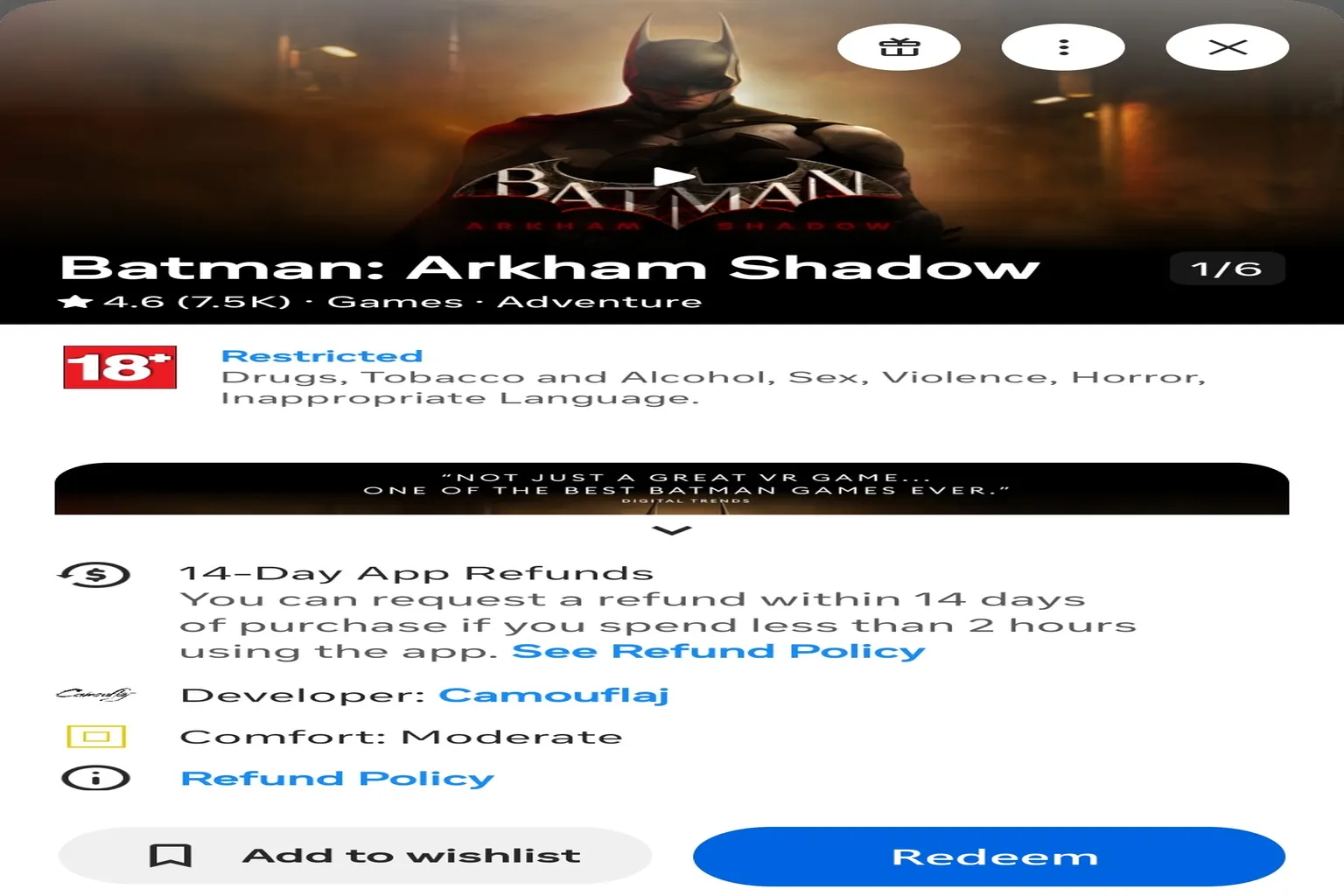
Step 2: Open the “Batman” page that appears, then tap the Redeem button.
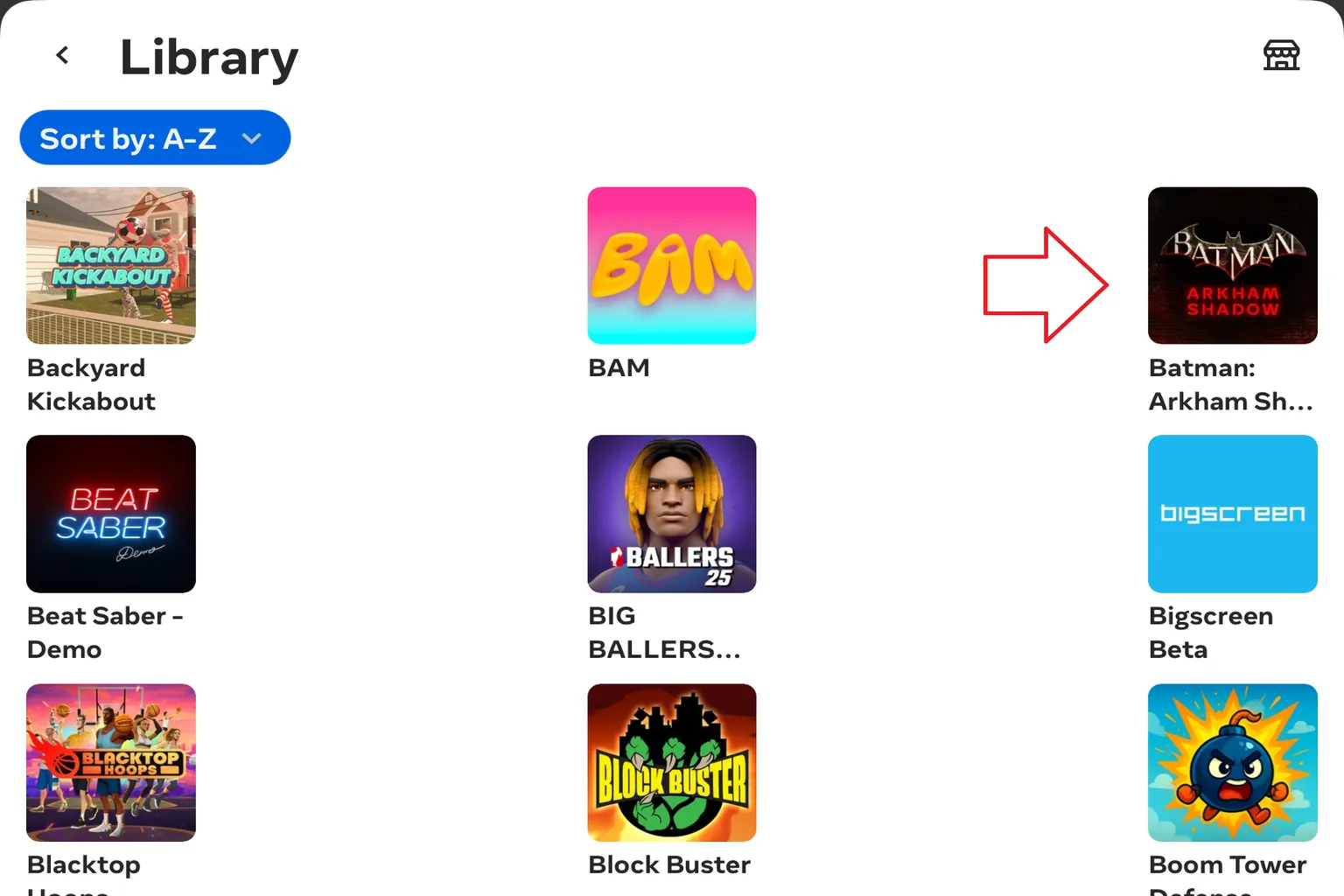
Step 3: Once you see “Batman” added to your game library, download it to the headset and you’re good to go.
There are a few common pitfalls when claiming bonuses that you should know about.
If it were as simple as just claiming the game and being done with it, there’d be no reason for me to write a whole article about this.
Originally, Meta’s bonus game “Batman” was scheduled to run from April 2024 through April 2025. But whether it was because there was too much Batman-branded packaging left, or because the next planned title, Civilization VI, didn’t have enough impact, the Batman giveaway ended up being extended until May 2025.
That said, starting around May 2025, reports began popping up from users saying they couldn’t claim Batman anymore. Even after reaching Step 2, instead of a redeem option, they were met with a screen like this, where the game costs $49.99 rather than being free.
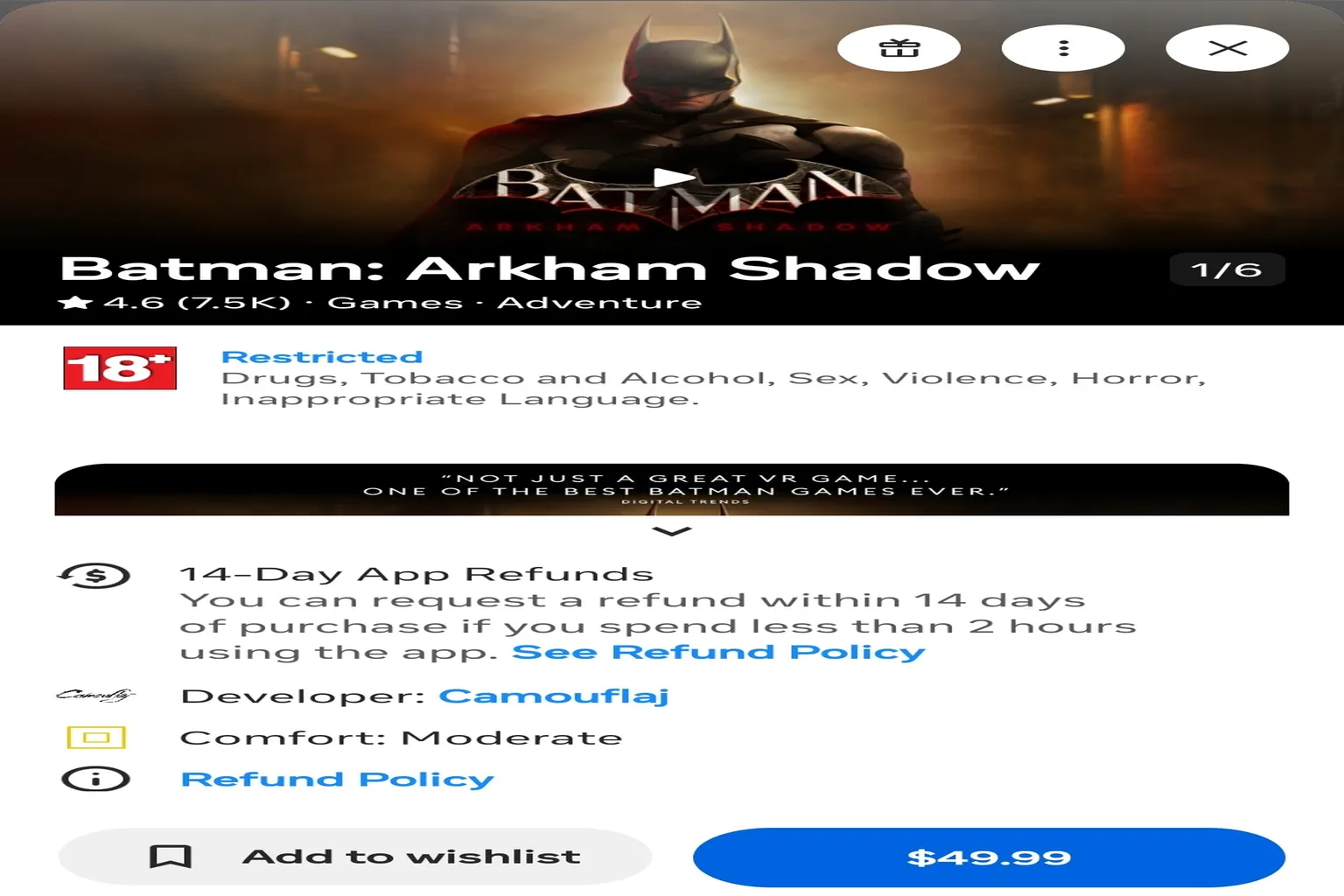
If you run into the same situation, don’t get angry. It’s not your fault.
It simply means the official “Batman” campaign has already ended.
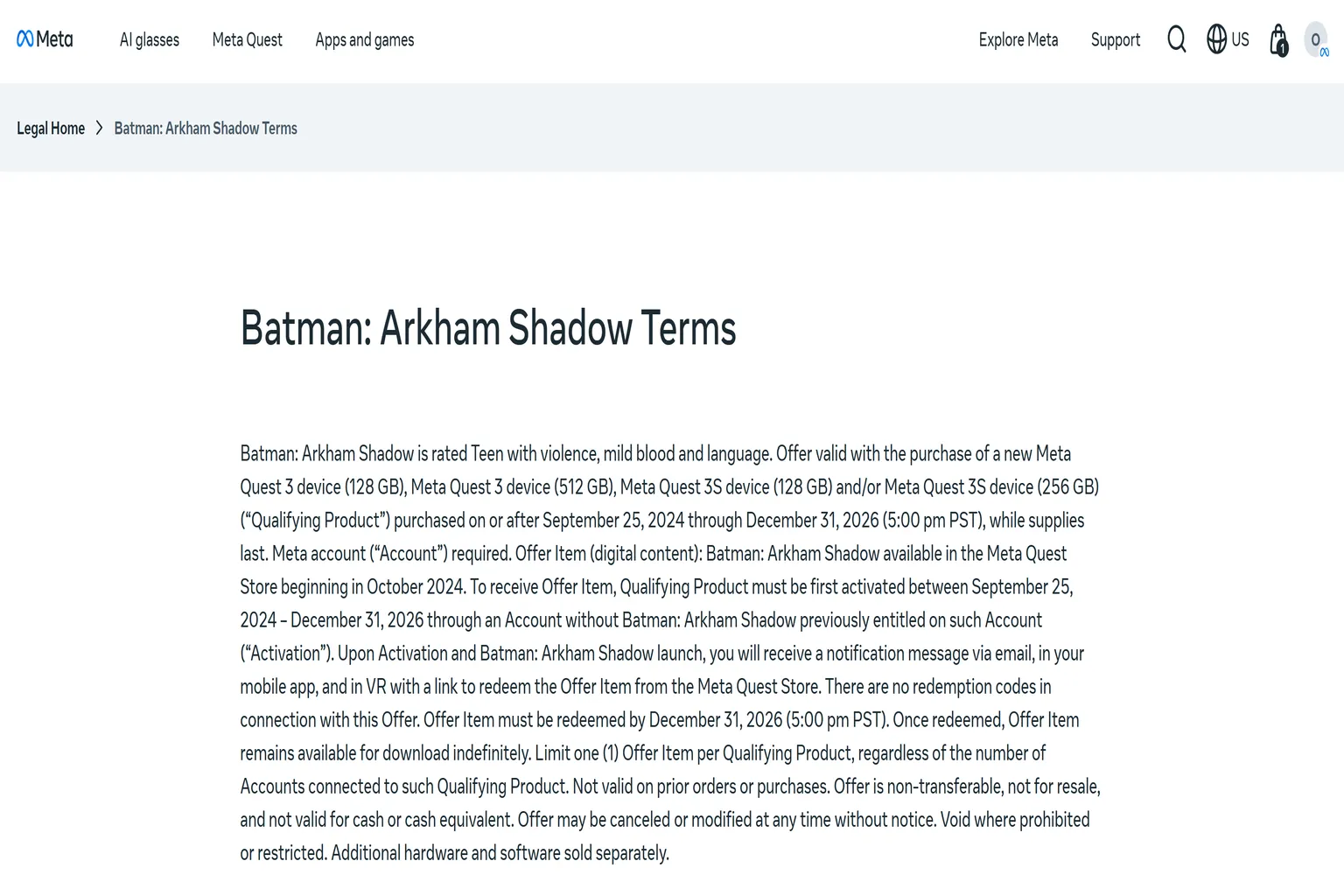
That said, even if there’s no Batman logo on the box, you may still have a chance. Take a look at the official terms on Meta’s site. According to the usage conditions at the bottom of the Meta Quest 3 / 3S purchase page, the eligible period runs until December 31, 2026.
Stock is limited, but that doesn’t mean customer support will automatically refuse.
If you show these terms directly to support, there’s a fairly good chance they’ll add the Batman bonus to your account.
Notes:
- After November 2025, the Meta official store only includes the Batman bonus with Quest 3S. The Quest 3 promotion has ended, but even so, contacting Meta support may still give you a chance to receive the Batman game.
- Quest 3 units purchased outside the Meta official store are not eligible to receive the Batman game through customer support.
- A photo of the headset box showing the Batman logo
- The headset serial number
- The email address used to register your Meta account
- Your Meta account ID
- Your Meta account nickname
- Your current Quest Cash balance
- A screenshot of the Meta terms mentioned above
Here’s a quick explanation of the items you need to prepare, starting with the headset serial number.
Headset serial number
This is the number printed on the side of the headset box.
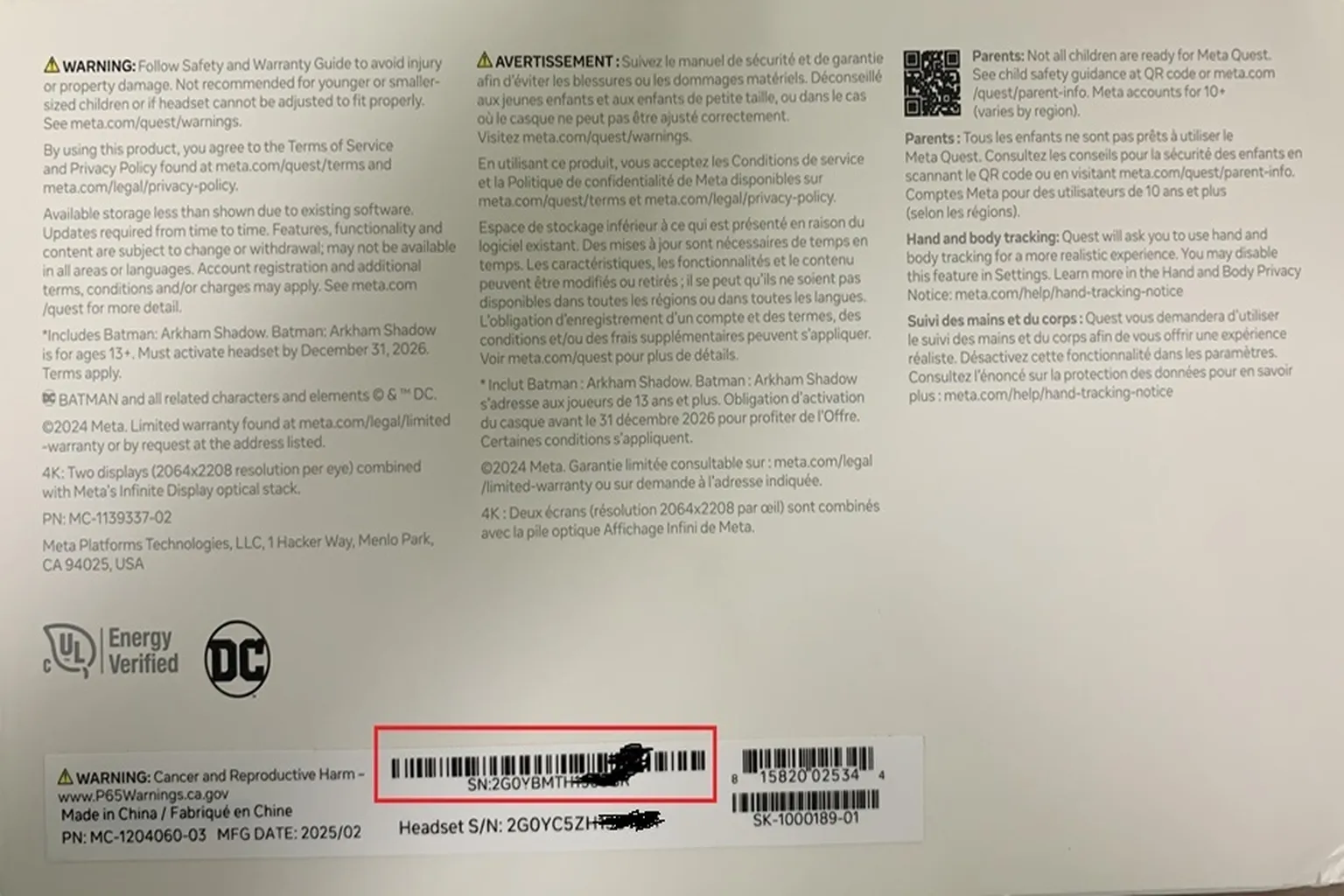
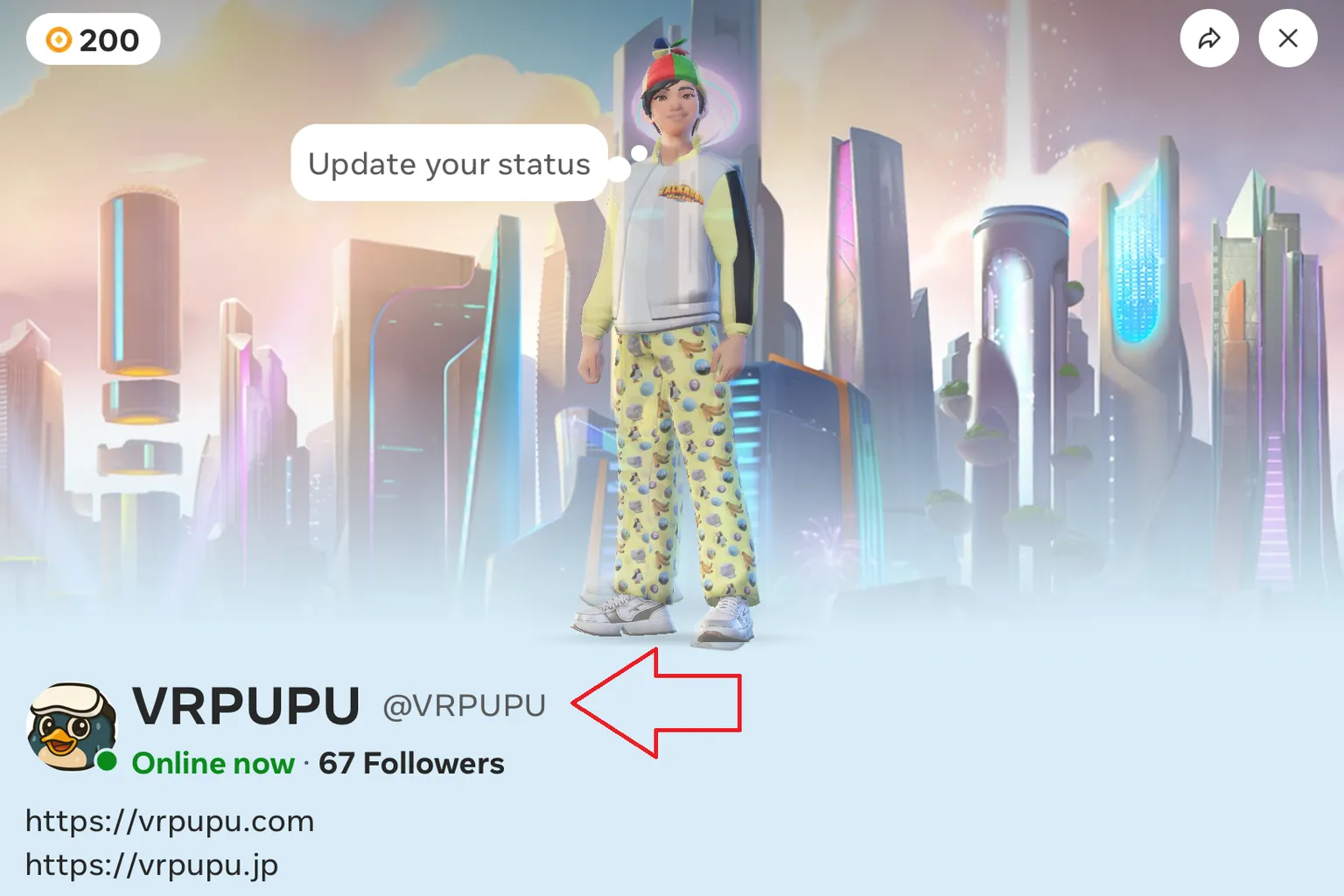
Meta ID and nickname
In the Meta Horizon app on your phone, both are shown under your avatar image. The larger text is your nickname, and the smaller text below it is your Meta ID.
Quest Cash balance:
This is the amount shown in the Digital Wallet section of the Meta Horizon app. For example, in this image, the balance is $232.51.
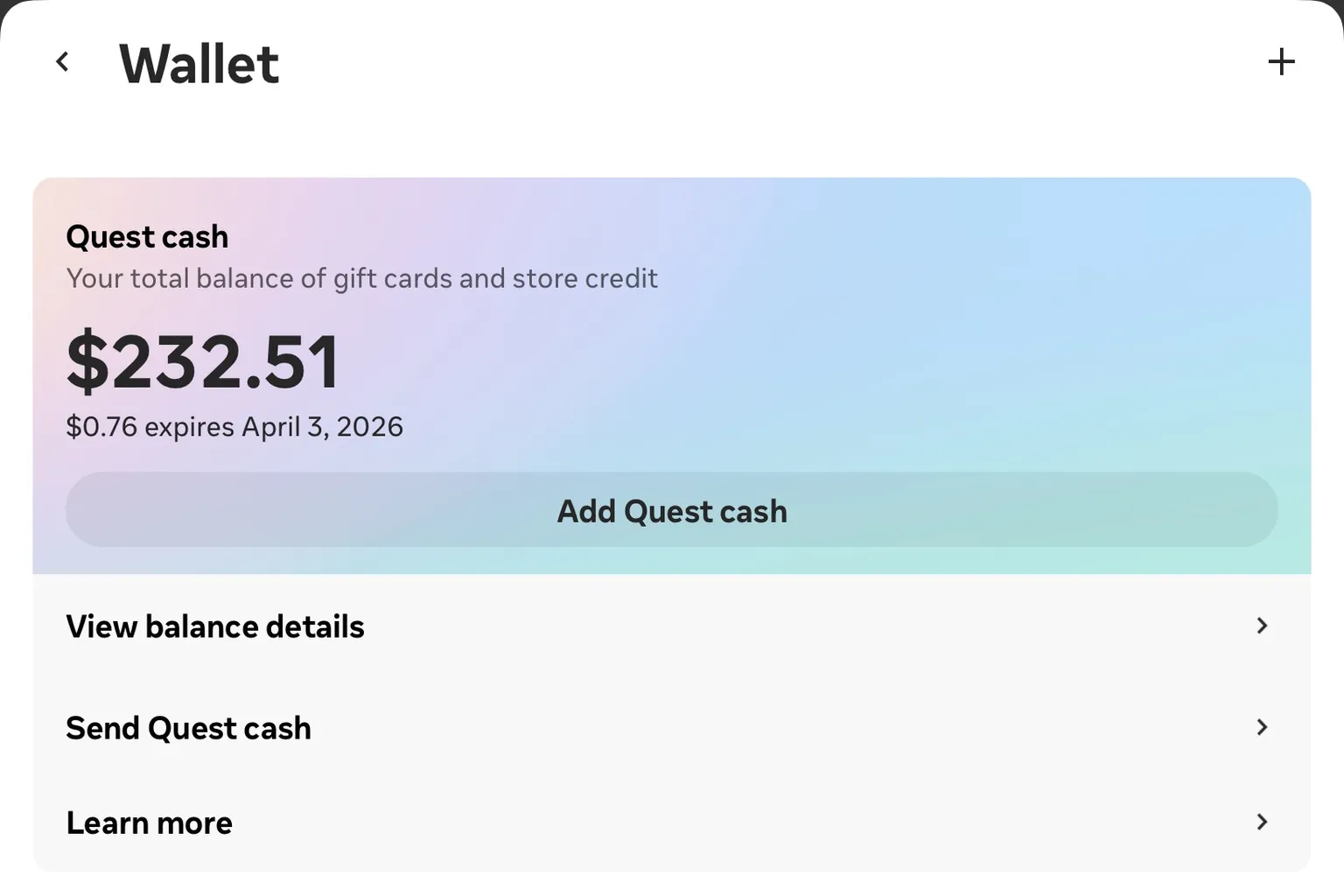
Once you have all the required information ready, send an email to Meta support.
You can use the template below. Replace the bolded parts with your own details, and don’t copy it word for word without editing.
Subject: Request for Batman Bonus Reissue
Hello,
I am a Meta Quest 3 / 3S user.
I recently purchased a new headset, but I was unable to redeem the bundled bonus game “Batman.”
Could you please help reissue the bonus for my account?
My details are listed below.
Photo of the headset box: Please see the attached file
Headset serial number: A12345678
Meta account email: [email protected]
Meta account ID: HiMeta
Meta account nickname: HiMeta
Current Quest Cash balance: 232.51
Thank you very much for your assistance.
Best regards,
If everything goes smoothly, you should receive a reply from Meta within 2 to 24 hours.
As long as all required information is provided, “Batman” will be added directly to your game library.
If any information is missing, Meta support will usually reply and ask you to provide the additional details they need.
Send an email to Meta support explaining the situation.
In most cases, they’ll reissue the bonus within about 2 to 24 hours.
If your first email is missing any information, Meta will reply asking for additional details.
Just respond to that message with the requested info and you’ll be good to go.

When the bonus is successfully added, the reply email usually looks something like this.

Also, even if your box no longer has the Batman logo, that’s okay.
Don’t worry — you can still claim the bonus using the method explained above.

Can the bonus be transferred?
Yes, it can. The key is to apply as soon as possible and do not install the game after claiming it.
Ideally, submit the transfer request on the same day you activate the new headset. If you wait longer than a week, the transfer request is much more likely to be rejected.
You’ll need the following information:
- Both users’ Meta IDs
- Both users’ Meta account email addresses
- Both users’ Meta nicknames
- Both users’ Quest Cash balances
- A screenshot showing the bonus game in the game library
- Order number (optional, not required)
Once you have all this information ready, all that’s left is to email Meta support.
As long as you clearly explain the situation, they usually handle the transfer pretty smoothly.
Below is a sample email you can use.
Make sure to replace the bolded parts with your own details. Do not copy and paste it as-is.
Subject: Request to Transfer Bundled Bonus Game to a Family Member
Hello,
I recently purchased a Meta Quest 3S (128GB) and received it on May 5.
Headset serial number: A12345679
Order number: 6446509
(If the headset was purchased from a big-box store or Amazon, this order number is not required.)
To receive the referral bonus, I created a new Meta account.
The details of this new account are as follows:
Quest Cash balance: $60
Meta account email: [email protected]
Nickname / Meta ID: Hi meta / @Mimeta
I would like to request a transfer of the bundled bonus game from this account to a family member’s account.
The family member’s account details are listed below:
Meta account email: [email protected]
Nickname / Meta ID: Himeta2 / @Himeta2
Quest Cash balance: 0.00
The bonus game was claimed on May 5 at 11:47 PM under the @Himeta account, and it has not been installed.
I would appreciate your help in transferring the bonus game to the family member’s account.
Thank you very much for your assistance.
Best regards,
If everything goes smoothly, you should receive an email from Meta by the next day saying that the transfer has been completed.

3 months of Horizon+
Horizon+ is a subscription service exclusive to Meta Quest (it was called Quest+ until April 2025).
Think of it like an upgraded version of PlayStation Plus on Sony consoles. It comes with three main benefits:
- Special Horizon+ member discounts when buying games
- Two additional games you can play each month
- A subscription library with over 80 VR games included
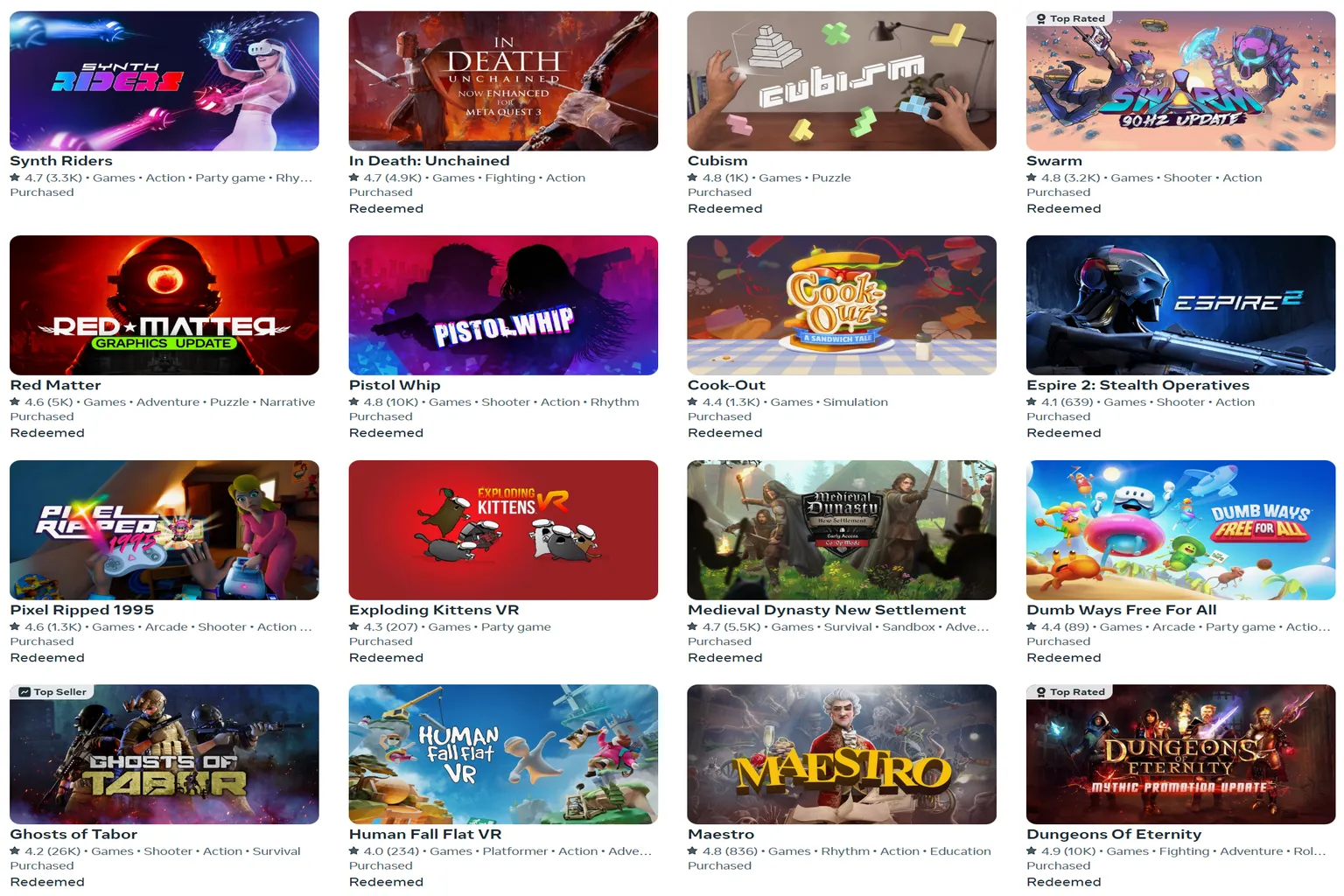
Claiming this bonus is very simple. After you connect the headset to your phone for the first time, just redeem it from the Horizon+ screen.
I’ve put together a separate page that explains how Horizon+ works, its pros and cons, and how to cancel if you ever need to.
Now that you’ve claimed all your Meta bonuses, it’s finally time to jump into the Meta Quest VR world.
There are still tons of great VR games waiting to be explored.
Also, even for games that aren’t on sale in the store, you can get 10% off by entering “VRPUPU” before checkout.
Some DLCs and bundles can be discounted at the same time as well.
When you think about using those savings to grab one or two extra games, it’s a pretty great deal.
FAQ – Common Questions
Can I transfer the Batman bonus to a friend one month after claiming it?
No. According to the Meta Store refund policy, transfers are only possible within one week of purchase or if playtime is under two hours. After that window, support usually won’t be able to help with transfers.
Is there a deadline to claim the bonuses?
Yes. Horizon+ must be claimed within three months of the first headset activation.
The Batman bonus does not have a fixed claim deadline.
Can Horizon+ be transferred to a friend?
No. Subscription-based perks can’t be transferred.
Do you still get bonuses if you buy a used headset?
The Batman bonus can only be claimed by the account that activates the headset for the first time.
Horizon+ is tied to the headset itself, so if the previous owner hasn’t claimed it and it’s still within three months of first activation, you can still claim it.