
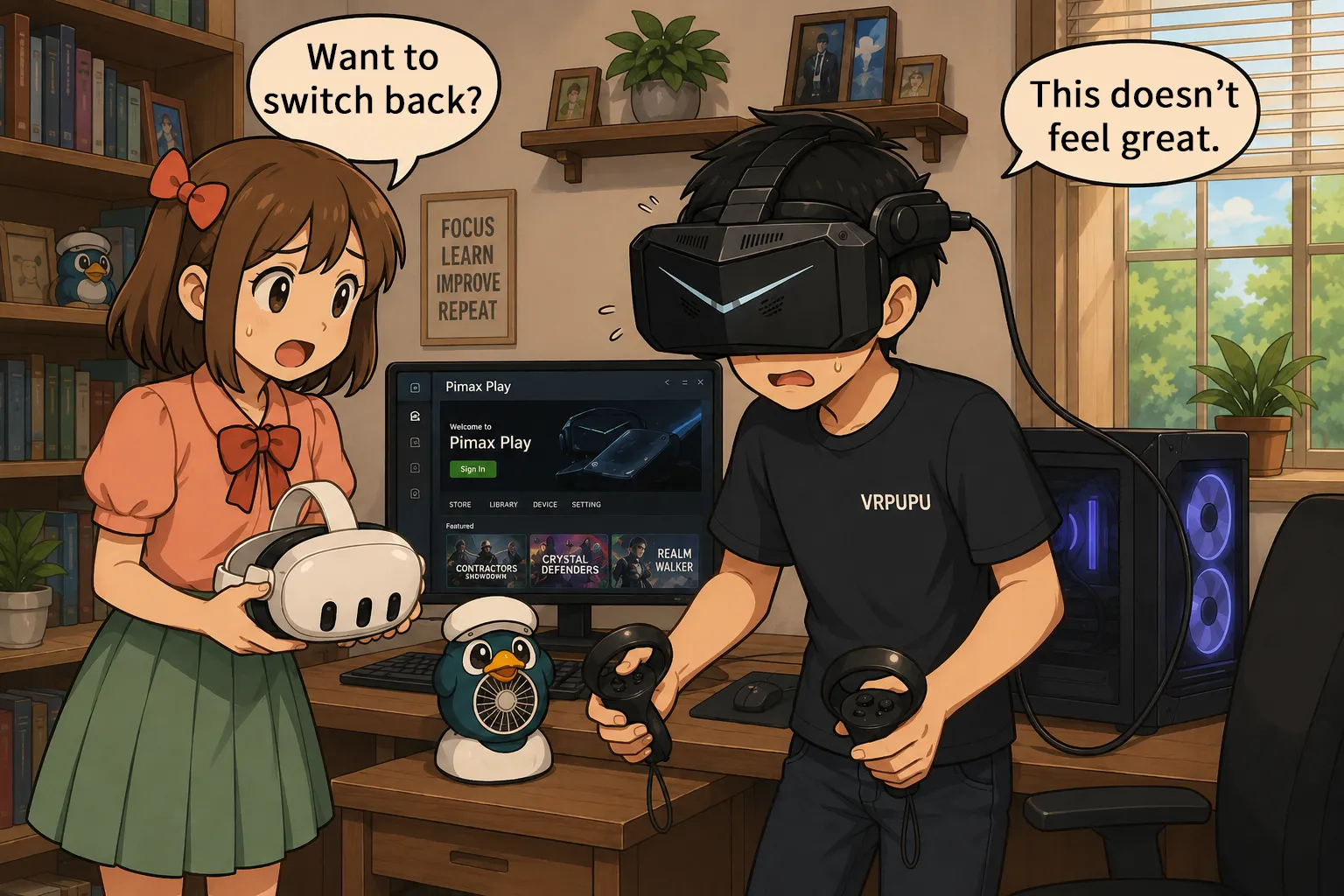
The Pimax Crystal Light delivers noticeably sharper center clarity than the Meta Quest 3 thanks to its 2880 × 2880-per-eye resolution, QLED panels, and direct DisplayPort connection. However, its 815 g weight, significant pressure on the face, stiff cable, blurry lens edges, and low-resolution black-and-white passthrough make it difficult to recommend to most Meta Quest users. Use promo code VRPUPU when purchasing a Pimax headset to receive 2% off.
Pimax VR Headset Overview
Pimax is a Chinese VR headset manufacturer founded in 2015.
Its headsets are mainly designed for PCVR and generally offer high resolutions. The company has released 4K, 5K, and 8K series headsets, and it is one of the few manufacturers that uses both high-resolution displays and glass lenses.
Pimax headsets are often used for flight simulators and racing simulators, making them a good fit for players who prioritize image quality.
In the VR headset market, Pimax focuses on high performance, high resolution, and premium pricing. This is a very different direction from Meta Quest’s focus on mainstream consumers.
Pimax currently offers two main product lines.
- Crystal Series: These headsets use high-resolution QLED displays and glass lenses. The lineup includes the Crystal Light, Crystal Super QLED, and Crystal Super 8K Micro-OLED.
- The Crystal Light is one of Pimax’s more affordable models, with high resolution as its main selling point.
- The Crystal Super offers an even higher resolution, along with eye tracking and interchangeable optical modules. It is available in QLED and 8K Micro-OLED versions.
- Dream Air Series: This lineup includes the Dream Air and Dream Air SE, both of which use Micro-OLED displays. Their main feature is a smaller, lighter headset design that still delivers high resolution.
Pimax provided me with a Pimax Crystal Light, so I will be covering it in this article.
I also want players who normally use Meta Quest to understand what VR headsets from other brands have to offer.
Pimax Crystal Light Hardware Specifications
The Pimax Crystal Light does not have a built-in battery. It is a PCVR headset designed exclusively for use with a PC.
You need to connect it to your PC through DisplayPort and USB, along with a separate external power connection. Unlike Meta Quest, it cannot run games on its own or be used for wireless PCVR.
The headset has a resolution of 2880 × 2880 per eye and uses QLED panels with glass aspheric lenses.
The high resolution makes it easier to see fine details, including instruments in flight simulators, dashboards in racing games, distant objects, and text.
The Crystal Light supports refresh rates up to 120Hz and has a 110-degree horizontal field of view. You can adjust the interpupillary distance from 58 to 72 mm.
The headset weighs 815 g and does not support eye tracking.
Because it sends the video signal directly through DisplayPort, it does not need to use video compression like Quest Link. This helps reduce blurring and prevents fine details from getting lost.
However, the high resolution also requires a powerful PC.
Pimax lists the RTX 2080 as the minimum GPU requirement, with the RTX 3060 Ti and RTX 4060 listed as comparable options.
The recommended GPU is an RTX 3070 or better, with the RTX 4060 Ti and RTX 5060 listed as cards with similar performance.
To get the image quality this headset is capable of, I think you will want at least an RTX 3080, RTX 4070, RTX 5070, AMD RX 7800 XT, or RX 9070.
Differences Between Pimax and Meta Quest Specifications
The Pimax Crystal Light and Meta Quest 3 are designed with completely different priorities.
The Crystal Light is built primarily for PCVR, while the Meta Quest 3 is designed mainly as a standalone headset, with PCVR offered as an additional feature.
The table below summarizes the main specification differences between the two headsets.
| Comparison | Pimax Crystal Light | Meta Quest 3 |
| Product positioning | High-resolution PCVR headset | Wireless all-in-one VR/MR headset |
| How it is used | Must be connected to a PC | Can be used standalone or connected to a PC 🏆 |
| Headset weight | 815 g | 515 g 🏆 |
| Resolution per eye | 2880 × 2880 🏆 | 2064 × 2208 |
| Pixel density | 35 PPD 🏆 | 25 PPD |
| Display | QLED 🏆 | LCD |
| Lenses | Glass aspheric lenses | Pancake lenses |
| Maximum refresh rate | 120Hz | 120Hz |
| Vertical field of view | Not listed on the official website | 96° |
| Horizontal field of view | 110° | 110° |
| IPD adjustment range | 58–72 mm 🏆 | 58–70 mm |
| MR / passthrough | Low-resolution black-and-white passthrough with no full MR support | Full-color stereoscopic passthrough, depth sensor, and MR game support 🏆 |
| PCVR connection | DisplayPort + USB | Quest Link / Air Link |
| Standalone games | Not supported | Supported 🏆 |
| Price | $899 | $599 🏆 |
| VRPUPU reader benefit | 2% discount | $30 in Quest Cash 🏆 |
Overall, the Pimax Crystal Light’s main strengths are its high resolution and its ability to send the video signal directly through DisplayPort.
The Meta Quest 3 is lighter, works as a standalone headset, and also supports wireless PCVR.
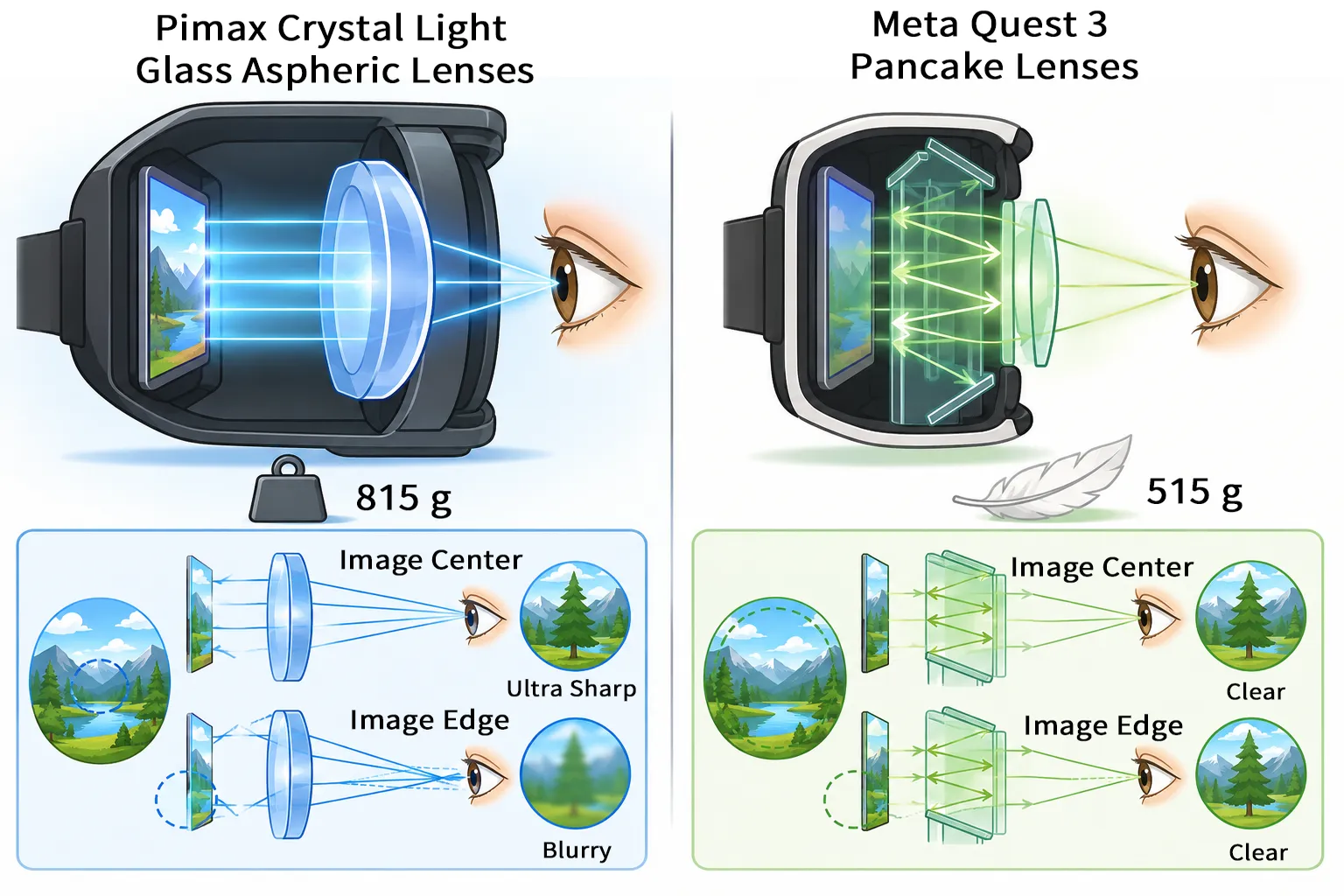
The two headsets also use completely different lens designs.
- The Meta Quest 3 uses pancake lenses. These lenses use polarization and internal reflections to fold the optical path, allowing the lens assembly to be thinner and lighter. They also stay clear across a wider portion of the view, but significantly reduce the amount of light that reaches your eyes.
- The Pimax Crystal Light uses glass aspheric lenses. Since they do not rely on internal reflections, they can retain more light. However, the lenses are heavier, and the edges of the image are more likely to appear blurry.
This difference in lens design is also one of the main reasons the Pimax Crystal Light is so heavy.
The diagram below compares the weight and visual characteristics of the Pimax Crystal Light’s glass aspheric lenses with the Meta Quest 3’s pancake lenses.
Unboxing and Setup
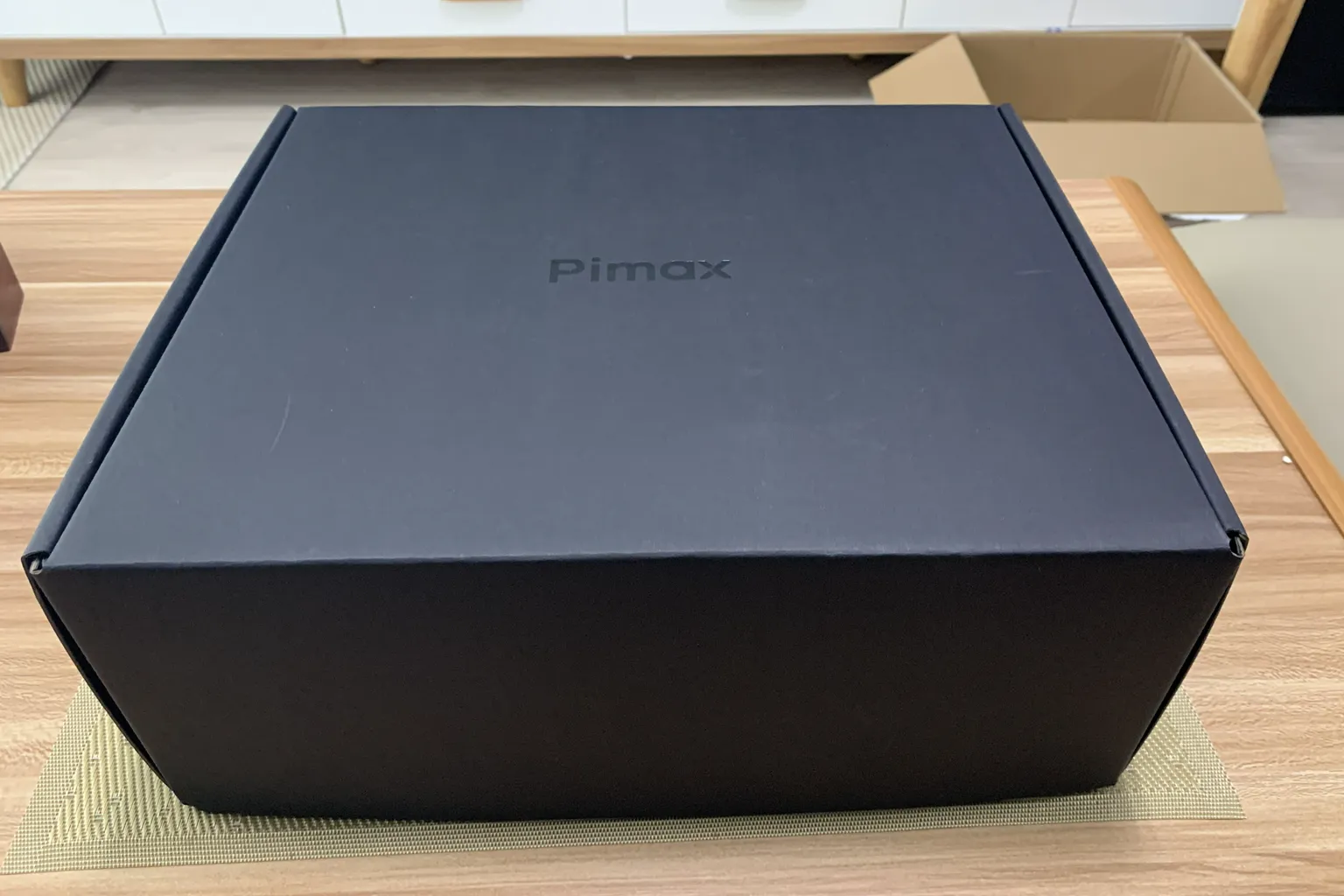
The Crystal Light I received from Pimax came in a plain black cardboard box.
The box had none of the model numbers, specifications, safety certifications, or other labeling commonly found on consumer electronics packaging. It also did not include the kind of full-color retail box you would normally expect with a store-bought product.
At first, I assumed this was simplified packaging used only for review units, so I checked with my contact at Pimax.
However, I was told that retail units are also shipped in the same box.
Since there is no product information anywhere on the outside of the box, I honestly do not know how buyers are supposed to confirm that the headset they received is the model they ordered.
Hardware Unboxing
Inside the box, you will find the Pimax Crystal Light headset, its controllers, and the included accessories.
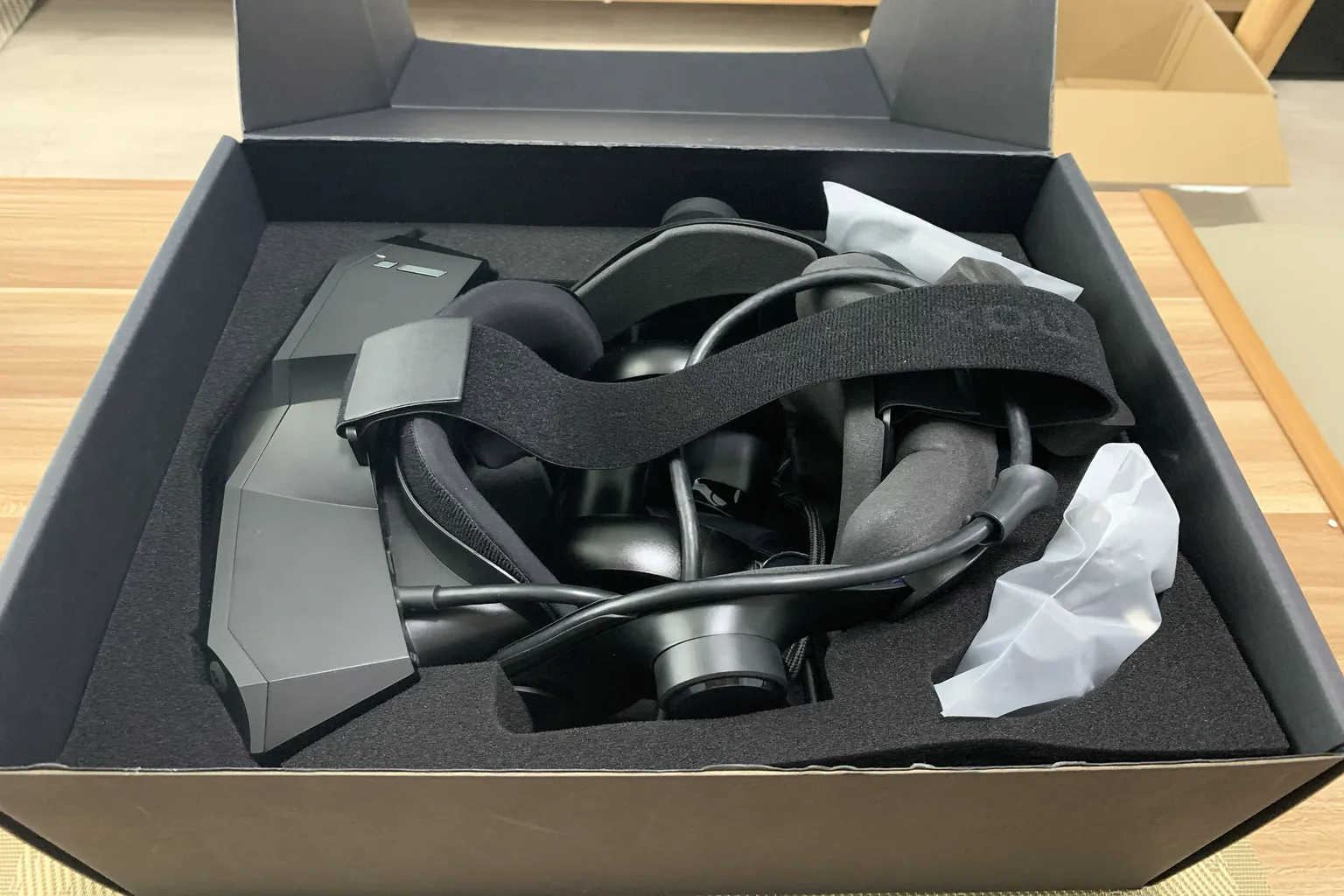
The box contains the headset, a cable breakout box, the left and right controllers, and two accessory bags.
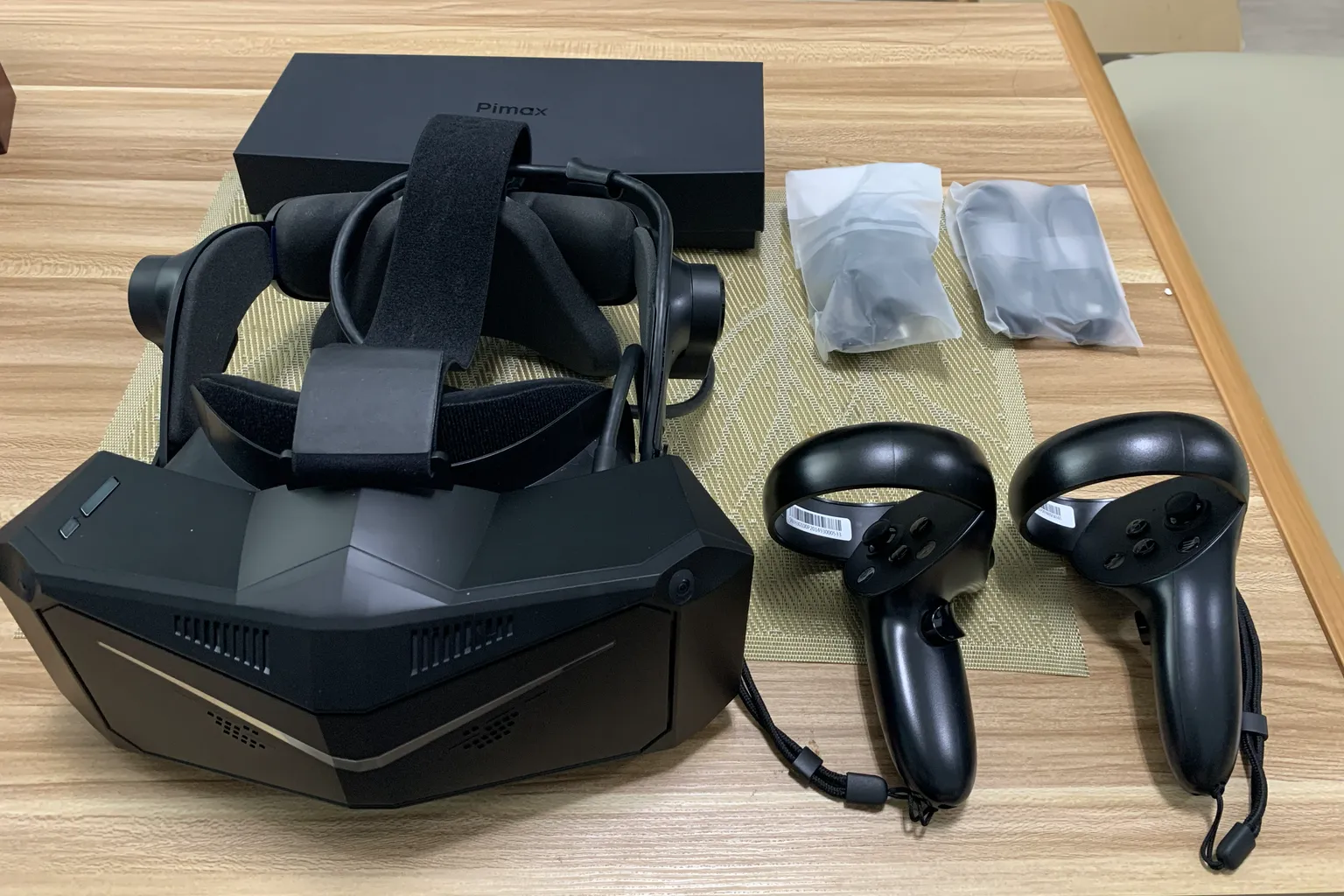
The accessory bags contain a power adapter, power plugs for different regions, two USB-C charging cables, and a cleaning cloth.

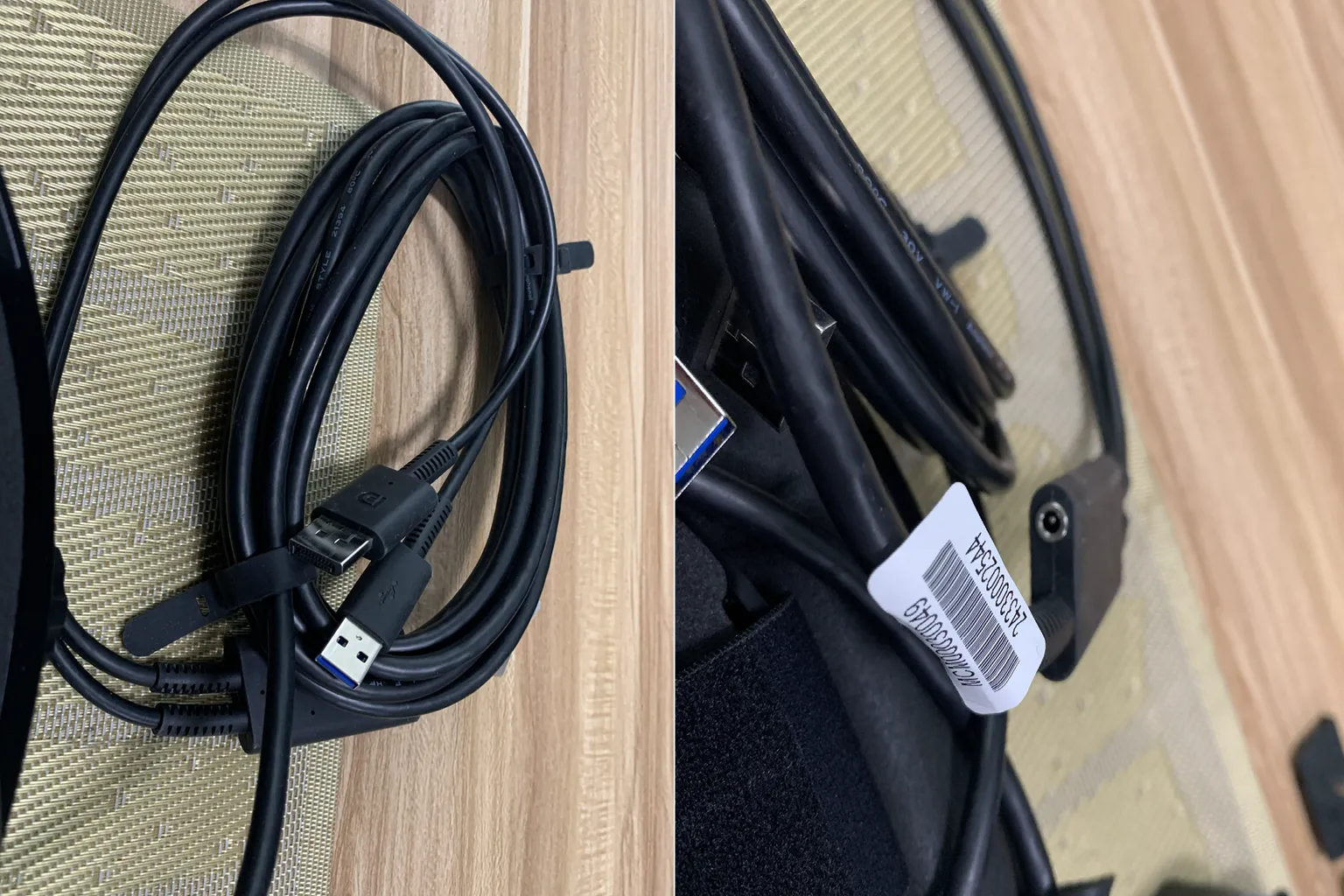
The PC connection cable splits into DisplayPort and USB-A connectors.
The breakout box also has a round power connector for the included power adapter.
When connecting the headset to your PC, you need to plug the USB connector into a USB 3.0 or faster port.
The power and volume buttons are located on the right side of the headset. Near the connection cable on the left side, there is a dial for adjusting the interpupillary distance.

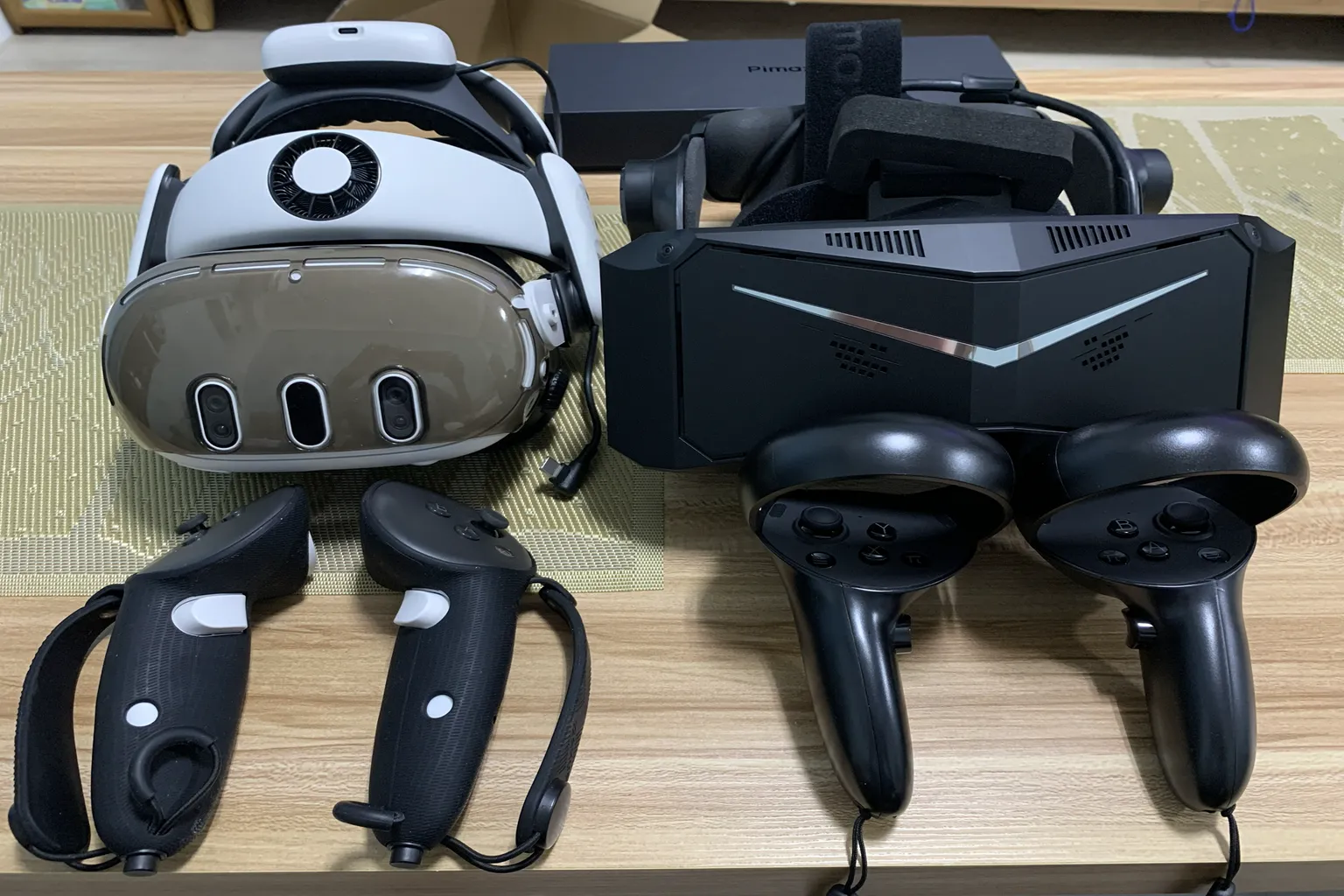
Placed side by side, the Pimax Crystal Light is considerably larger than the Meta Quest 3.
The controllers have built-in lithium-ion batteries and look similar to the Meta Quest 2 controllers.
Software Installation and Interface
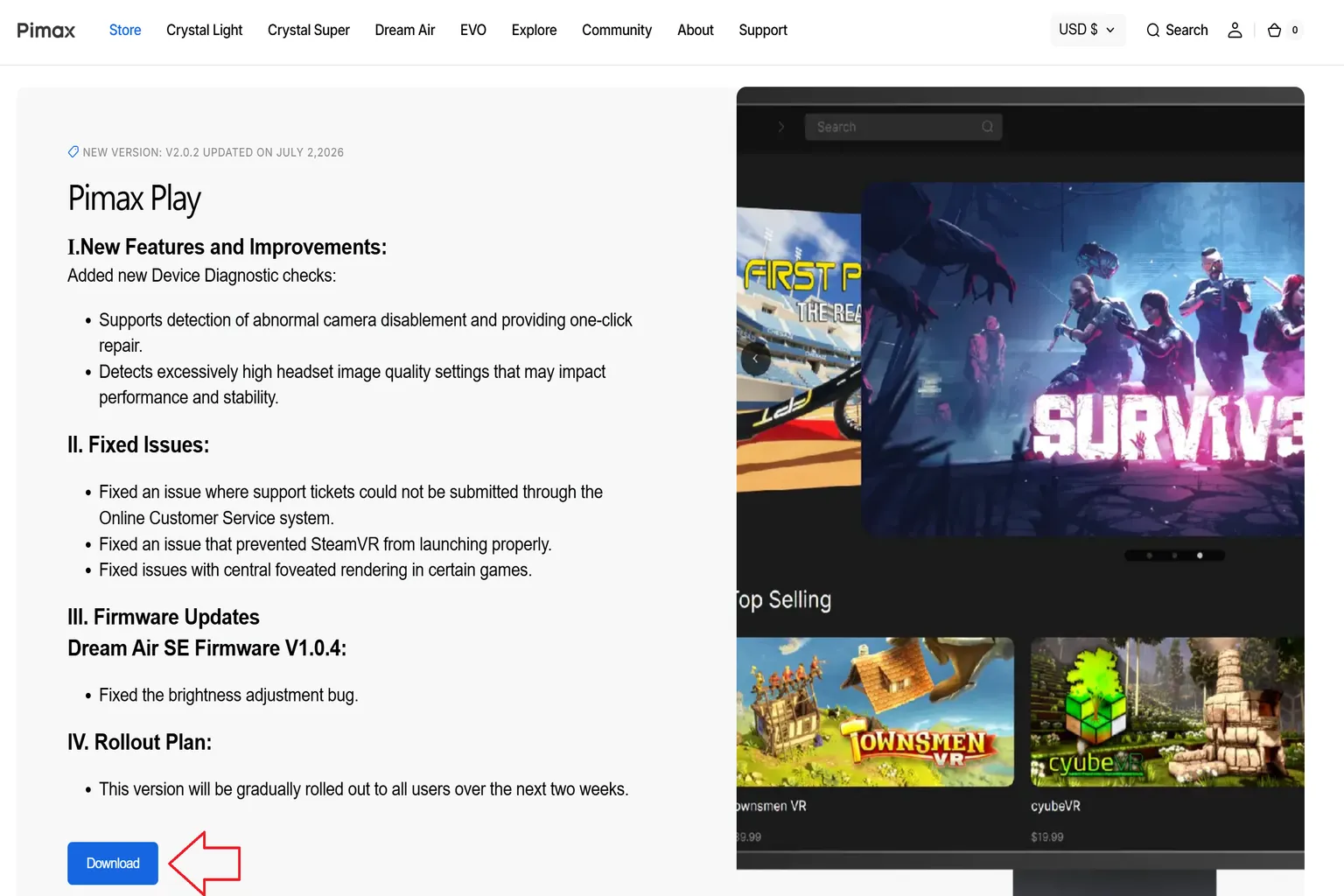
After connecting the cables to your PC, you need to install Pimax Play before you can start using the headset.
The installer is available on the Pimax official website under Support → Download, or you can use the link to go directly to the download page.
When you launch the installer, you can select the display language first.
It supports English, Japanese, Chinese, and Korean.

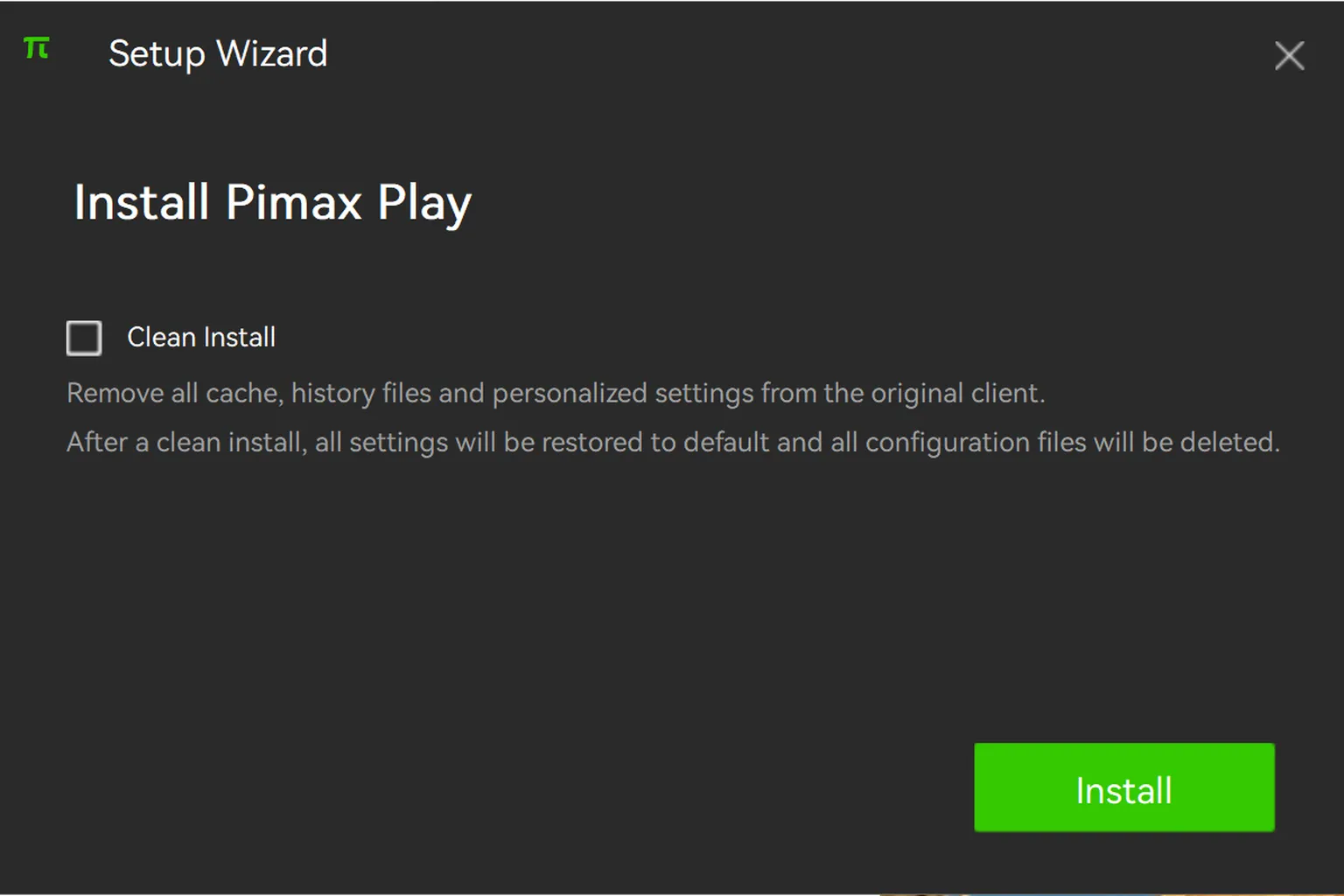
Click Install to begin downloading and installing the software.
If you previously installed Pimax Play and want to remove the old data before reinstalling it, check Clean Install.
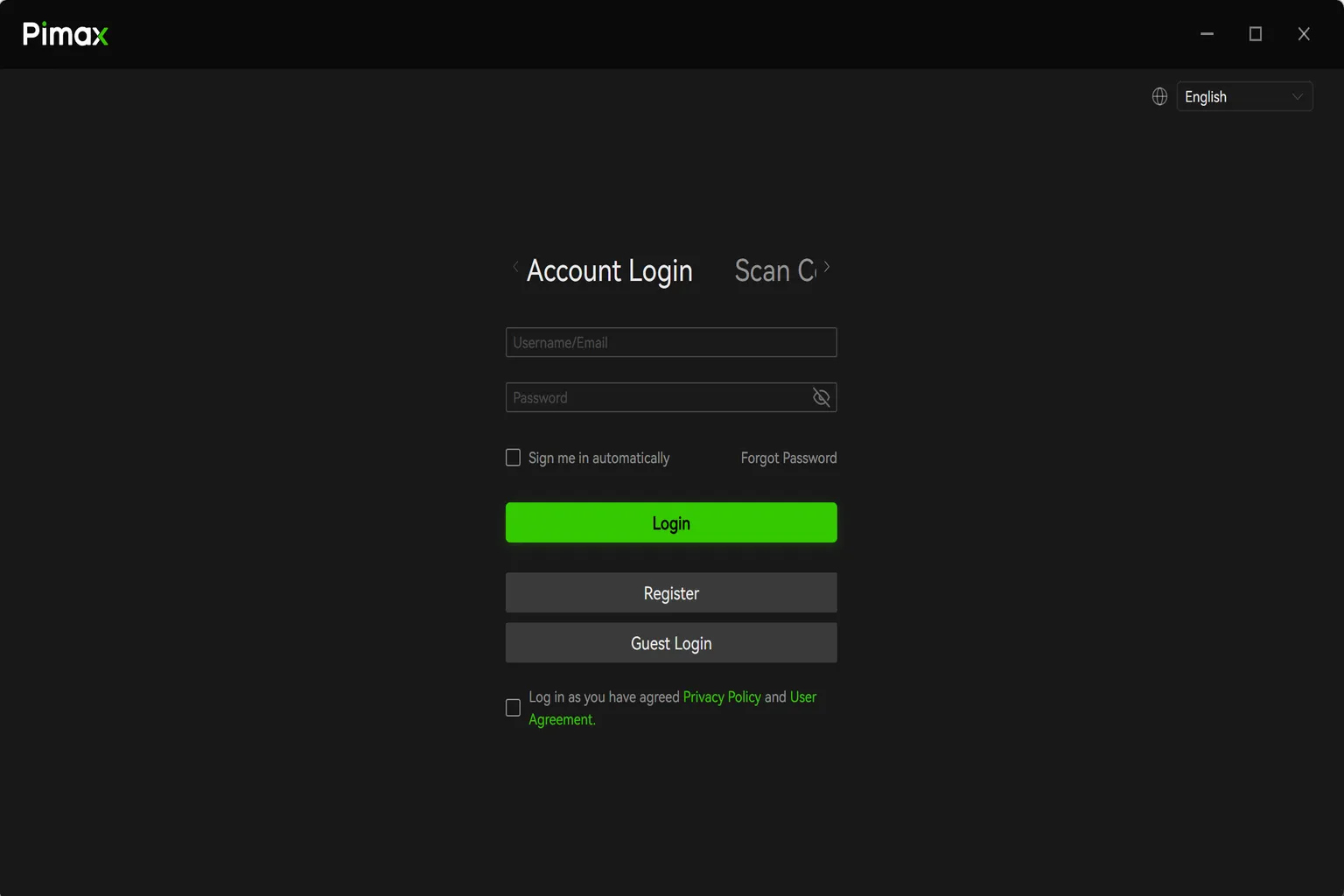
Once the installation is complete, I recommend creating a Pimax account and signing in before continuing.
You will need to link the headset to your account when setting it up.
If you already have an account, enter your email address and password to sign in.
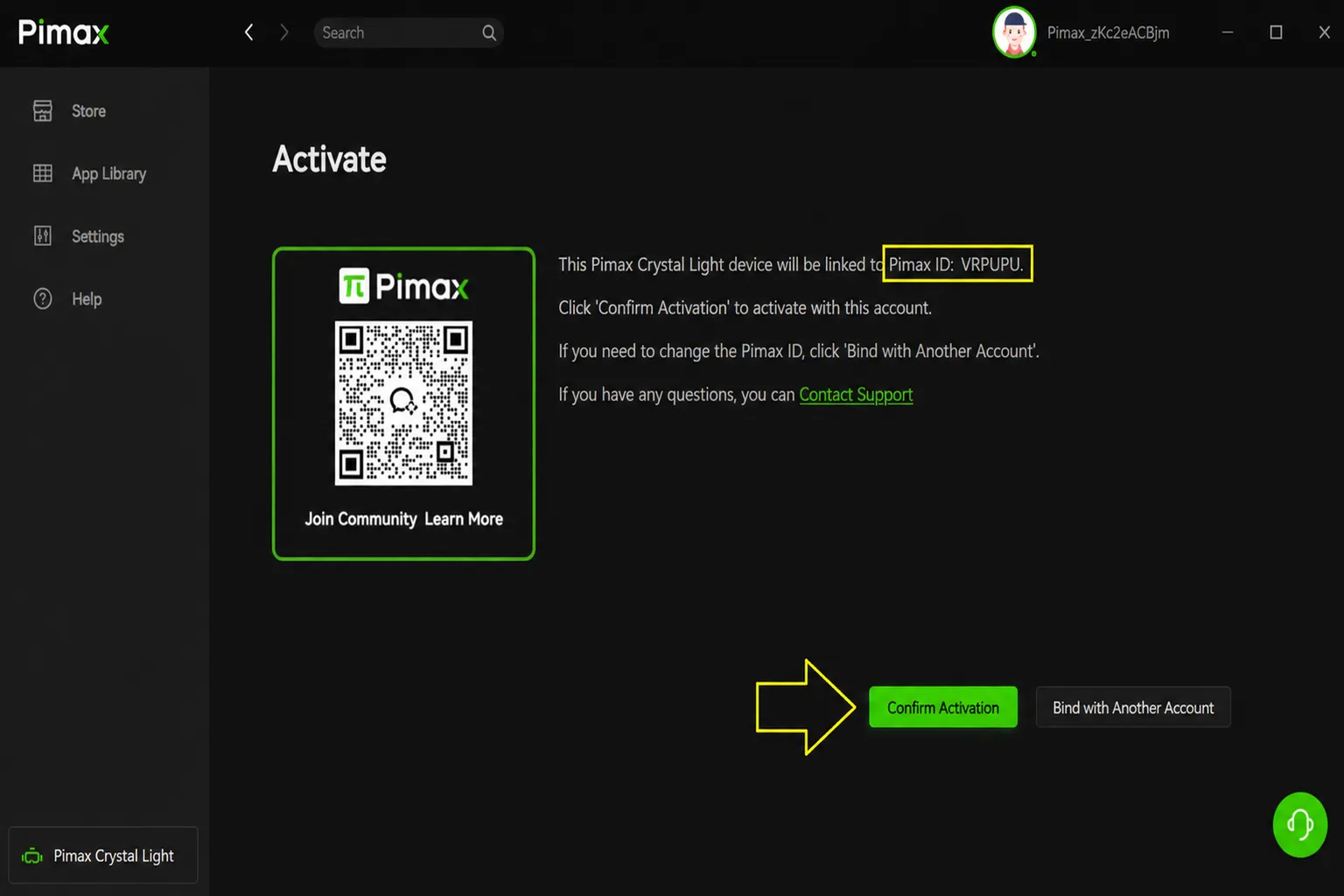
When you connect the headset for the first time, it will be linked to your account.
Confirm that the Pimax ID is correct, then select Confirm Activation.
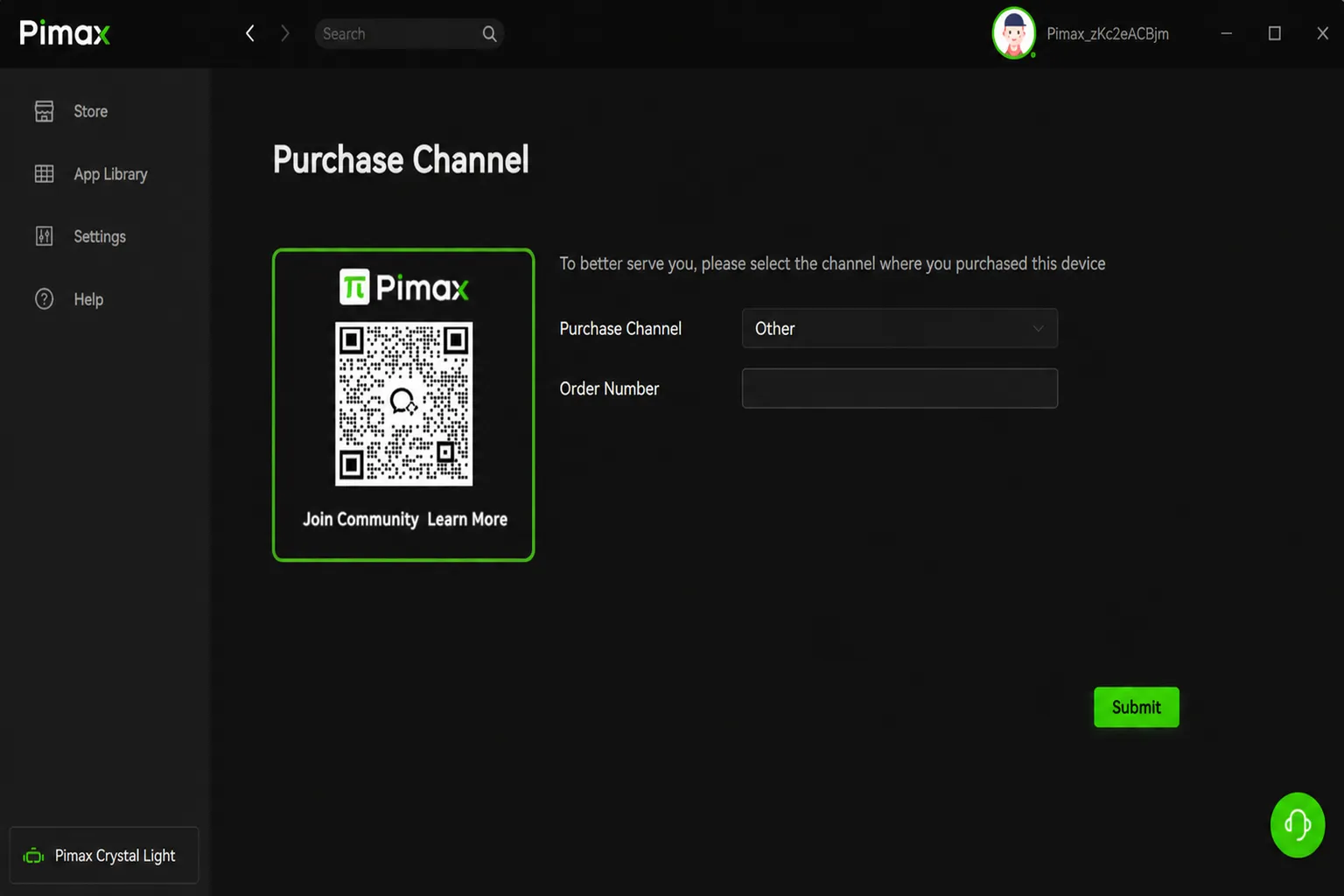
When linking the device, you will be asked to enter where you purchased it and the order number. Enter the information that matches your purchase.
Since this unit was provided as a review sample, I selected Other as the place of purchase.
Once the device is linked, Pimax Play will check its firmware version.
If a newer version is available, I recommend updating it to the latest version.
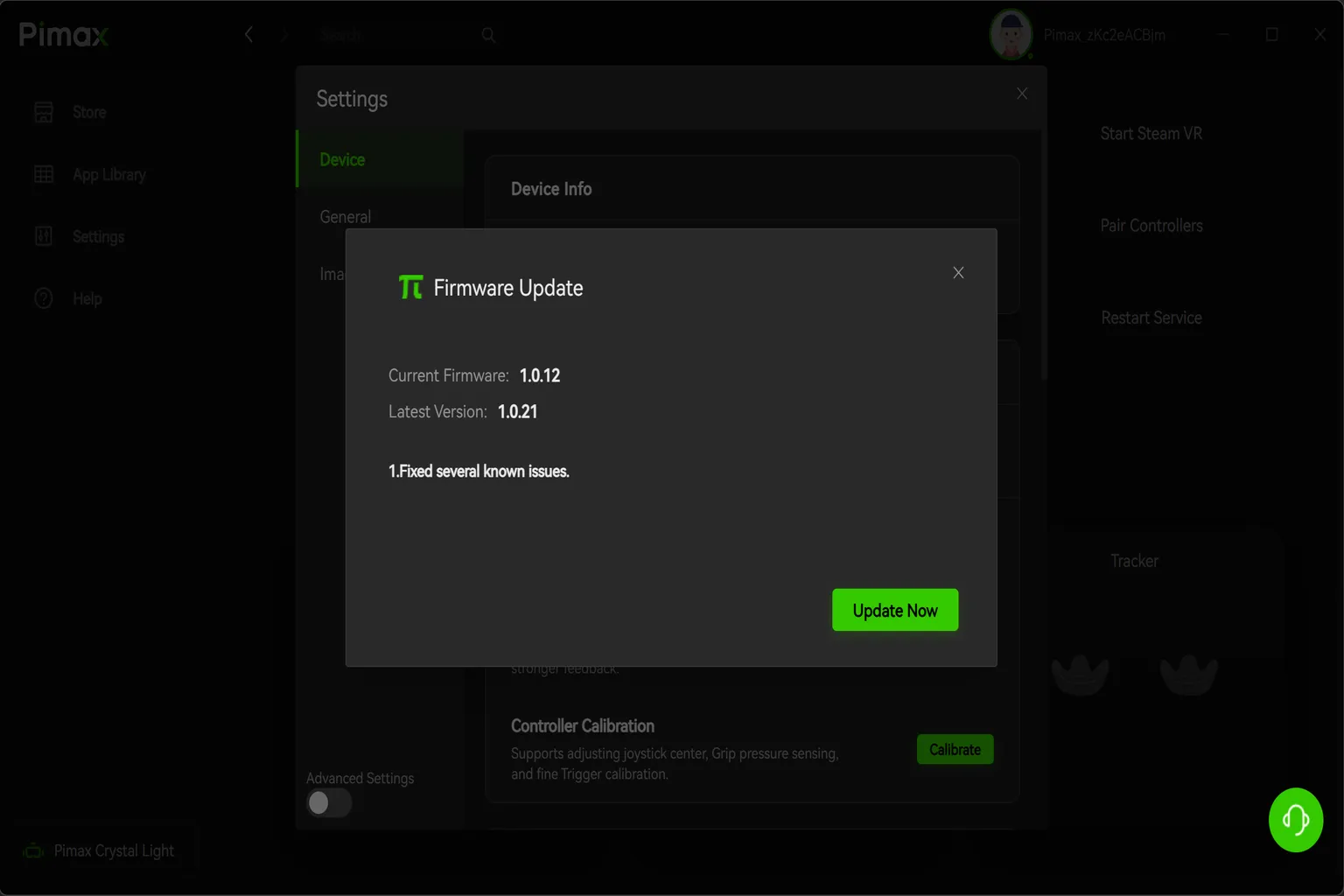
Pimax Play lets you pair and reset devices, as well as adjust various settings.
The controller, headset, and tracker icons at the bottom of the screen turn green when each device is connected properly.

The store on the left lets you purchase software for Pimax headsets. As of July 2026, it had a total of 31 titles.
Compared with the Meta Horizon Store and Steam, the selection is much smaller, and the prices are not particularly low either.
For example, Townsmen VR costs $39.99 on the Pimax Store. It costs $39.98 on Steam, but frequently goes on sale.
PCVR games are often cheaper when purchased through Steam.

Under App Library, you can view the games installed on your PC. Each game’s platform is shown in the upper-right corner of its icon.
Games purchased through Steam launched normally, but I could not start some games purchased from the Meta Horizon Store.

Under Settings, you can change various Pimax Play options.
You can switch the display language, choose the download location, and decide whether Pimax Play launches automatically when your PC starts.
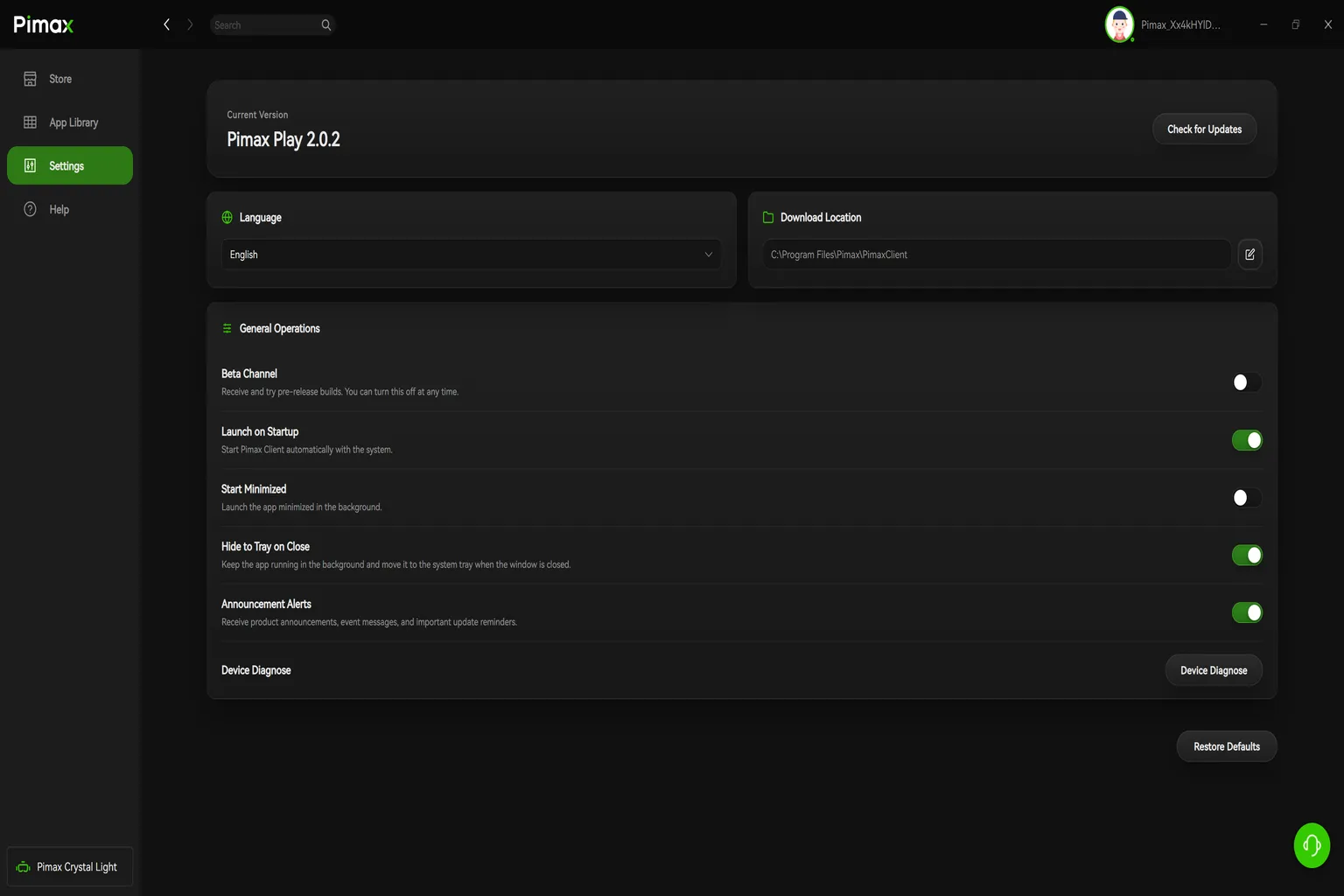
Select My Device to access detailed headset settings.
Under Device, you can update the firmware and adjust options such as the tracking mode, display brightness, and refresh rate.

Under General, you can configure the OpenXR runtime and set how long the headset waits before turning off the display automatically.

Under Image/Performance, you can fine-tune the visual settings.
You can increase the image quality and enable features such as Center Rendering and Smart Smoothing.

Hands-On Testing and Evaluation
With the unboxing and setup complete, I put on the headset and tested how it feels in actual use.
In this section, I will look at the Pimax Crystal Light’s real-world performance from the perspective of a typical VR user and whether it is a suitable upgrade for Meta Quest users.
The PC used for testing had the following specifications:
CPU: Intel Core i7-13700K
GPU: NVIDIA GeForce RTX 3090
Memory: 32GB
Storage: 2TB PCIe Gen 4 M.2 SSD
All image quality and usability impressions below are based on this PC configuration.
Comfort
The Pimax Crystal Light feels much larger than the Meta Quest 3 when you put it on.
Once I started wearing it, several problems became obvious almost immediately.
First, the 815 g headset is very heavy. With the stock head strap, most of the weight is concentrated at the front, putting a lot of pressure on my face. It is not comfortable to wear.
In my case, I had to take it off and rest after about five minutes. My son also tried it and found it difficult to wear for more than 10 minutes at a time.
It is also very difficult to use while wearing glasses.
When I wore the headset over my glasses, the pressure became concentrated around the nose pads and the sides of my nose. Continuing to use it like that was almost impossible.
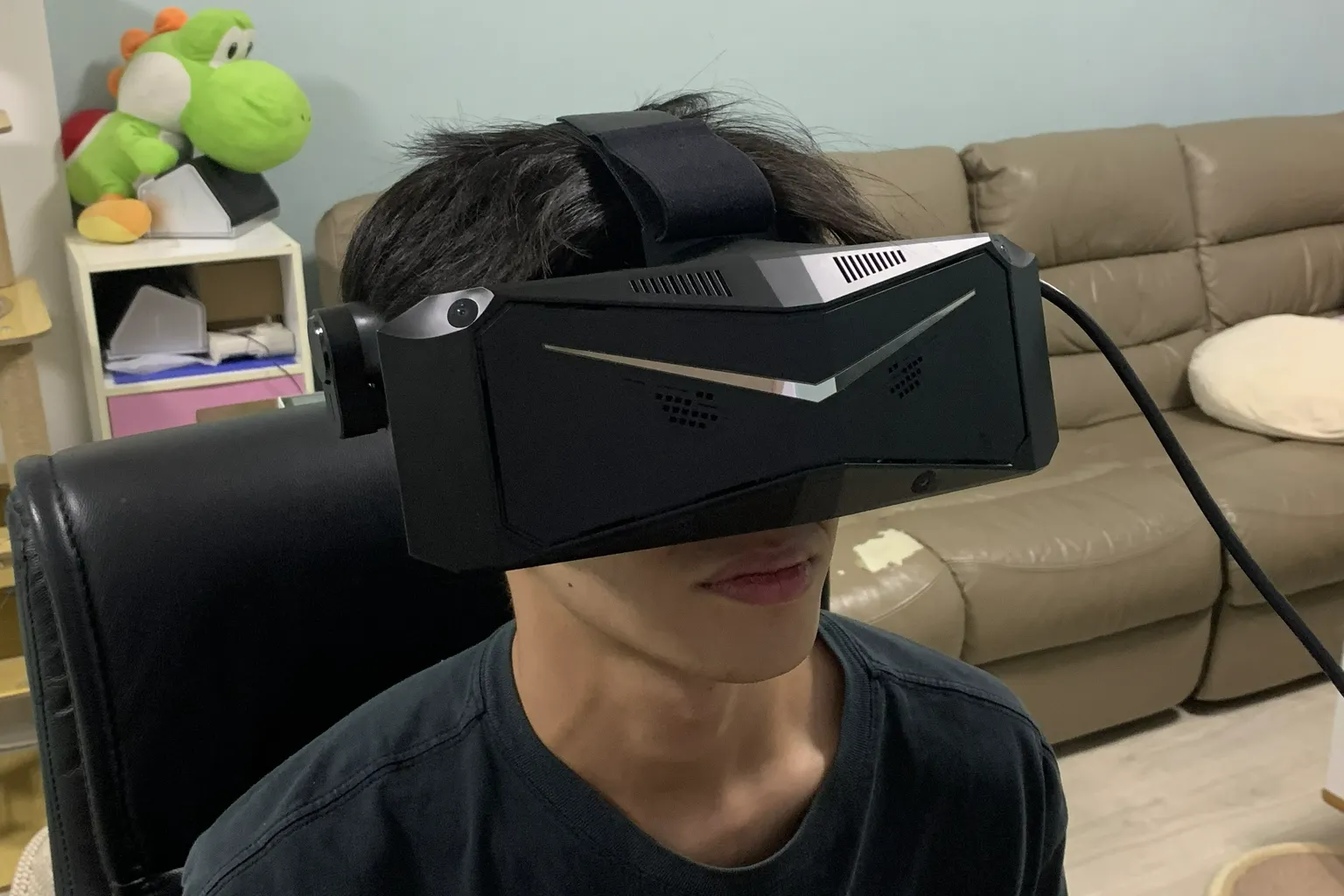
The PC connection cable is thick and stiff. While using the headset, I could constantly feel the cable tugging from behind or brushing against me.
The cable is especially noticeable in standing games and VR games that require you to turn your head frequently to look around.
The best way I found to keep the cable from getting in the way was to lean back in my PC chair and move my head as little as possible.
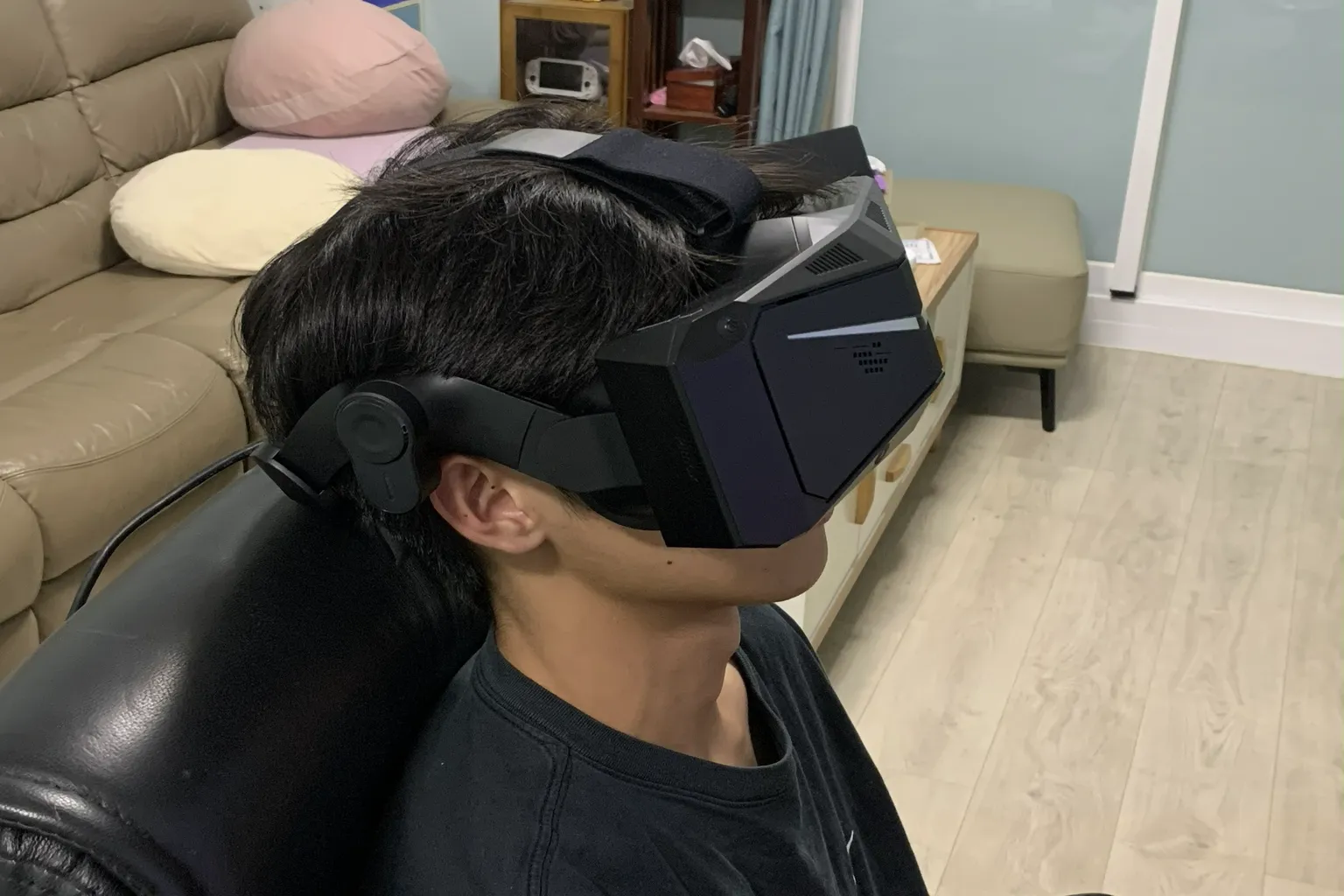
Using it made me understand why this headset is commonly used for racing and flight simulators.
Both usually keep you facing forward while you play.
For VR games that require frequent looking around, large head movements, or standing play, I would not want to use this headset.
Image Quality
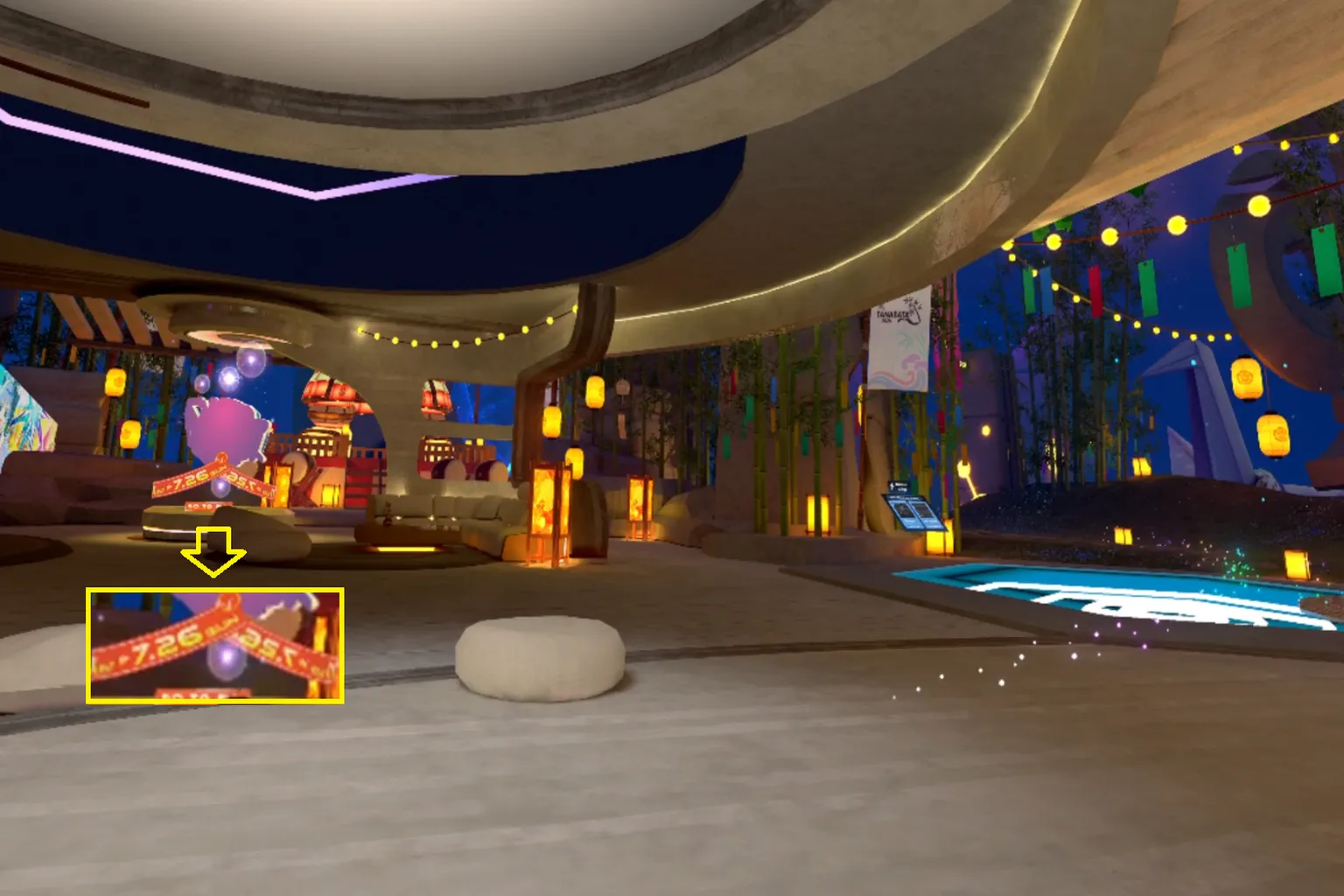
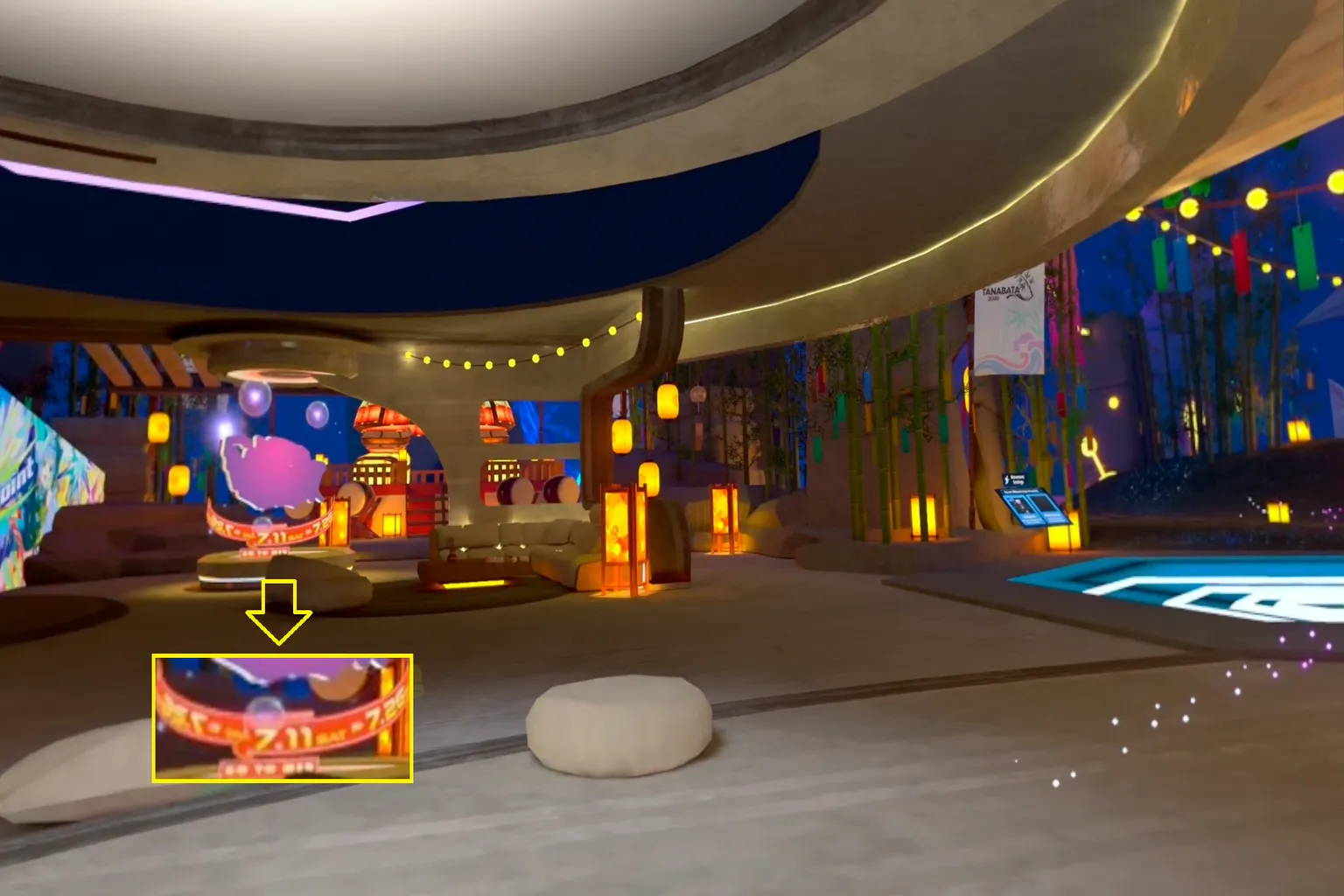
The Pimax Crystal Light’s biggest strength is its image quality. In actual games, scenery and text in the center of your view look noticeably sharper.
This is clearly better than the Meta Quest 3. Text that appears blurry in the distance on the Meta Quest 3 is much easier to read on the Pimax Crystal Light.
The images below are screenshots of the VRChat lobby displayed on both headsets. However, the actual view through the lenses looks even sharper than these screenshots.
VRChat Lobby Viewed Through the Pimax Crystal Light
VRChat Lobby Viewed Through the Meta Quest 3
However, the comparison so far only applies to the center of the image.
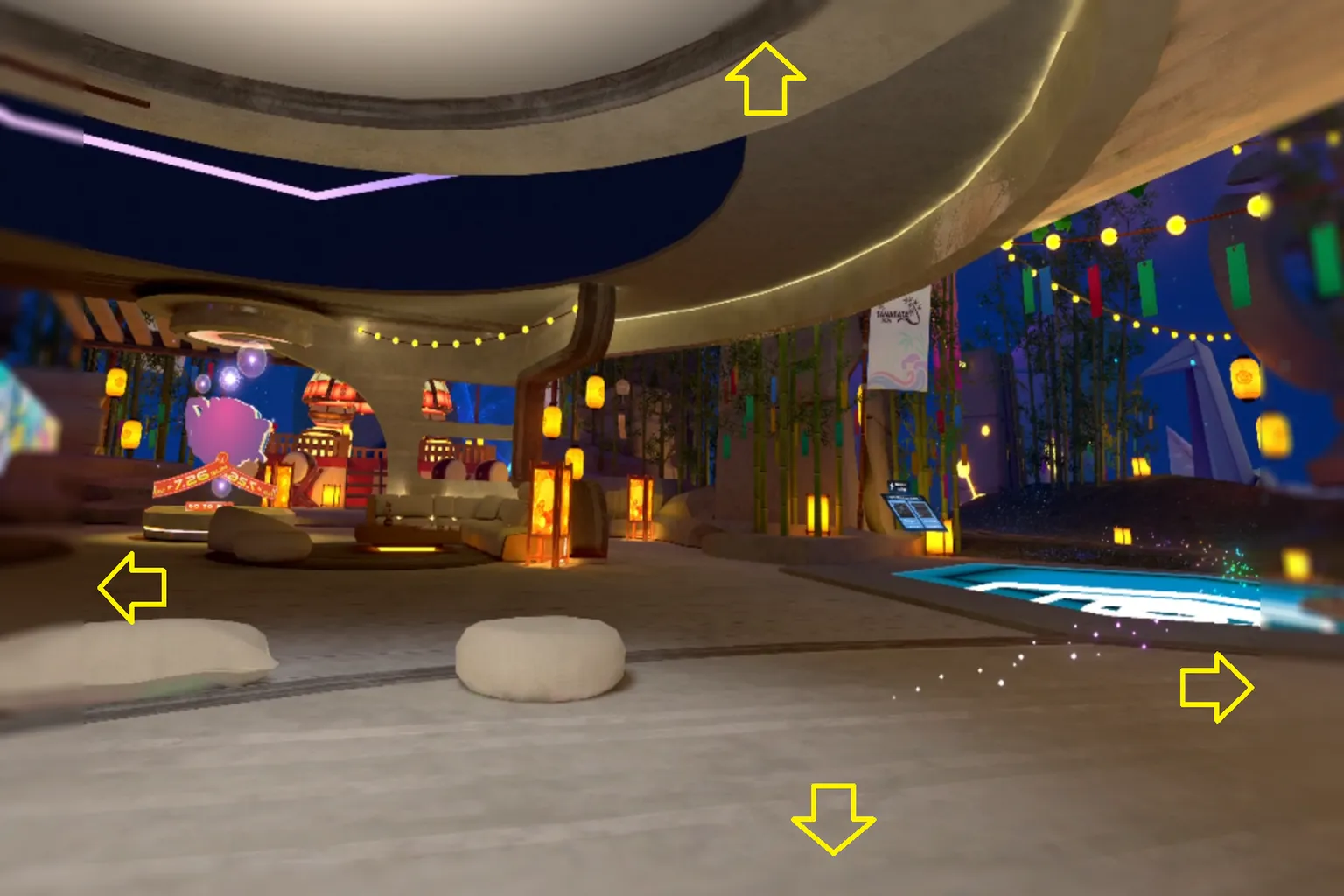
Because the Pimax Crystal Light uses glass aspheric lenses, the edges of the image tend to look blurry. This effect cannot be shown accurately in a screenshot, so I created an illustration that is closer to what I actually saw.
In VR, the blur was noticeable across roughly 10% of the image on both the left and right sides, and about 5% at the top and bottom.
The effect feels somewhat like looking through progressive lenses. The center is extremely sharp, but the edges look slightly hazy, almost as if they are covered by a thin layer of fog.
People normally look around by moving their eyes as well as their heads. Because of this, even a small shift in your gaze can bring the blurry edges of the lenses into view.
I did not find it very comfortable to play VR games with the image looking this way.
MR Features
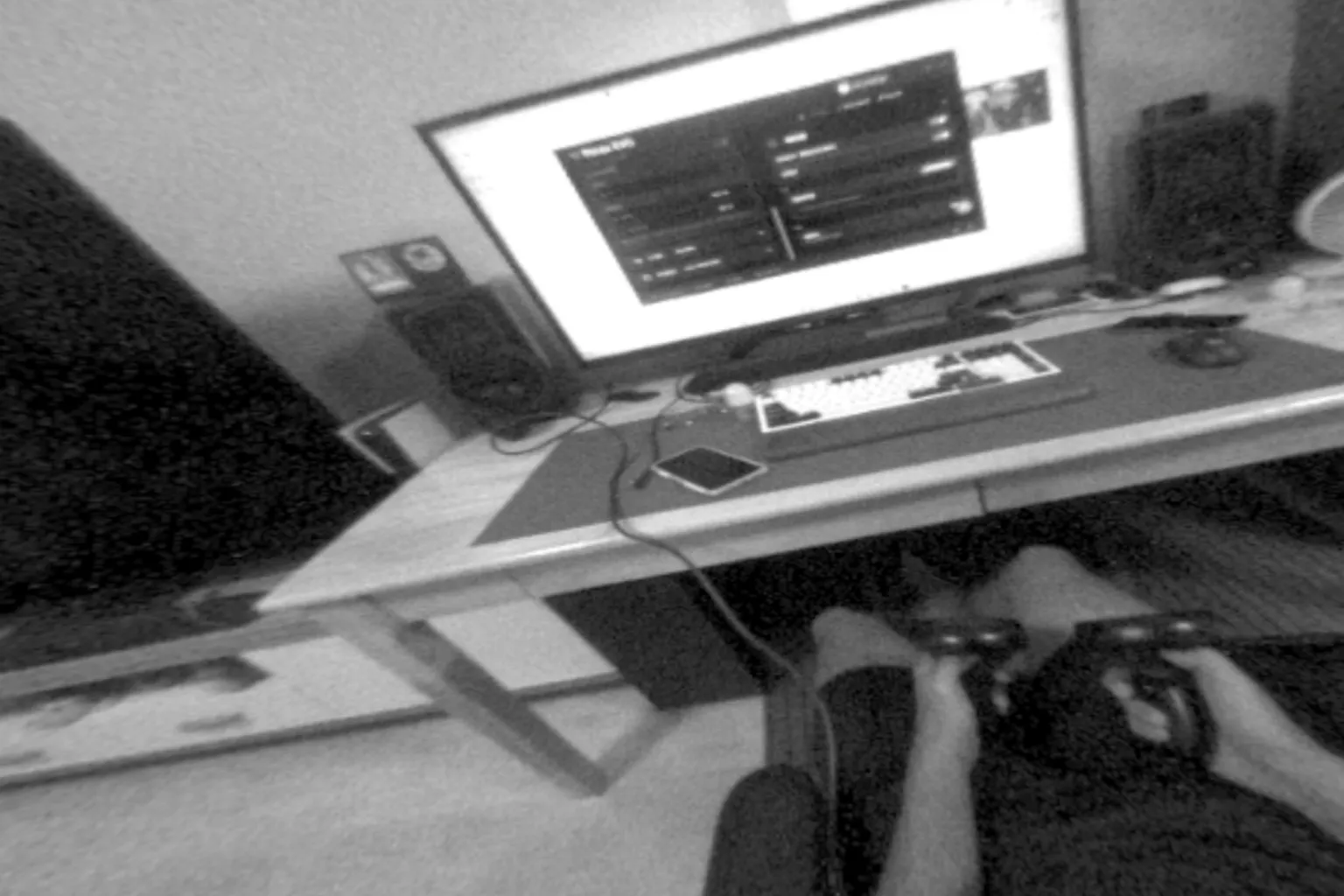
The Pimax Crystal Light’s external cameras provide only low-resolution black-and-white passthrough. Its main purpose is to let you briefly check your surroundings and make sure the area is safe.
MR games and video player apps that use passthrough, such as SLR, are almost unusable.
In actual use, it does not just fall behind the Quest 3’s full-color passthrough and spatial mapping features. It does not even match the Quest 2’s black-and-white passthrough.
The image below shows what I actually saw in the Pimax Crystal Light’s MR passthrough mode.
Meta Quest 3 MR Game View

Conclusion and Discount Information
After testing it thoroughly, I found it almost impossible to play games with this headset. Because of that, it is difficult for me to recommend the Pimax Crystal Light to Meta Quest 3 users.
If you are using a Quest 2 or Quest 3S, upgrading to the Quest 3 may be worth considering. It also makes PCVR somewhat more comfortable.
If you already own a Quest 3, I do not think you need to switch to the Crystal Light just for the sharper image in the center of your view. You are probably better off continuing to use the Quest 3 or waiting for a next-generation model that better suits how you use VR.
If you are still interested in other Pimax models, you can find them on the Pimax official website. Enter the discount code “VRPUPU” at checkout to receive 2% off.
However, the discount is honestly not very significant. Before buying, check Pimax’s official blog as well, since it often features promotions with larger discounts.
FAQ – Common Questions
Can the Pimax Crystal Light Be Used as a Standalone Headset?
No. The Pimax Crystal Light is a PCVR headset designed exclusively for PC use. It requires DisplayPort, USB, and an external power connection. You cannot run games directly on the headset.
Can the Pimax Crystal Light Play PCVR Wirelessly?
No. The Pimax Crystal Light sends the video signal through a DisplayPort cable and does not support wireless PCVR like Air Link on the Meta Quest 3.
Does the Pimax Crystal Light Look Better Than the Meta Quest 3?
Images, text, and distant objects directly in front of you look sharper than they do on the Meta Quest 3. However, clarity drops near the edges of the lenses, and the blur becomes noticeable when you move your eyes toward the sides.
Is the Pimax Crystal Light Comfortable to Use With Glasses?
Based on my hands-on testing for this article, I would not call it comfortable. When I wore the headset over my glasses, the pressure became concentrated around the nose pads and the sides of my nose, which was very uncomfortable.
What Types of Games Work Best With the Pimax Crystal Light?
It is best suited for games that mainly keep you facing forward, such as racing simulators and flight simulators. In VR games that require frequent turning, standing play, or looking around, the headset’s weight and cable are much more noticeable.
Is the Pimax Crystal Light Worth Upgrading to From the Meta Quest 3?
If your priorities are center clarity and the image quality of a direct DisplayPort connection, the Pimax Crystal Light looks sharper than the Meta Quest 3. However, its weight, uncomfortable fit, stiff cable, and blurry lens edges are significant drawbacks, so it is difficult to recommend as an upgrade for the average Meta Quest 3 user.