Always wanted the premium audio and crystal-clear playback of 4XVR Video Player on your Meta Quest, but could not justify the $29.99 price tag? You are in luck. For the first time ever, this top-tier VR media player is getting a massive 50% off discount through an exclusive creator event. In this quick guide, we will show you exactly how to claim this half-price deal step by step. We also cover clever workarounds if you have already downloaded the free trial and are getting locked out of the sale. Do not pay full price! Read on to secure the best VR video player for just $15 before this hidden promotion disappears.
How to Buy It at Half Price
This time, you’re using a creator discount to make the purchase. Normally, these discounts are pretty small, maybe around 10% off at best. But this time, 4XVR Video Player Premium drops straight to 50% off. Not bad at all, 4XVR.
This discount is designed only for users who get the trial version through a creator link and then purchase the DLC for the first time at 50% off. If you’ve already claimed the trial in the past, this discount method no longer applies.
Here’s how it works:
Important
If you’ve already claimed the free version of 4XVR in the past, skip these steps for now. Jump to the last section of the FAQ first, then come back here.
Start by opening the Meta official site and follow the steps below.
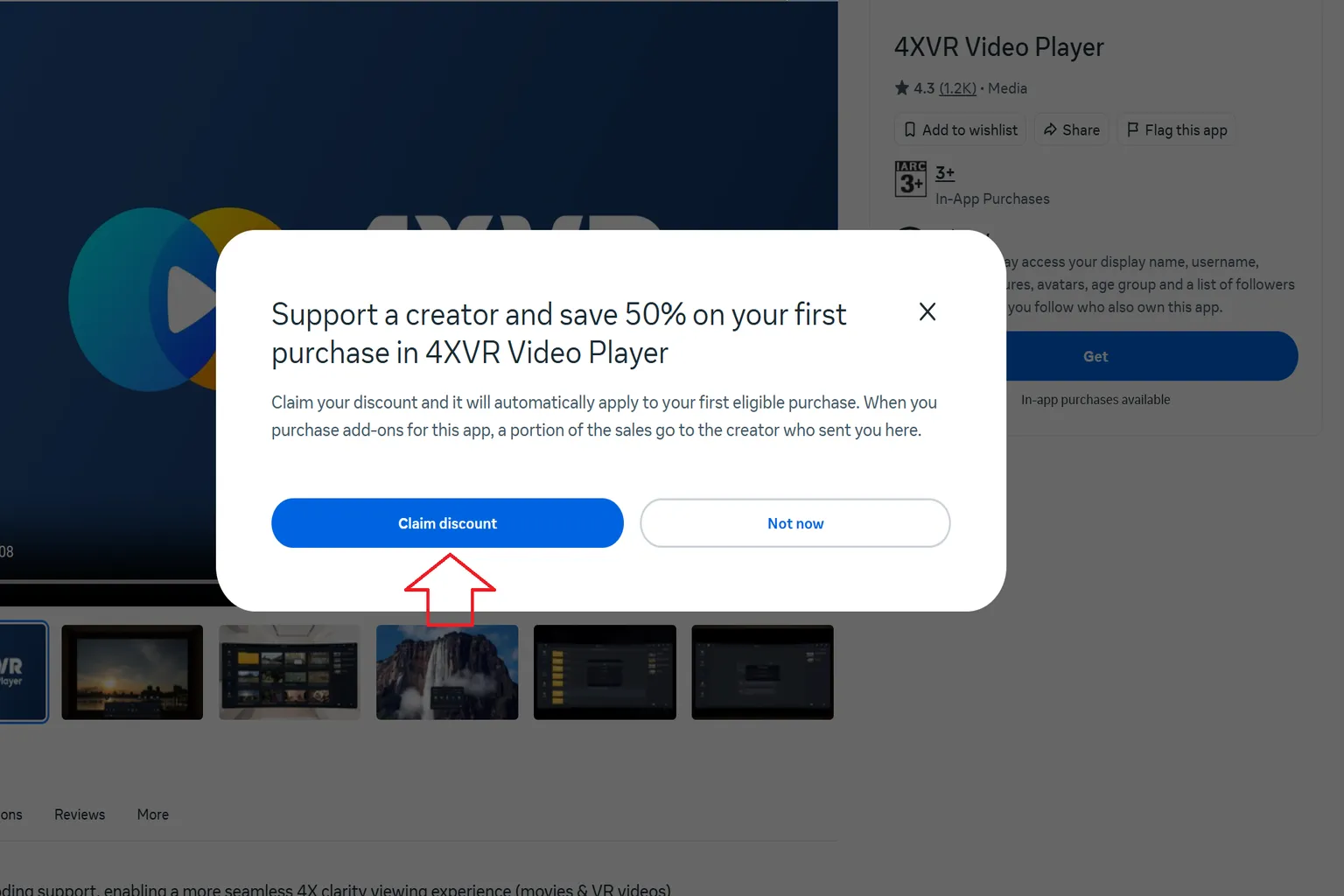
Step 1: Claim the creator discount
On the Meta official site, claim the 50% creator discount for 4XVR Video Player Premium.
Step 2: Claim the free version of 4XVR
This step is very important. If you don’t claim the free version of 4XVR first, you won’t be able to purchase the Premium version later.
Also, if you haven’t claimed the discount coupon in Step 1 yet, do not press the Download button under any circumstances.
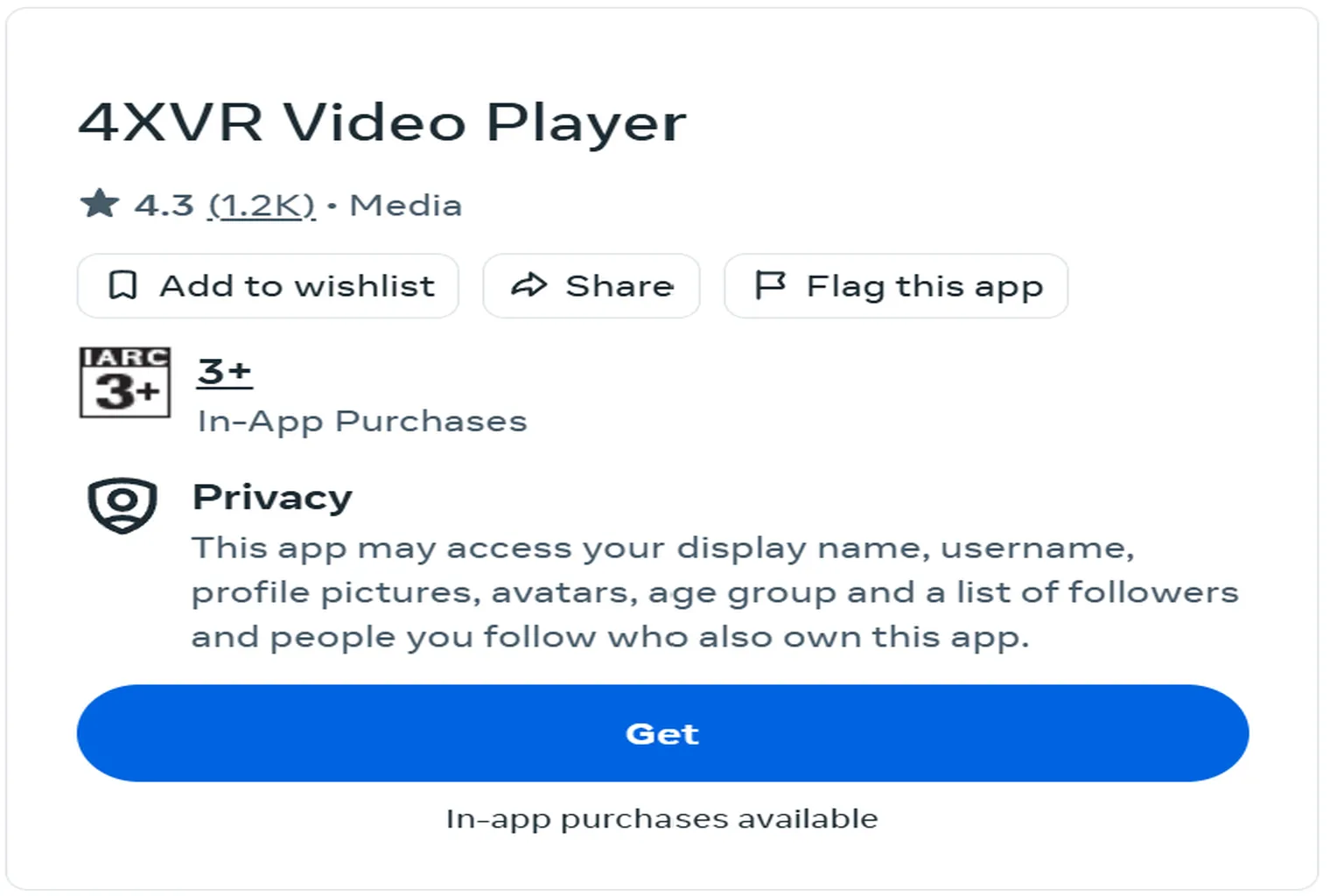
Step 3: Go to the 4XVR Premium Version DLC purchase page
Scroll down on the 4XVR Video Player page and you should see this DLC listed there. The price shows $29.99—don’t hesitate, click it.
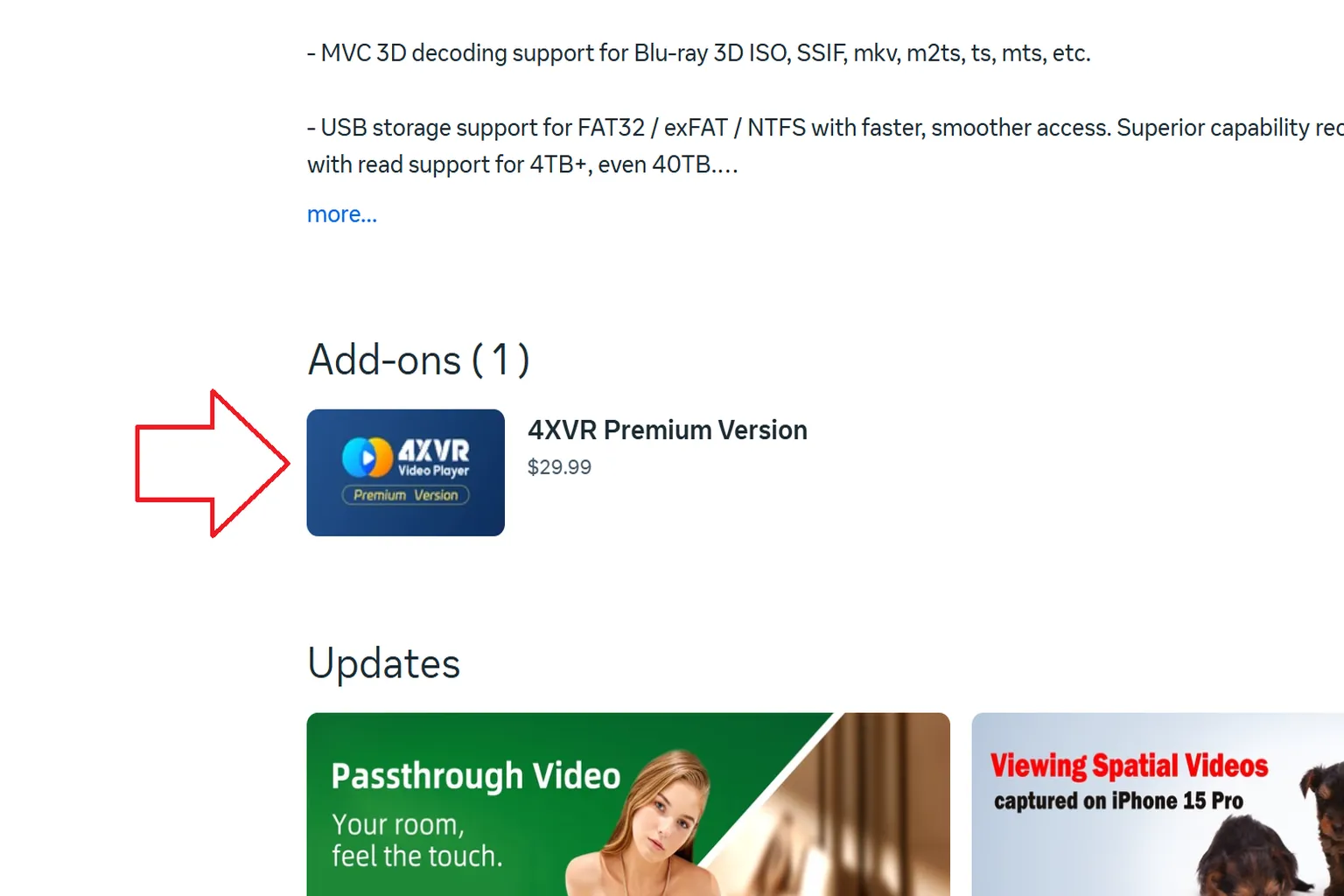
Step 4: Purchase 4XVR Premium Version
The price you see will still show $29.99 at this point, but don’t panic—just click through and keep going.
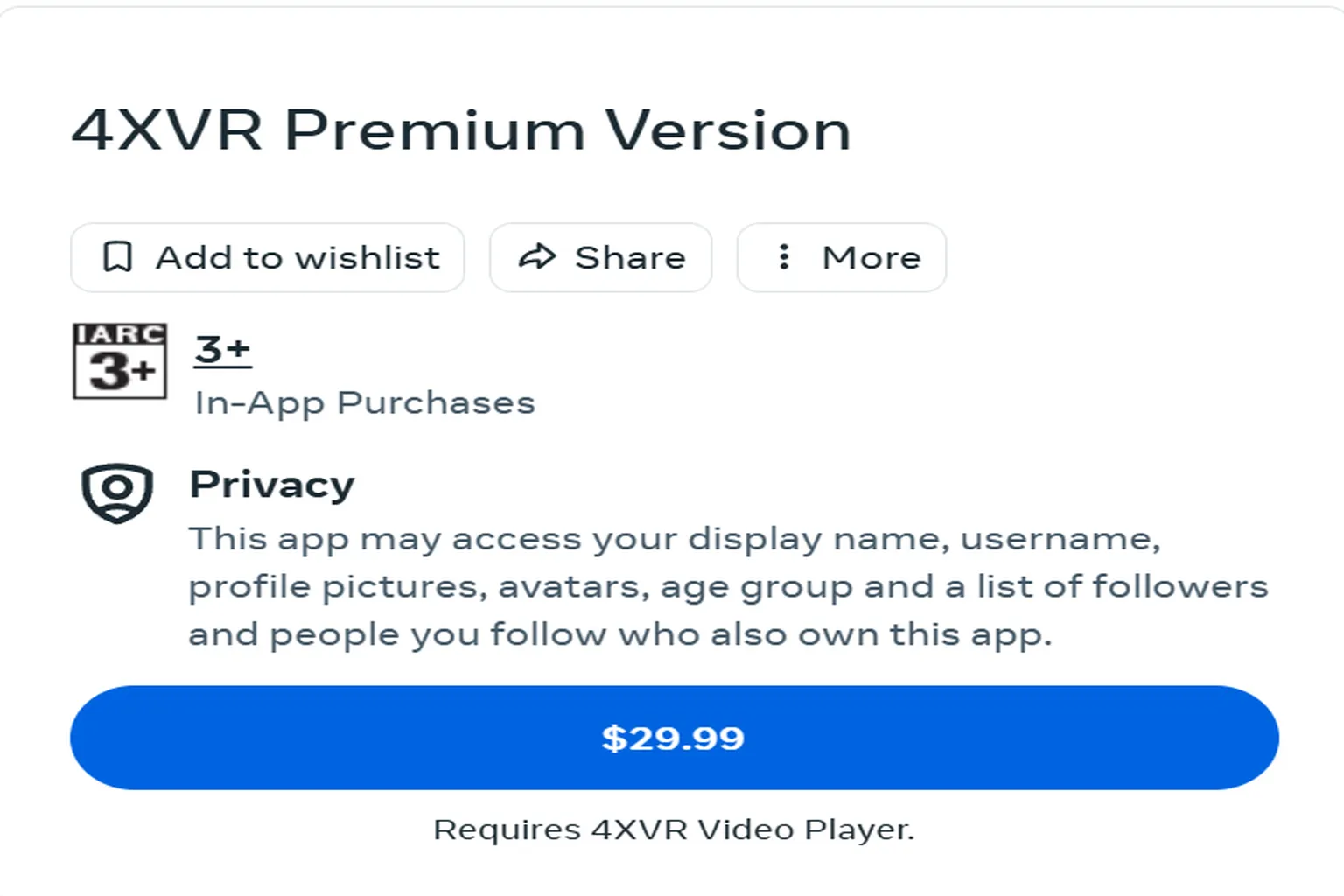
Step 5: Checkout
The system automatically applies the creator discount you claimed earlier, so the final price should drop to about $15. From there, just hit the purchase button, and the half-price 4XVR Premium will be added to your library.
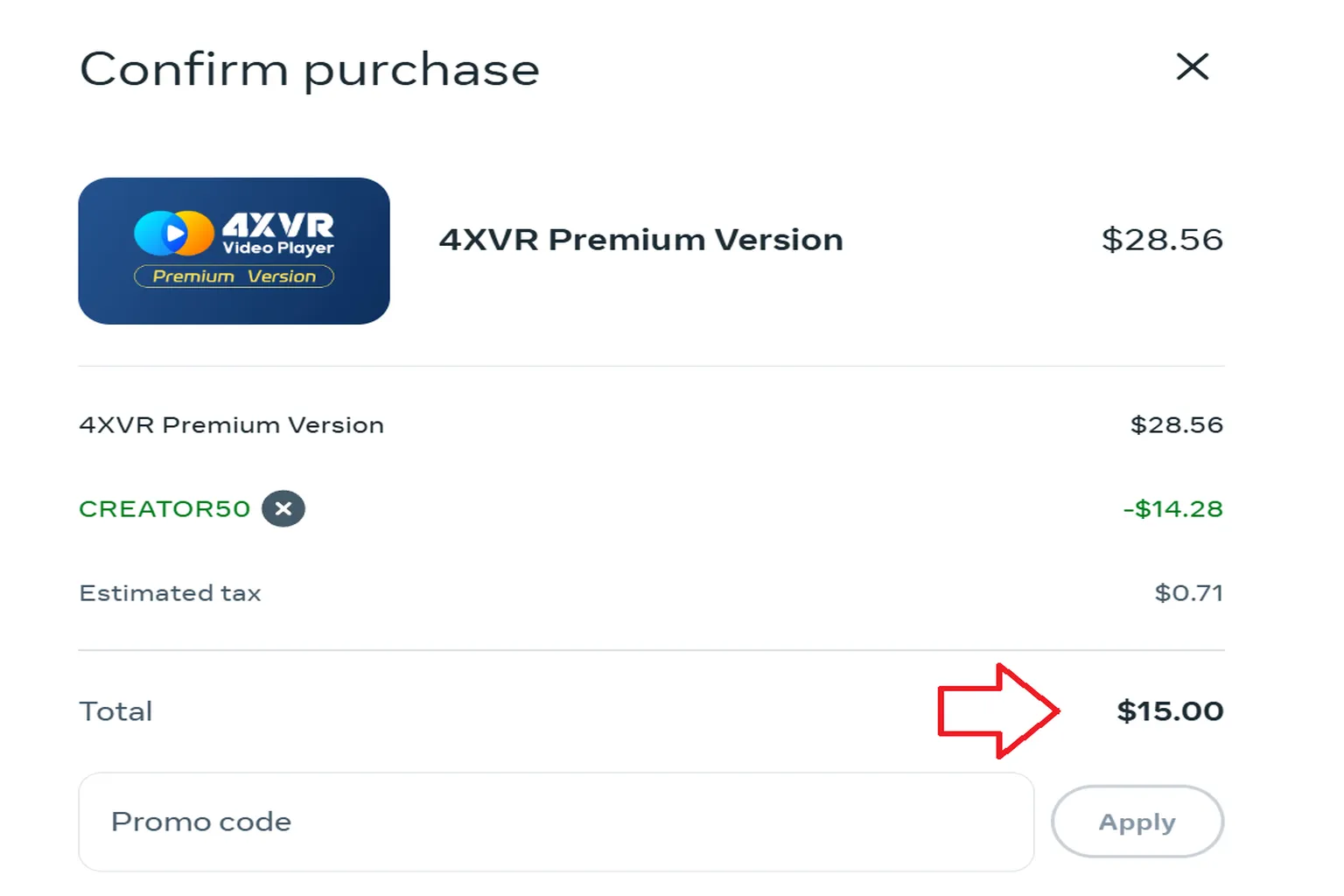
Note
If you try to buy 4XVR Premium Version without claiming the base 4XVR app first, the system won’t let you complete the purchase. If you see an error message, go back to Step 2 and start again.
If you’re not quite sure why 4XVR is such a big deal, take a look at the comparison article for Meta Quest video players. That should make it clear why 4XVR Player Premium is priced the way it is.
If you want to learn the controls and built-in features in detail, check out the 4XVR usage guide as well. Just keep in mind that finding and managing files yourself takes a bit more effort.
If you’d rather watch videos online with minimal setup, streaming-focused apps like DeoVR are also a solid option. If that sounds more your style, the related articles are worth checking out.

4XVR Video Player Premium Guide
PC Streaming, WebDAV & USB Setup
DeoVR Complete Guide
AI Passthrough, 8K Videos & Mixed Reality Setup
FAQ – Common Questions
Is the free version not enough?
The free version works for 30 days, but each playback is limited to just 5 minutes. That’s honestly too short to enjoy anything properly.
How long does this sale last?
The official site doesn’t list an end date. If you’re on the fence, don’t wait too long, or you might come back and find it’s already over.
Why does nothing happen when I click the creator discount?
If you’ve claimed the 4XVR trial version before, Meta’s system may decide that you already own it and won’t issue a discount code.
This happens because the discount is designed only for users who get the trial version through a creator link and then purchase the DLC for the first time at 50% off. If you’ve already claimed the trial in the past, this discount method no longer applies.
If you’ve never claimed the 4XVR standard version and still can’t get the discount, the issue is likely your browser cache. Try using a different browser, or open the link in incognito or private mode.
If that still doesn’t work, copy the creator link and open it directly in a mobile or PC browser, then try purchasing through the official Meta website.
I’ve already claimed the 4XVR trial. Does that mean I can’t use the creator discount anymore?
No, you’re still fine.
Create a new account, claim the discount code with that account, and complete the purchase there. Send it as a gift to an email address that hasn’t been registered with Meta yet.
Once you receive the serial code, redeem it on your main account. This lets you bypass the system’s confusing restriction.
Note: This takes a bit of extra work, but if you want to make sure you get the full 50% off, this is currently the most reliable option.