
Wondering what to actually do in VRChat? The fastest way to make friends is by jumping into game worlds. From social deduction hits like Murder 4 and Among Us to relaxing chess matches and Beat Saber clones, discover the best VRChat games and learn how to find active worlds instantly.
What kind of game worlds does VRChat have?
Inside VRChat, there are countless player-made worlds, and they generally fall into three main categories.
Avatar worlds are places where players show off, try on, and share avatars. Browsing different looks and finding one you like is part of the fun.
Social worlds are designed like bars, town squares, or natural hangout spots, where it’s easy to talk, meet people, and just spend time together. This is really where VRChat shines—the moments when you randomly connect with someone.
Game worlds are spaces where players create and play their own games, and these break down into a few styles.
- Solo-focused worlds are made for playing alone, like Beat Saber–style rhythm games, block-based activities, or puzzle games.
- Competitive worlds focus on PvP, including games like Go, chess, table tennis, or boxing, ranging from one-on-one matches to team battles.
- Party-style worlds are built for groups, and deduction games like Werewolf or Murder 4 are especially popular.
If this is your first time in VRChat, or you still haven’t settled on an avatar, it’s a good idea to check out the VRChat Beginner Guide and the guide on how to get free avatars first. Once you know the controls and have a look you’re comfortable with, the whole experience feels a lot more fun.

VRChat Beginner’s Guide
Setup, Avatars & Finding Friends in 30 Minutes
Best Free VRChat Avatars
How to Find Cute & High-Quality Models
Playing games together is honestly the fastest way to make friends. When you’re all running around trying to survive or escape, you naturally start talking, and before you know it, you’re getting along.
The solo-style games in VRChat aren’t as polished as full commercial titles you’d buy on the Meta Quest Store, but if you pay attention to the details, you can really feel how much effort the creators put into them. That handmade, passion-driven vibe is part of what makes VRChat special.
How to Enter Game Worlds
Getting into a game world in VRChat is very straightforward. You just open the control panel and select Worlds. Here’s how it works.
Step 1: Open the Start Menu
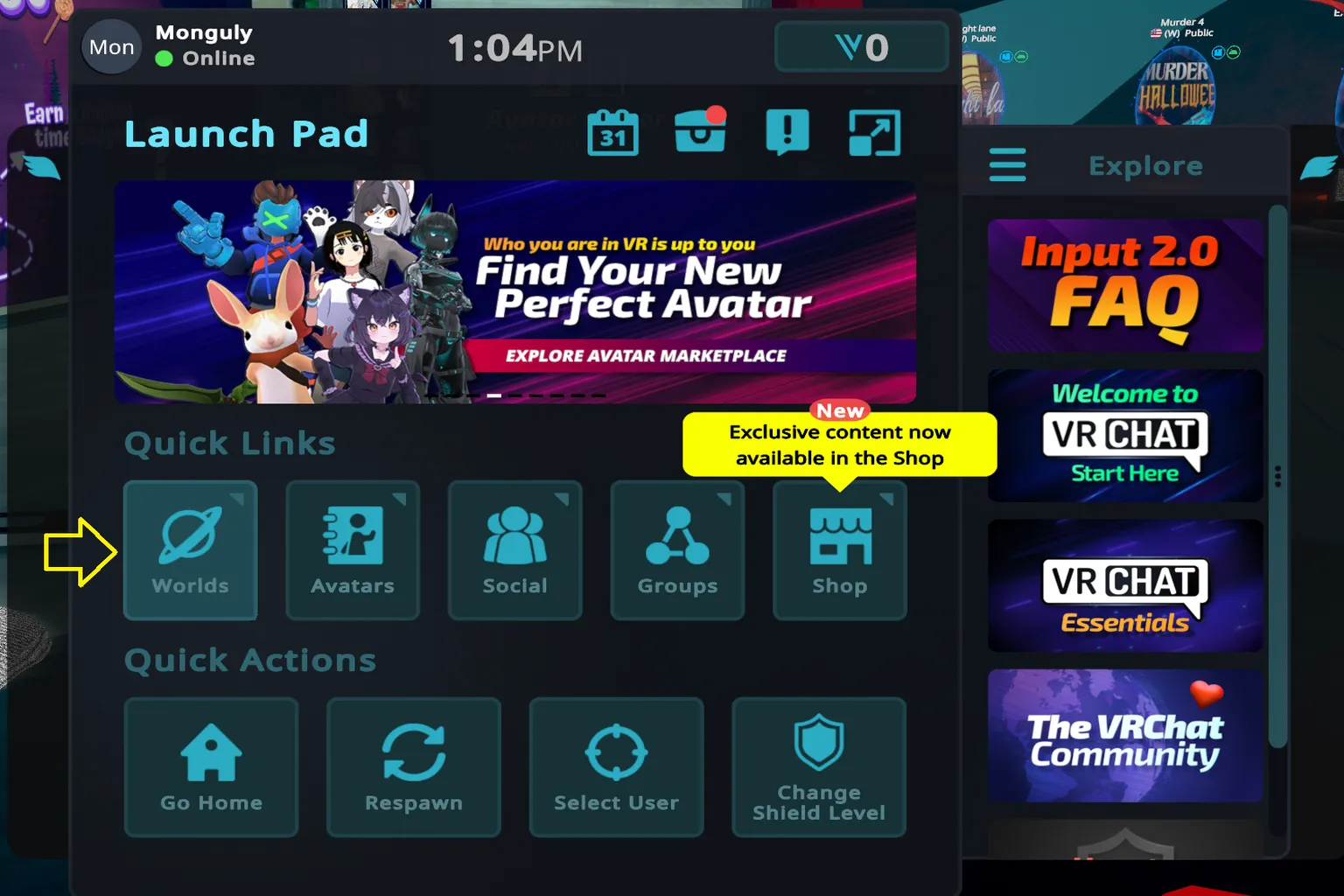
On Meta Quest, press the menu button on your left controller. On PC, just press the ESC key. This brings up the in-game control panel. From there, select Worlds to open the world list.
Step 2: Look for Active Games
When you’re searching for game worlds for the first time, it’s best to start with the Active tab. Open Active, and you’ll see a list of worlds that people are playing right now.
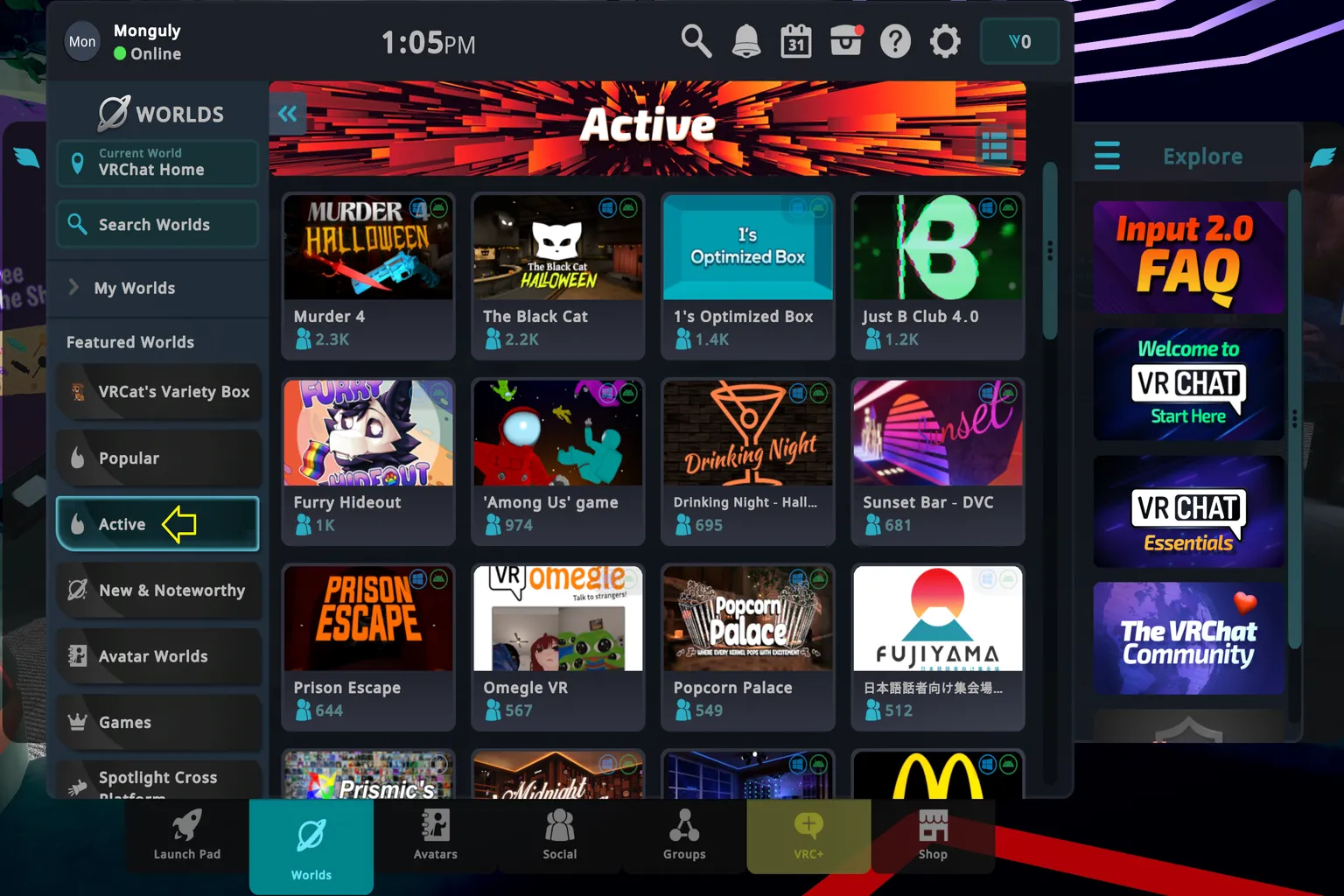
VRChat really shines when people play together, so party-style and co-op worlds tend to show up near the top. The small person icon under each world shows how many players are currently inside. If a world has a lot of people, it’s usually lively and worth jumping into.
As of January 2026, these game worlds are especially popular.
Among Us
A social deduction game set in space. Crewmates work through their tasks, but impostors are hidden among them, causing sabotage and taking people out. Talk it through, figure out who looks suspicious, and vote them off the ship.
Murder 4
The killer is hiding somewhere in the group, and no one knows who it is at first. But if you witness the crime, the righteous detective steps in. The tension and deduction make this a classic world people keep coming back to.
Prison Escape
The prisoner team plans a breakout, while the guard team tries to stop them. Guards are armed, and once they spot an escaping prisoner, they’re free to shoot. It’s a heated mix of strategy and action, with constant back-and-forth between the two sides.
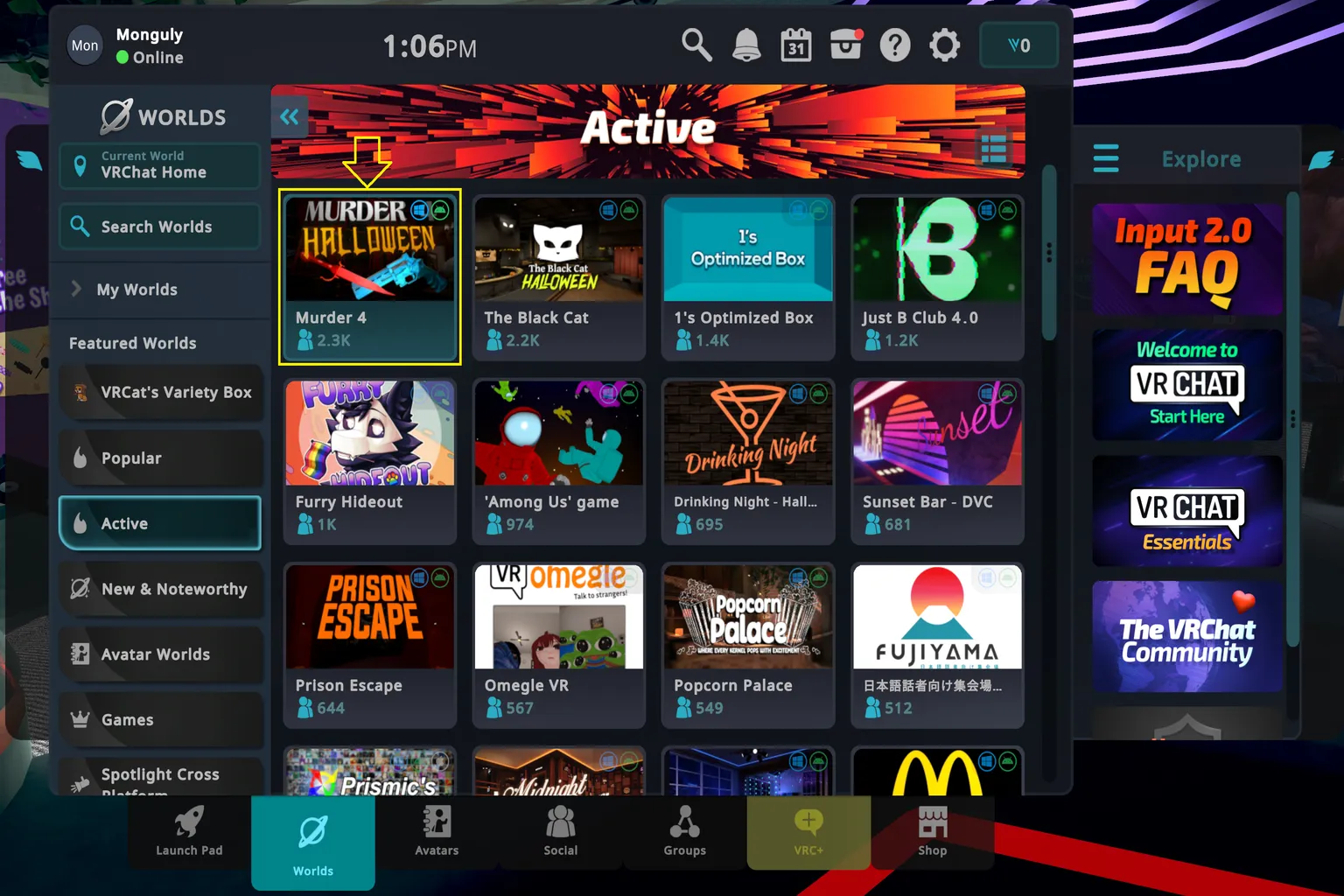
Want to find a game that matches your style? Then use World Search.
Step 3: Search for Game Worlds
Click Search Worlds in the top-left corner of the screen.

Here, you can pick popular worlds from the “random search words” shown at the bottom. These are worlds that players search for a lot, so it’s an easy way to discover something interesting right away.
If the world you’re looking for isn’t listed, tap Enter a search term at the top and type it in yourself.
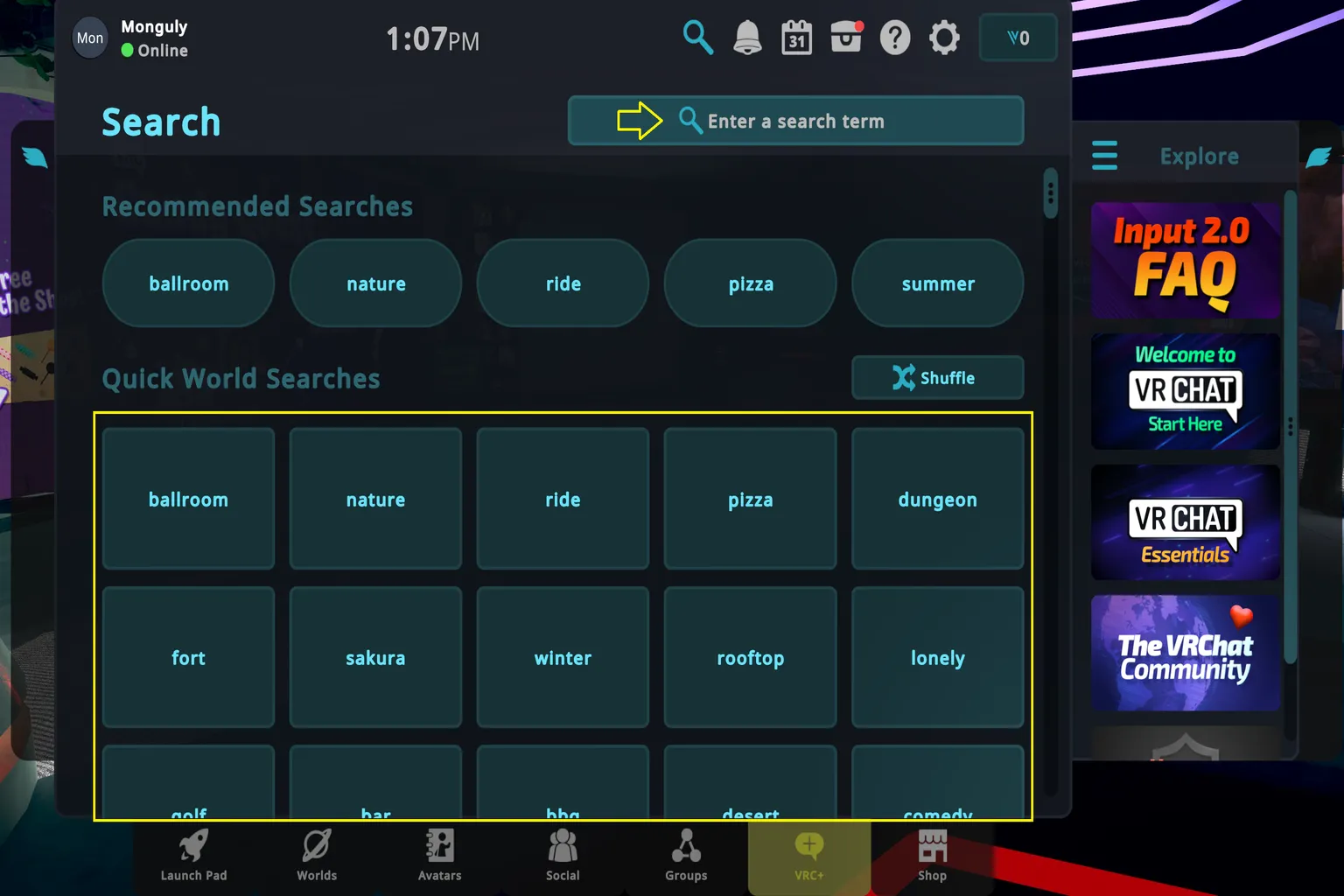
Step 4: Search for the World You Want to Play
Enter the name of the world you want, and it should show up in the results. One thing to keep in mind: on the Meta Quest app version, you can only search in English. Japanese and Chinese won’t work there. On the Steam version, you can search in English, Japanese, or Chinese.

For example, if you type “Escape from Monday” into the search bar, that world will appear in the results.
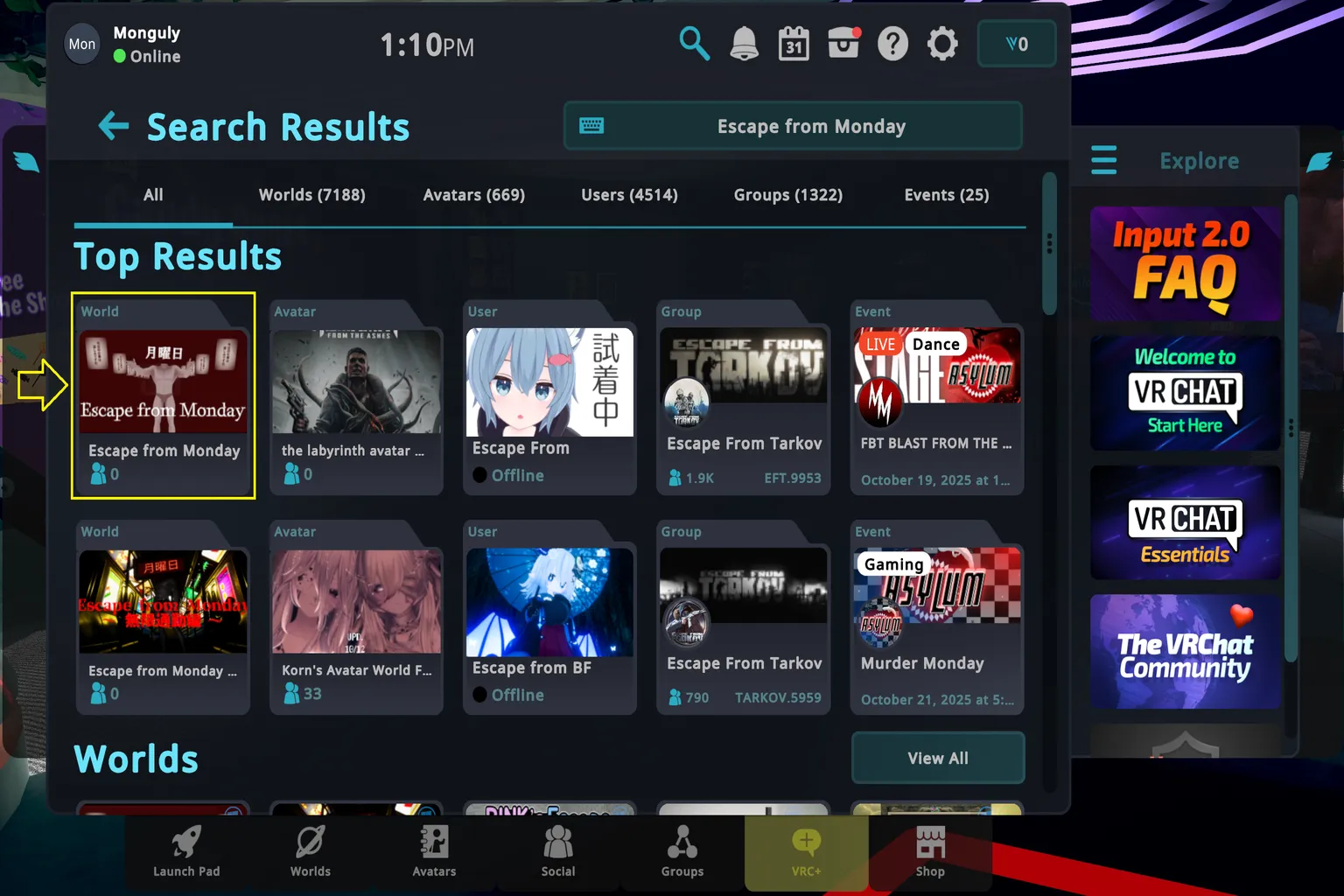
Step 5: Enter the World
Select the icon of the game you want to play, then press Join to enter the world.
One quick thing to watch out for: party-style games usually don’t work unless there are other players inside. Before joining, check the room’s player count. For example, if it says “0/16,” the room supports up to 16 players but no one is there yet. If you see something like “12/16,” chances are the room is already active and lively.
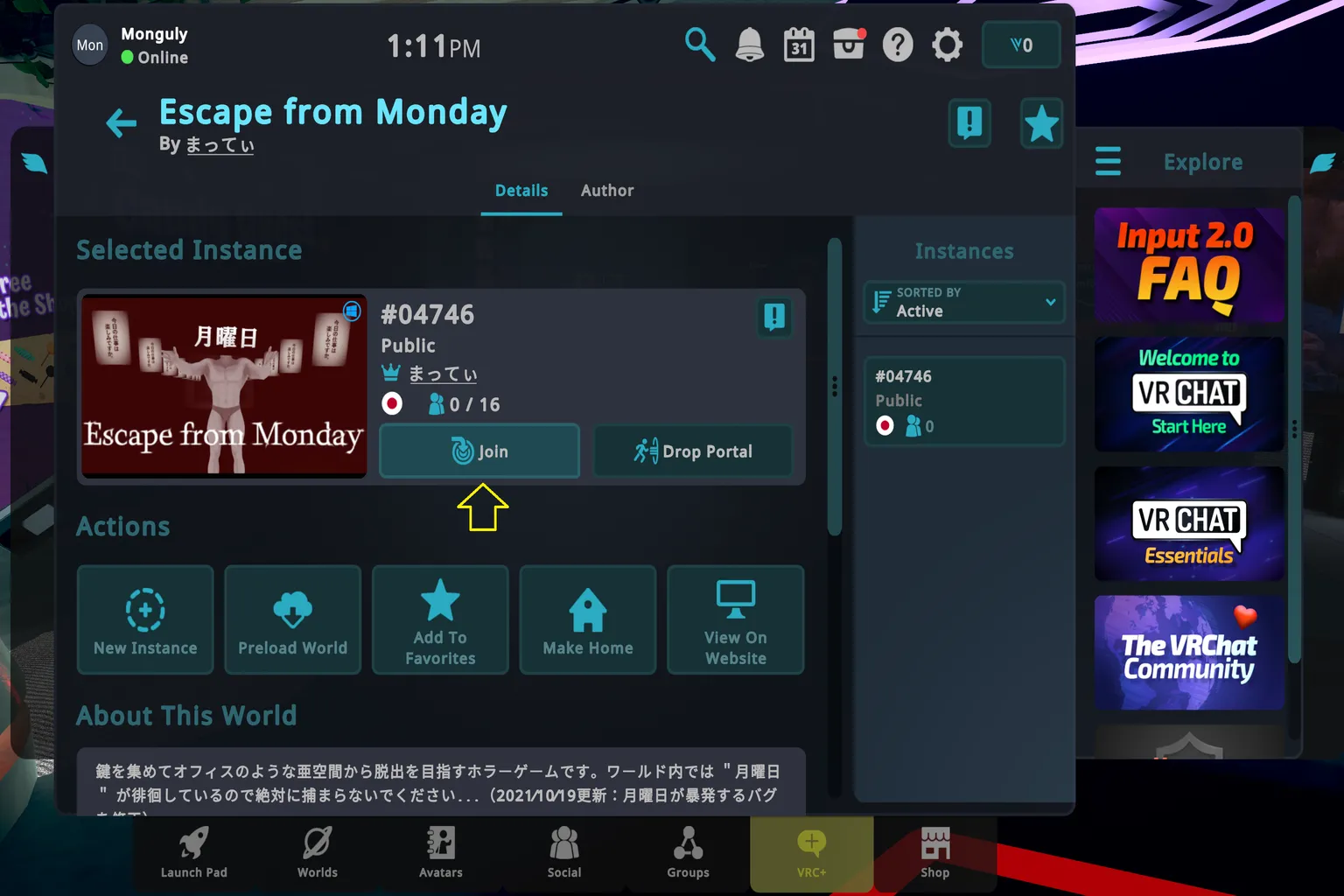
Step 6: Start the Game
Once you’re inside the room, it’s time to play. Just keep in mind that rules and controls vary from world to world, so take a moment to read the instructions inside the world before jumping in.
Most worlds have a “How to Play” or rule explanation posted near the entrance or on a wall. Reading that first helps avoid confusion and keeps things running smoothly.
Game World Picks
When you open VRChat for the first time and see hundreds of game worlds lined up, it’s exciting—but honestly, it’s also hard to know where to start.
Here are a few worlds I’ve actually played and found fun. Who knows, maybe one day we’ll end up running into each other in one of these worlds inside VRChat.
Solo Games (Play by Yourself)
VRChat also has plenty of solo-friendly games you can jump into on your own. Puzzles, rhythm games, action—most major genres are covered.
To be honest, solo games aren’t really where VRChat fully shines. Compared to games you can buy on the Meta Quest Store, the overall polish is a bit lower. Still, some of them stand out.
One of the most popular examples is a VRChat version inspired by Beat Saber, which has been a huge hit on Meta Quest as well. This one is definitely worth trying at least once.
VRChat Beat Saber–Style Worlds
In World Search, type “Beat Saber.” You’ll see a long list of Beat Saber–style worlds made by different creators. The core rules are mostly the same across them, but the music selection and difficulty can feel completely different from world to world.
The basic gameplay is almost identical to the original. One key difference is the controls: in VRChat versions, you only hold the lightsaber while pressing the middle finger trigger. If you let go, you’ll drop the saber, so keep that in mind.
Before you start, pick a song from the track list prepared by the creator, then jump in. If you want to test your sense of rhythm, this kind of world is a great fit.
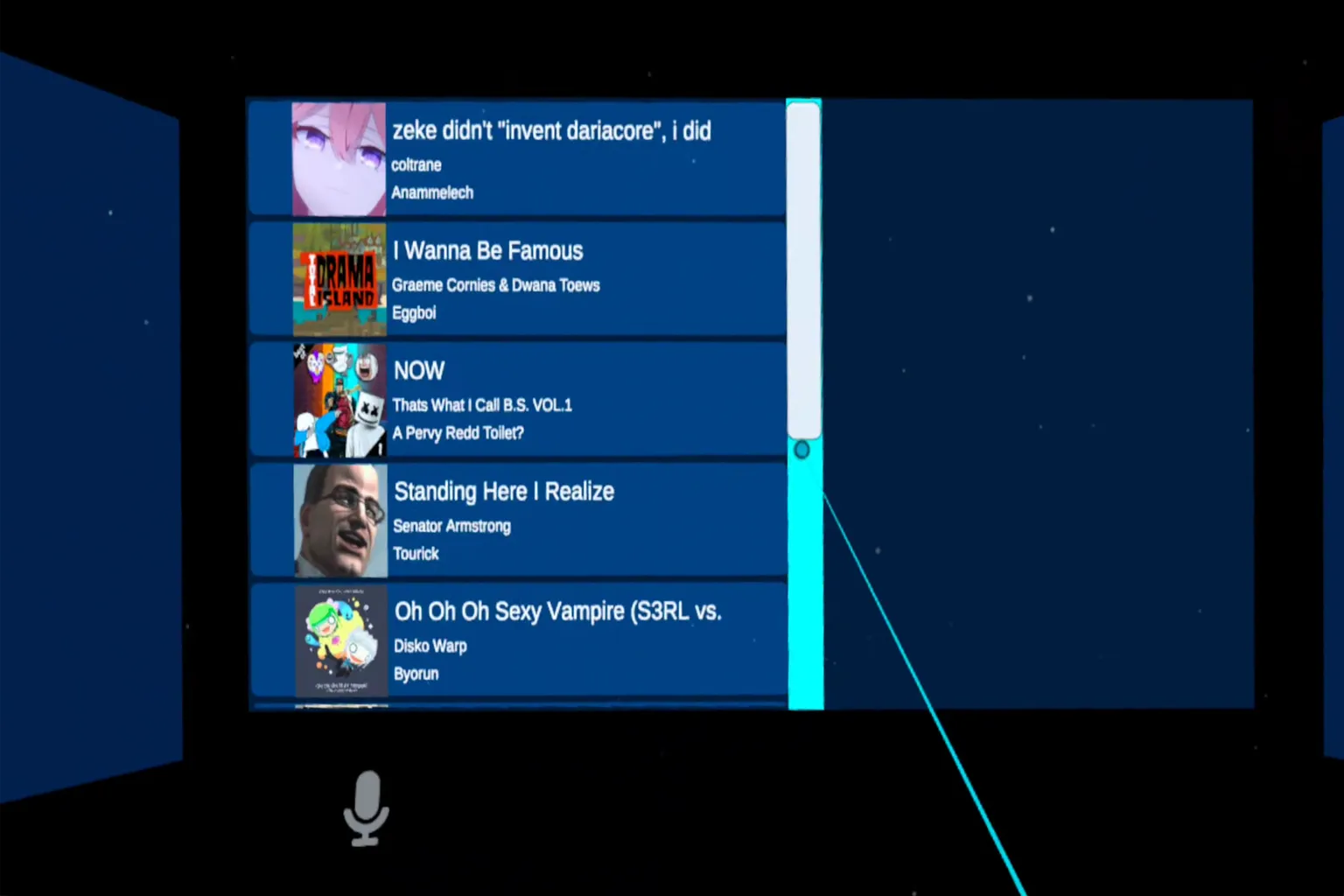
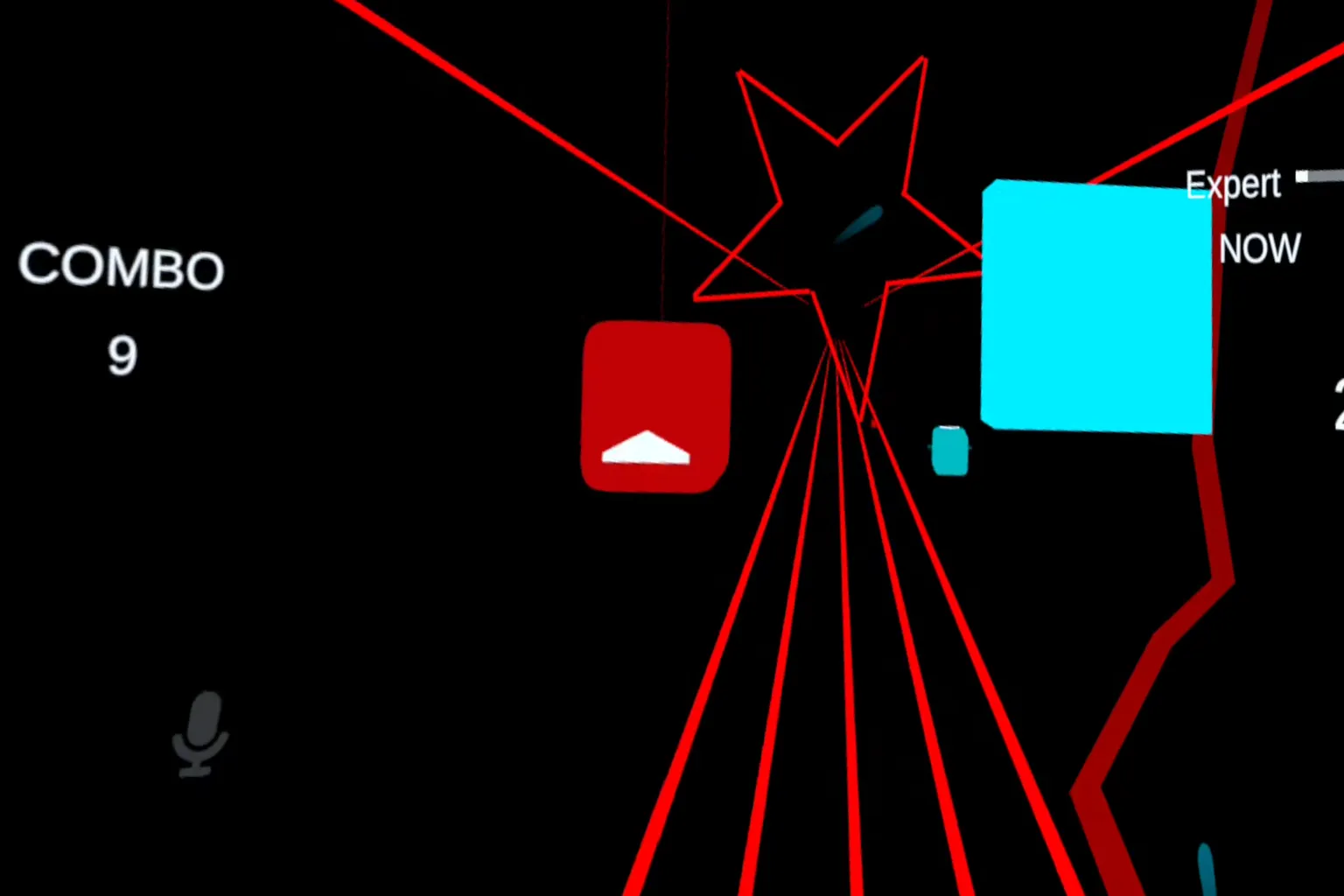
The rules are the same as the original. When you slice the blocks, your combo count and score show up on the screen.
Use the lightsaber to cut each block in the direction shown by the arrow. If a round block without an arrow appears, you can slice it from any direction. That one’s free.
You’ll also see transparent walls coming toward you from time to time. When that happens, move your body out of the way. If you hit them, your score drops—and honestly, it’s pretty startling in VR.
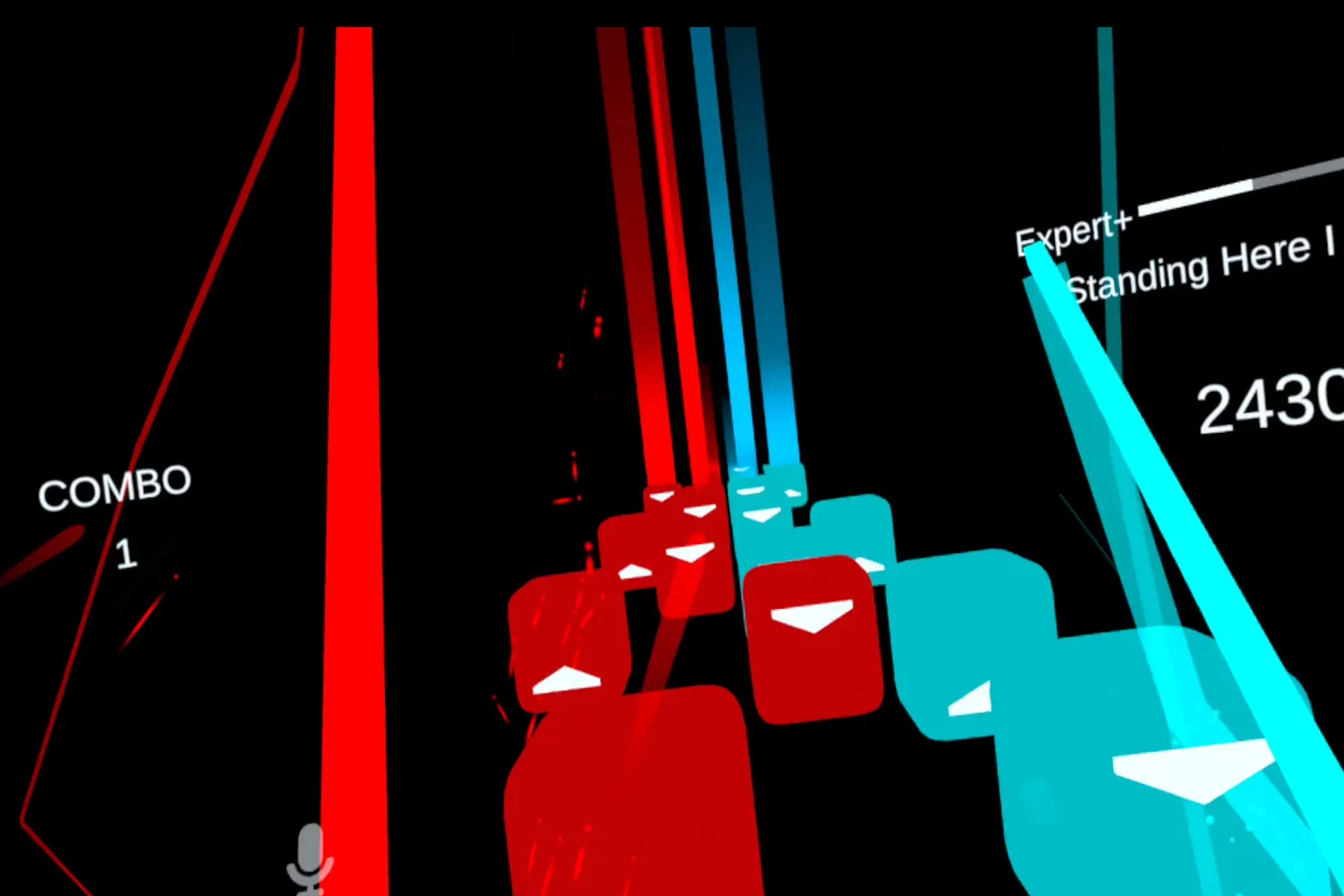
As the difficulty goes up, you’ll run into stages that feel like pure chaos. There are so many blocks flying at you that your eyes can barely keep up.
Honestly, at that point you start wondering if the creator even designed this for humans. Still, when you actually clear it, the sense of achievement is wild.
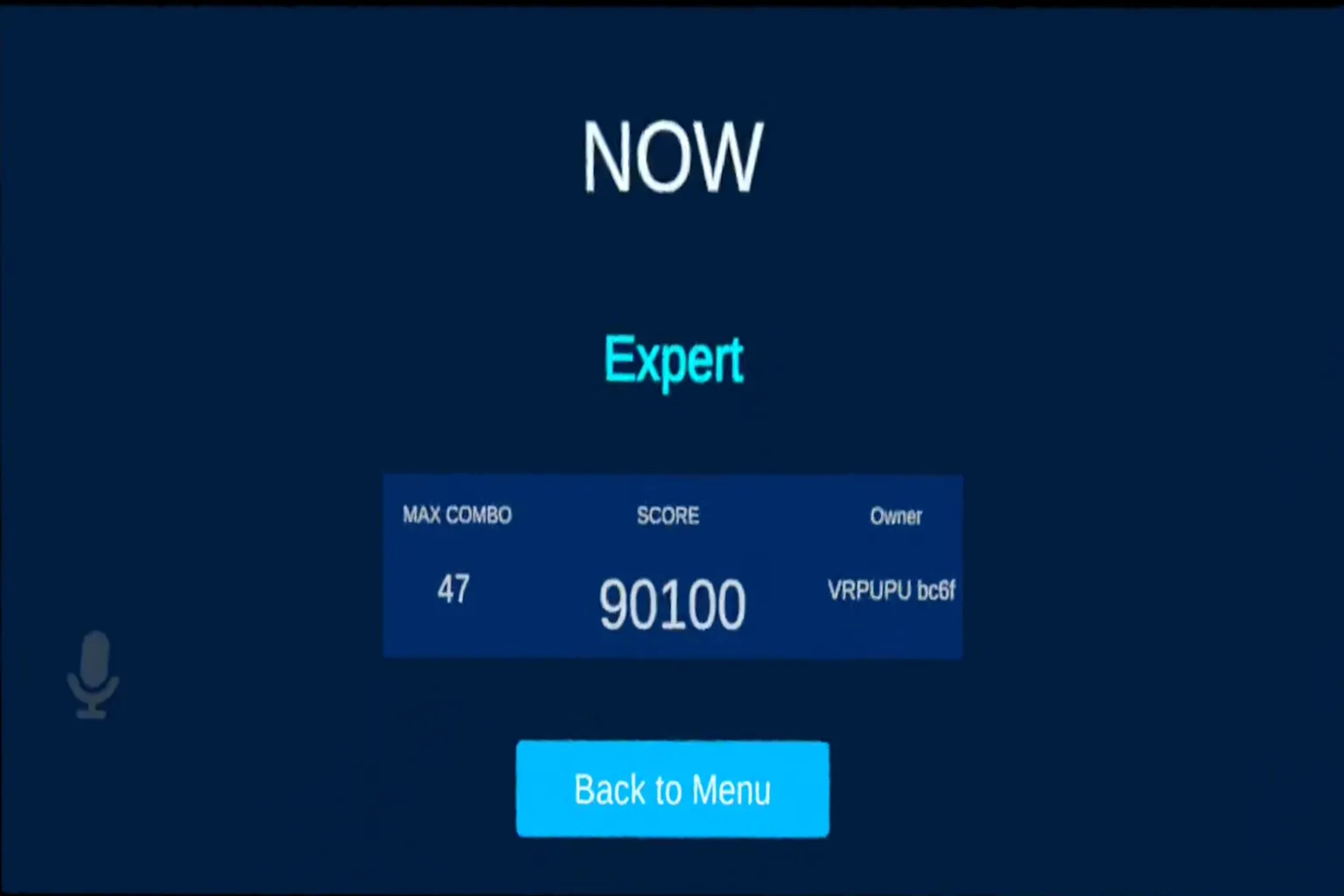
After the game ends, a results screen shows your performance.
- Max combo is the highest number of blocks you sliced accurately in a row.
- Score is calculated based on how many blocks you hit and how precise your cuts were. Watching the score jump when you nail a clean slice feels really good.
The overall difficulty might be a bit lower than the Meta Quest Store version, but there’s a big upside. These worlds include a lot of songs you can’t play in the official release.
You’ll find tracks from popular anime, plus custom rhythm maps made by users. Every now and then you stumble on something and think, “Wait, they even have this?” That sense of discovery is part of the fun.
Competitive Games (Battle & Co-op)
This is where real interaction with other players really starts. You’re fighting against each other or working together to clear a stage, and friendships tend to form naturally along the way.
Playing with real people is just way more interesting than playing against NPCs. You get real reactions, real tension, and real moments.
Here are two representative competitive worlds worth checking out: VR Chess and Escape from Monday.
VR Chess
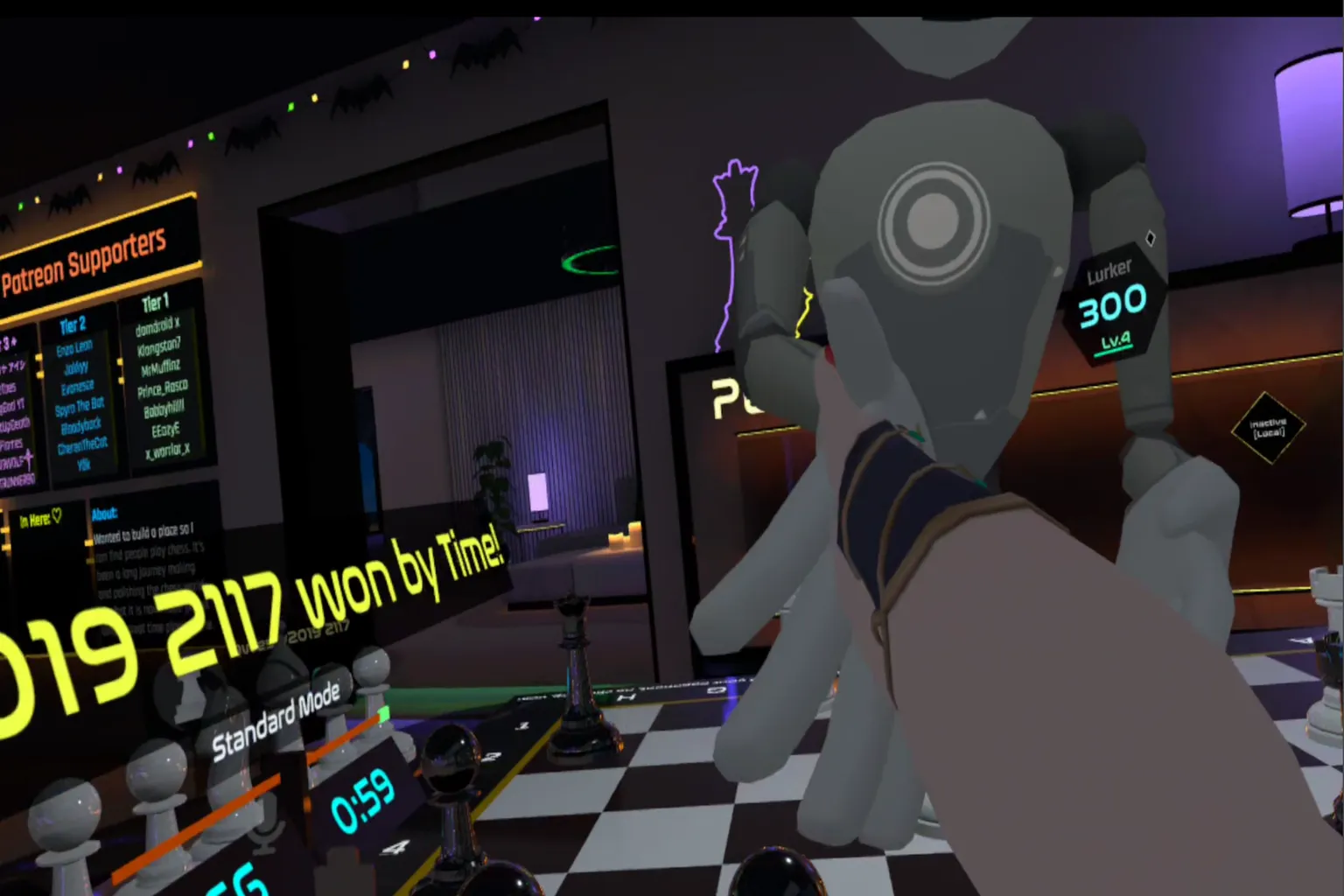
Have you ever played chess before? Online, you can always find an opponent on Chess.com, but staring at a screen feels a bit flat.
In VR Chess, your opponent is right in front of you, and you actually move the pieces with your hands. You can also just stand nearby and watch matches. If you like chess at all, this is a world you should try at least once.
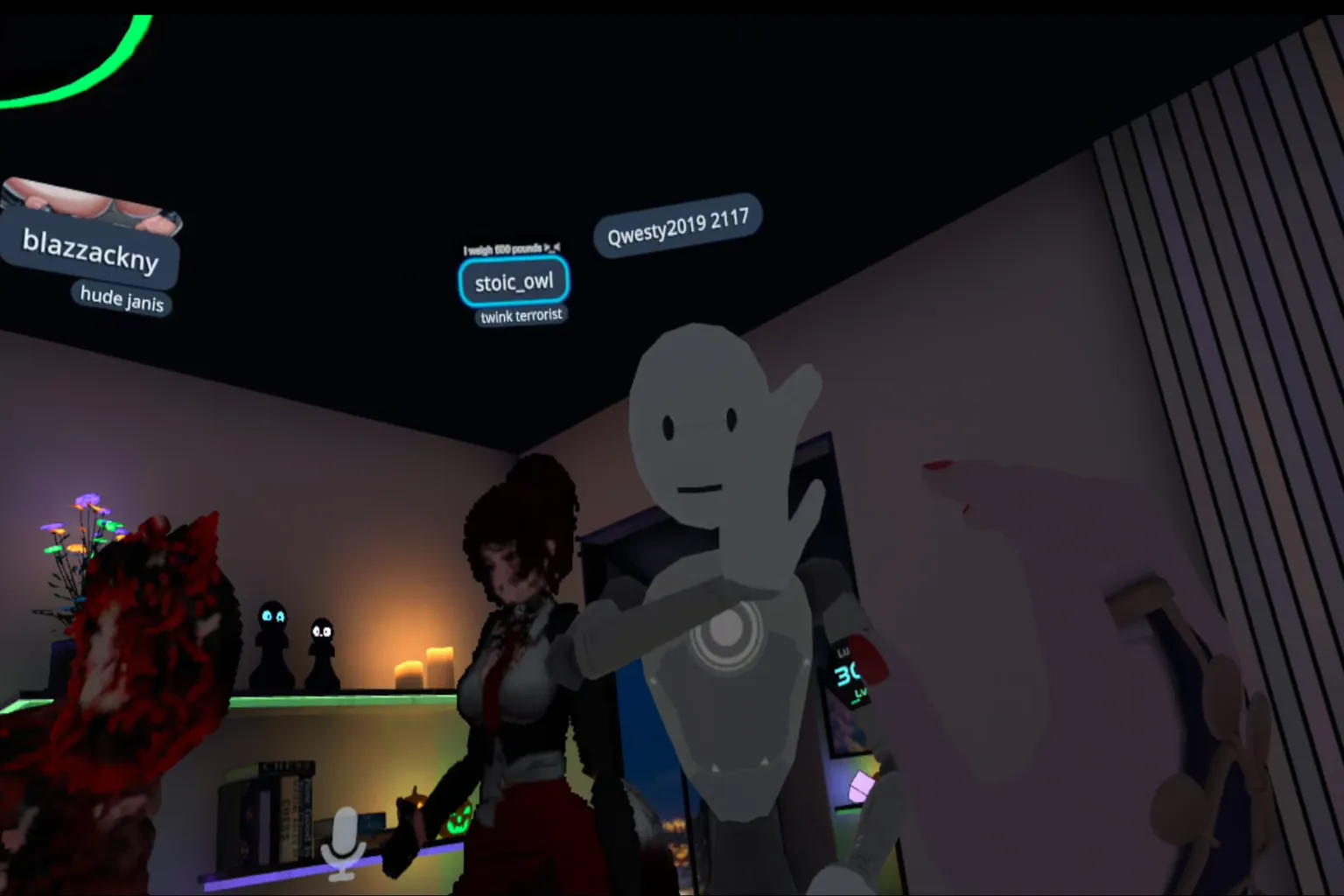
Start by waving at another player. That’s basically how you say, “Want to play a match?” If they wave back, congrats—that’s your opponent for today.
…Hmm, that robot avatar definitely looks like a beginner.
Alright, I’ll make you my first opponent.
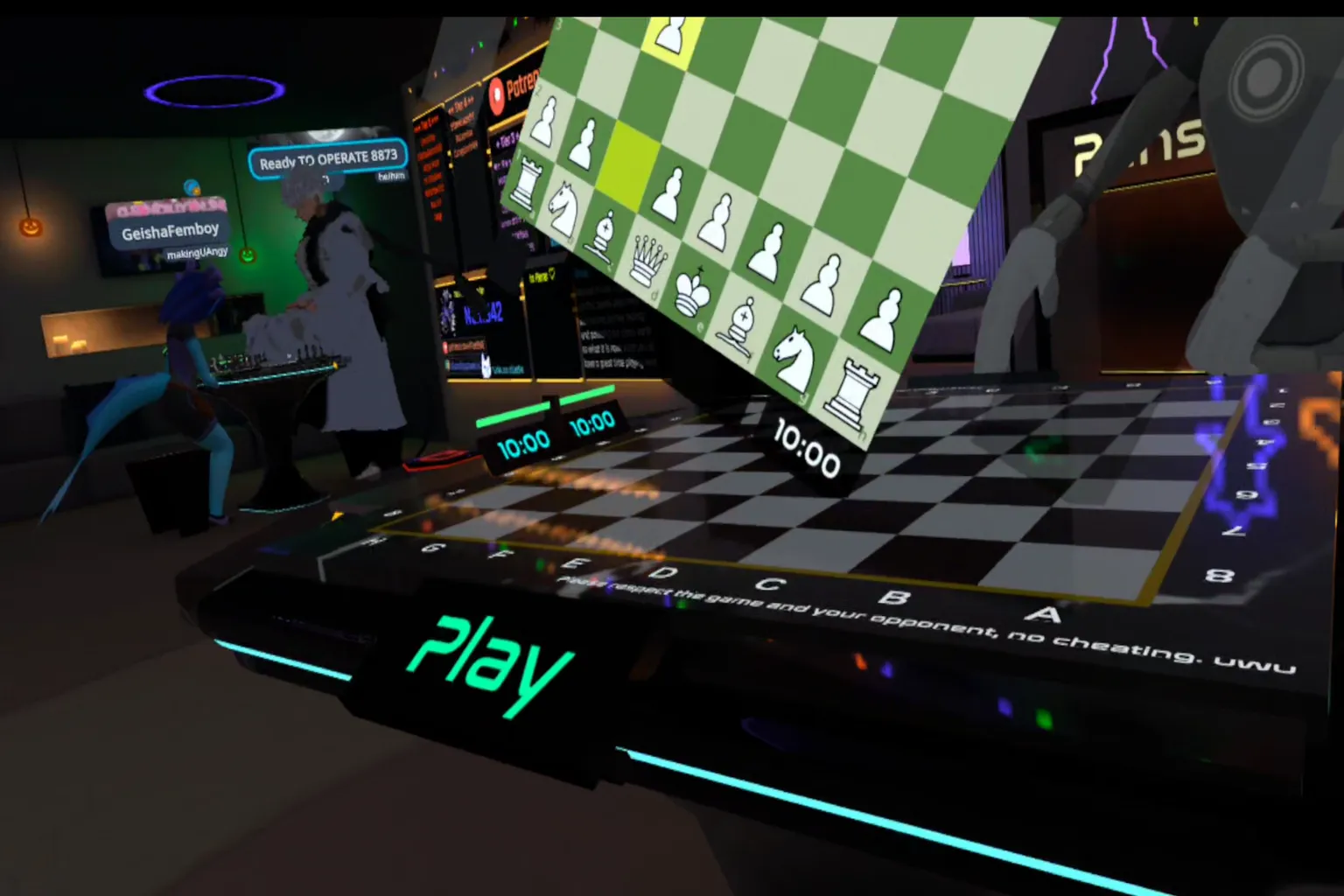
Bring your opponent over to the chess table and press PLAY to start the match. On both sides of the table, you’ll see small boards showing each player’s remaining time and the current match status.
One important warning: be careful with the reset button behind the time display. If you press it by mistake, the entire board resets back to the starting position. Don’t touch it—even as a joke.
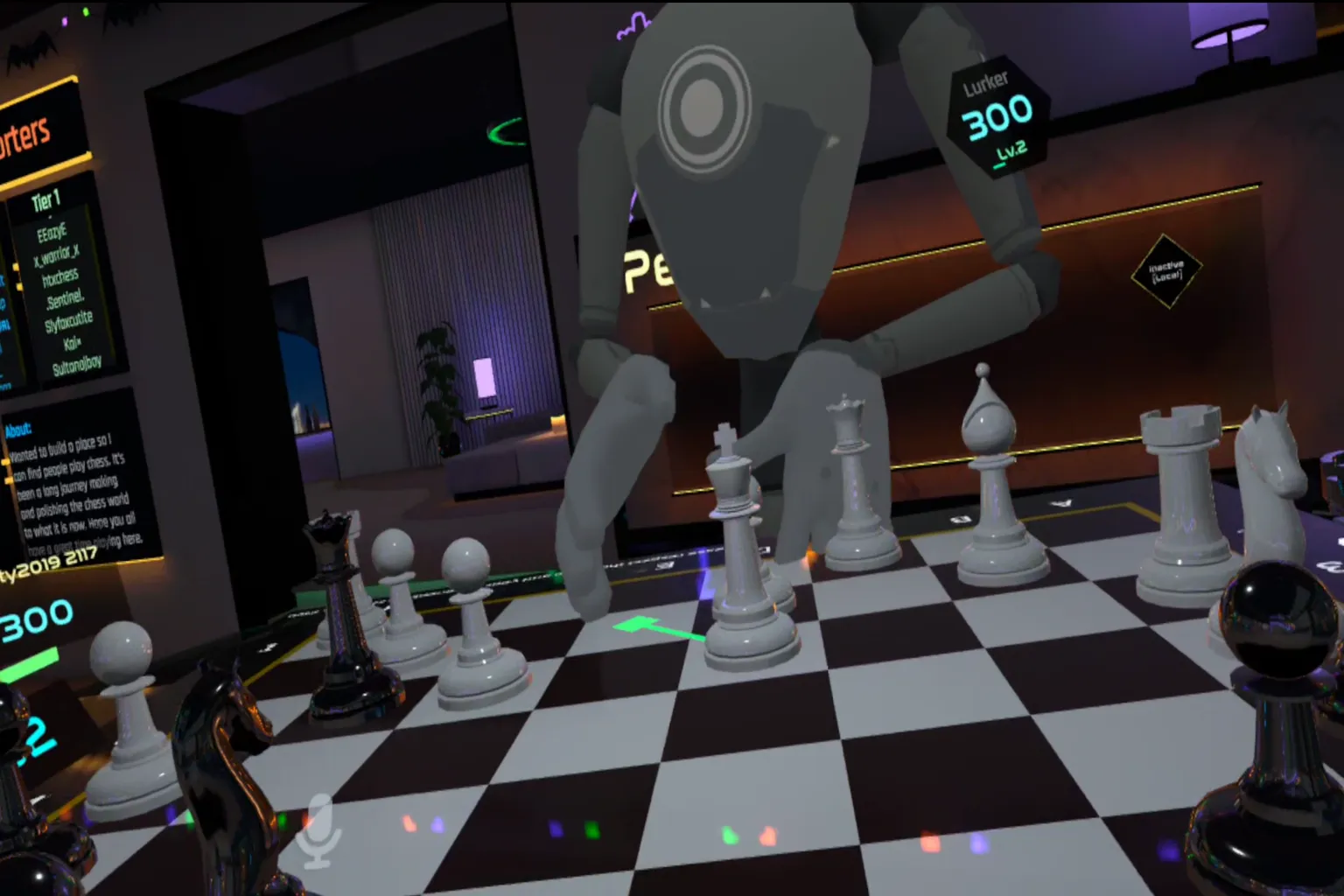
It really feels like playing chess face to face with someone. Hold down the grip trigger to grab a piece, then move it to the square where you want to place it.
While you’re holding a piece, the valid squares light up, so you can’t place it anywhere that breaks the rules. That makes the controls feel natural, even if you’re not deeply familiar with chess.
After your opponent makes a move, the game shows the path their piece took. Even if you looked away for a moment, you can immediately see what just happened. It’s a small detail, but it shows how thoughtfully the world is designed.
When the match is over, don’t forget to shake hands with your opponent. That’s basic etiquette for chess players.
Win or lose, it’s always important to end the game by clearly showing that “nice game” feeling.
Escape from Monday
When you’re working full-time, Fridays naturally make you smile. You think, “Finally, the week is over.”
But if you let your guard down, that dreaded Monday quietly creeps back in, whispering, “Alright, time to get back to work.”
This game is built around that exact “Monday hell” theme, created by a Japanese developer. Once you play it, you really start to feel just how terrifying Mondays can be.
This world works both solo and with others. Each room supports up to 16 players at the same time, but you can also challenge it alone if you want.
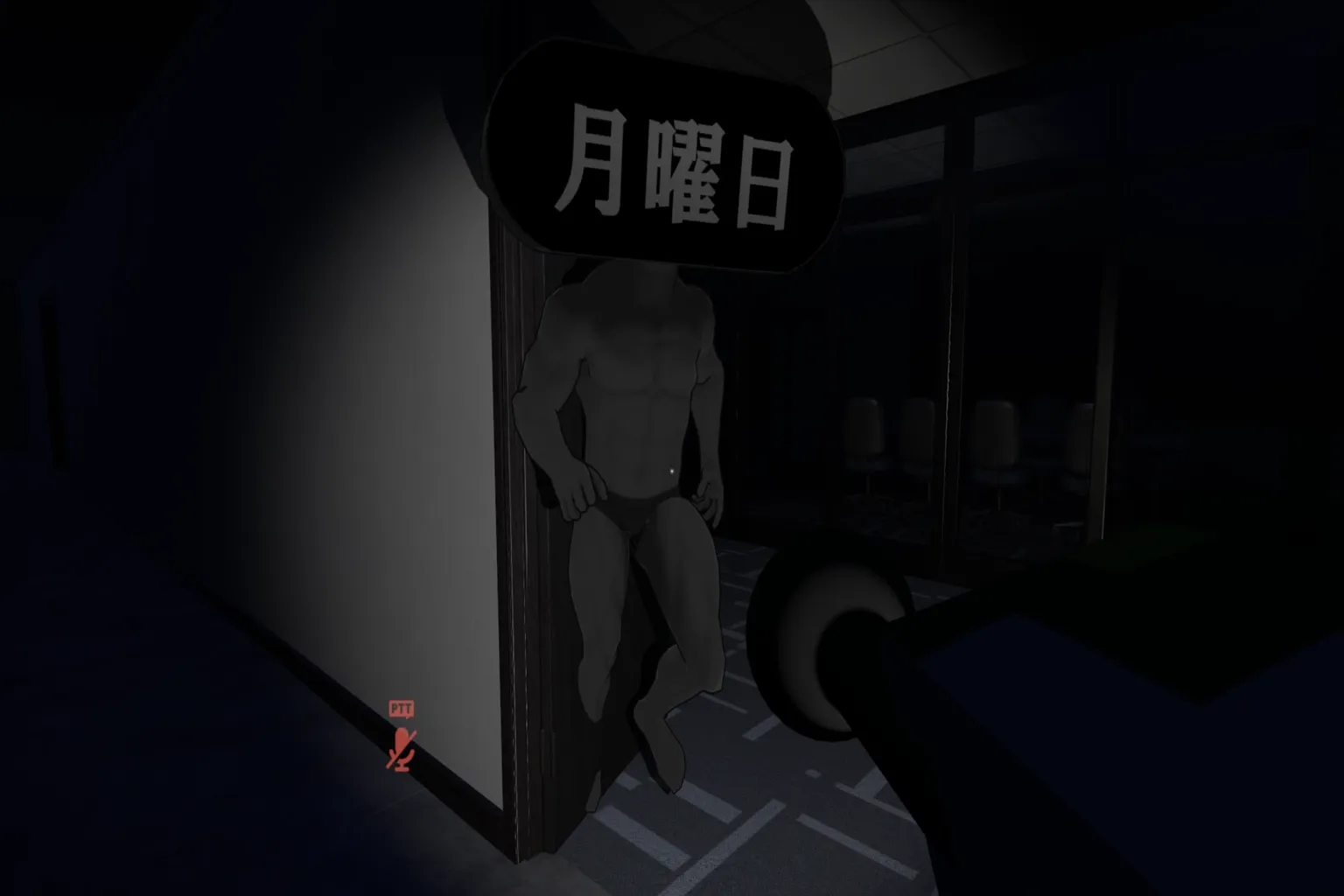
The setting is a massive office building. Inside, a cursed presence called “Monday” roams the halls. If it touches you, it’s forced work time—game over.
Players who want to protect their days off explore the building to find keys and escape. And it’s not just one key. You need to collect twelve keys to break free from this nightmare workplace.
After the game gets going for a bit, you’ll see instructions like this appear:
“Collect the keys on Floor 3 and escape!”
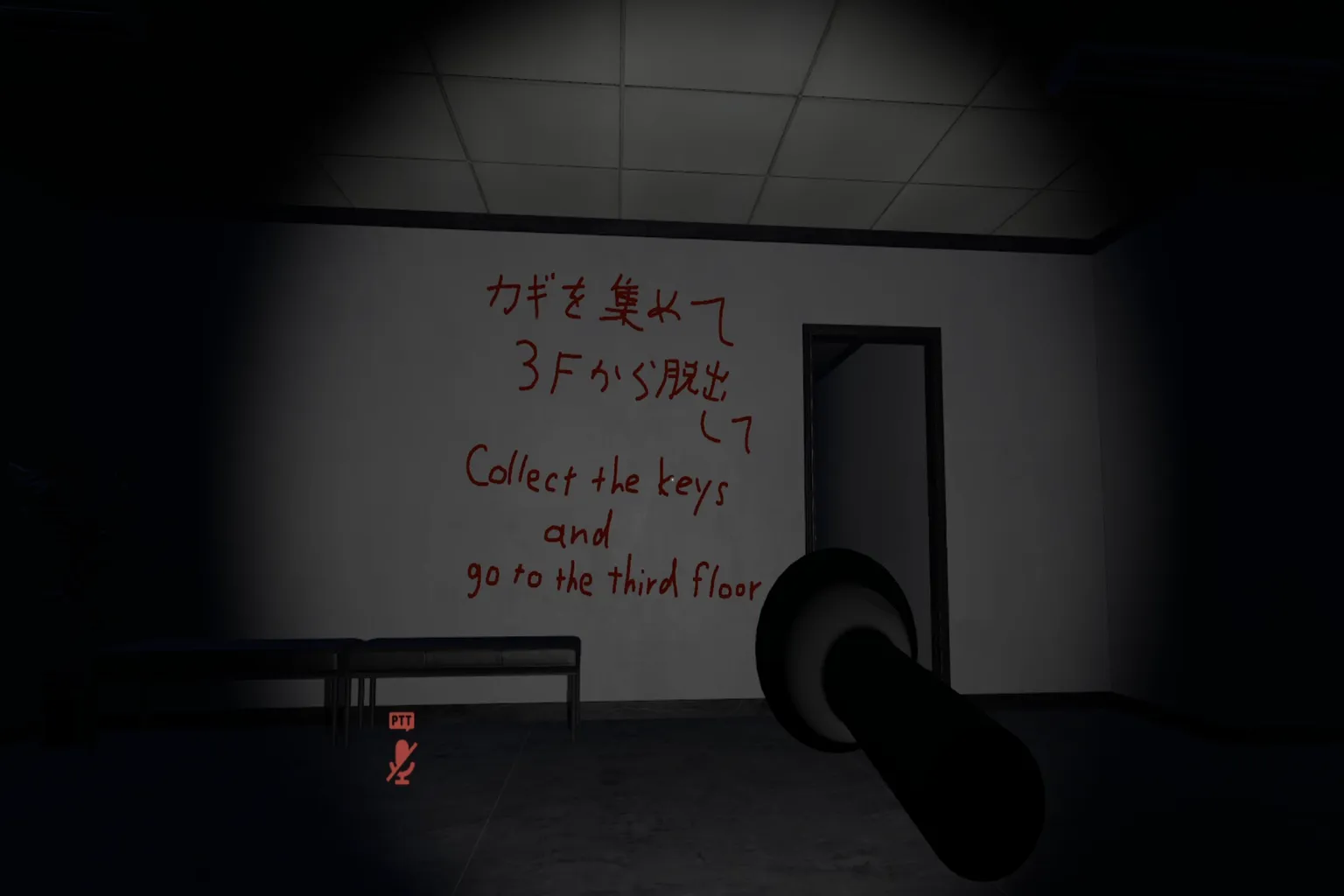
“Monday” is a computer-controlled character that wanders randomly through the building.
But once it spots a player, it goes all out and starts chasing you. If you’re too slow, you’re done—it’s straight to forced work, game over.
And here’s where it gets truly brutal. The more keys you collect, the more Mondays appear. In other words, the deeper you progress, the more the hell multiplies.
Inside the building, it’s dark enough that you can barely see without a flashlight. Use the light to carefully search each room, one by one.
Open drawers, check lockers, even peek into the corners of bathroom stalls. Keys can be hidden in places you’d never expect.
Their locations are random every time, so the trick is to stay alert and check everything without letting your guard down.
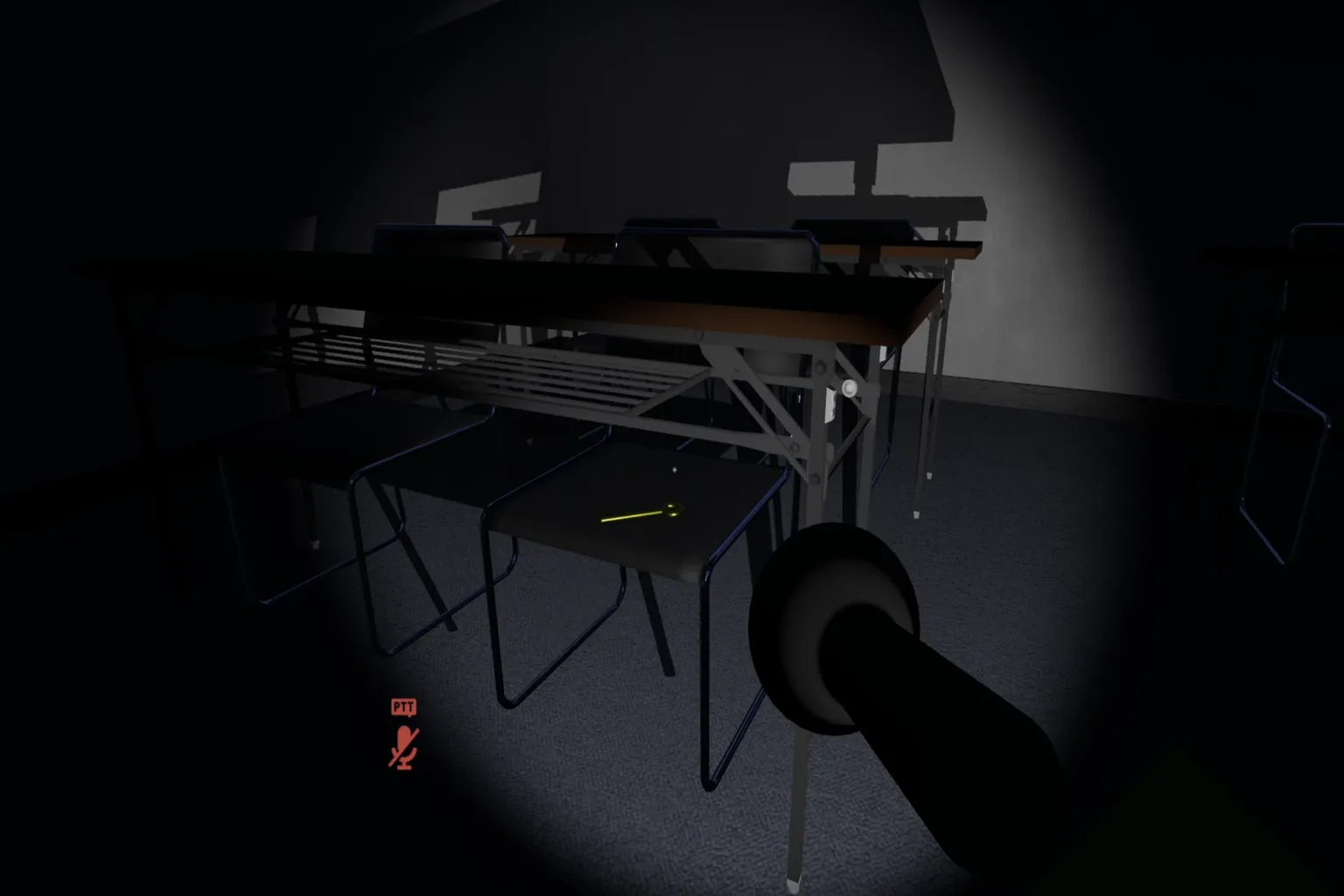
While players are searching for “Monday,” the truth is that Monday is also searching for you.
As it gets closer, your heartbeat starts pounding louder and louder. And when you’re surrounded by multiple Mondays, they smile at you—almost like a manager—and say, “Looks like it’s time to go to work.”
If you get caught, you’re forced onto the work route. Along the way, words written on a streetlight speak to you: “Are you looking forward to today’s work?”
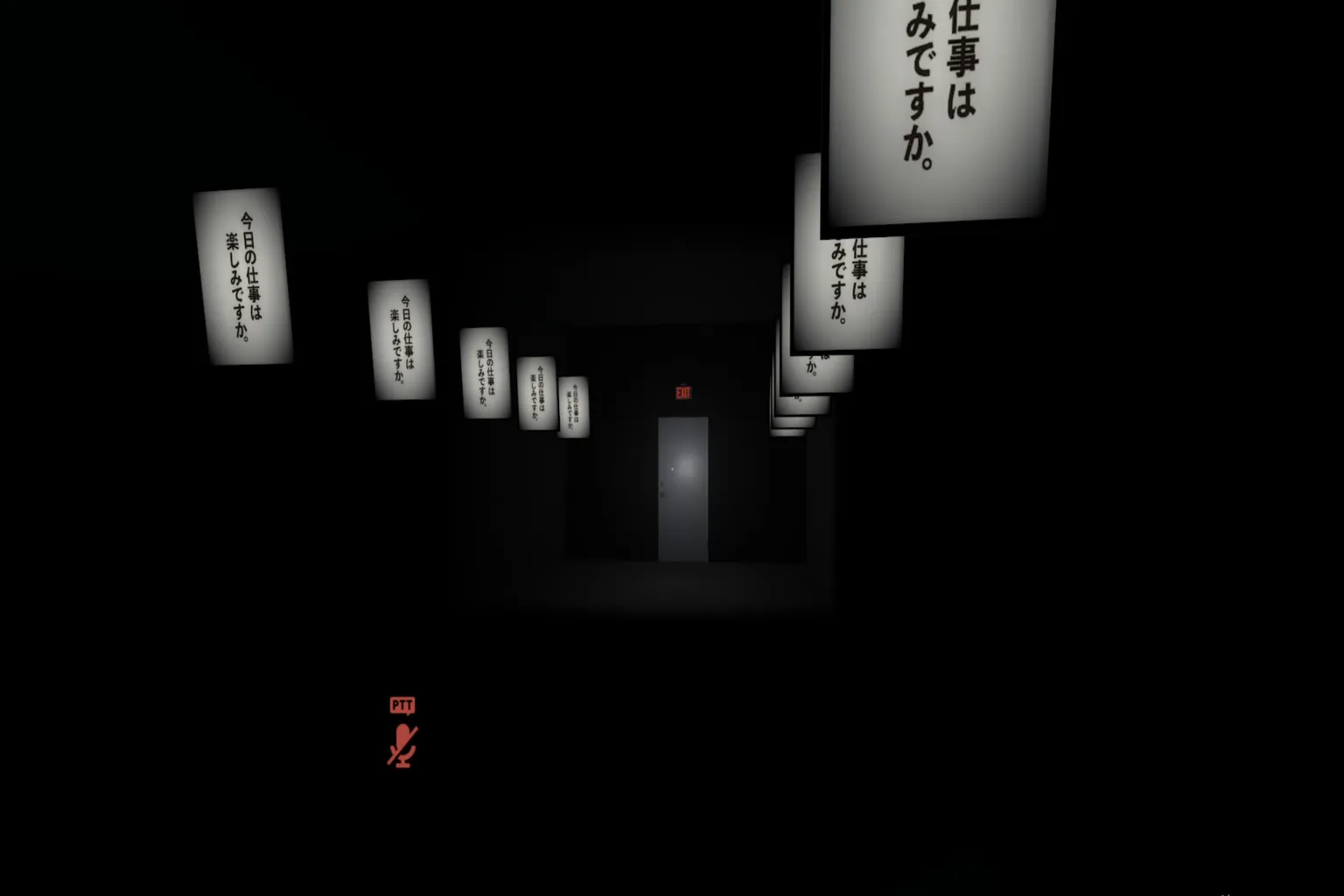
And where do they take you? A sushi factory. Your job is to carefully place decorative bamboo leaves into sushi lunch boxes. Place them accurately and you earn money. Once you make $30, you’re finally sent back to your vacation—back to the game.
…Someday, I’m sure we’ll manage to escape from this “Monday” for good.
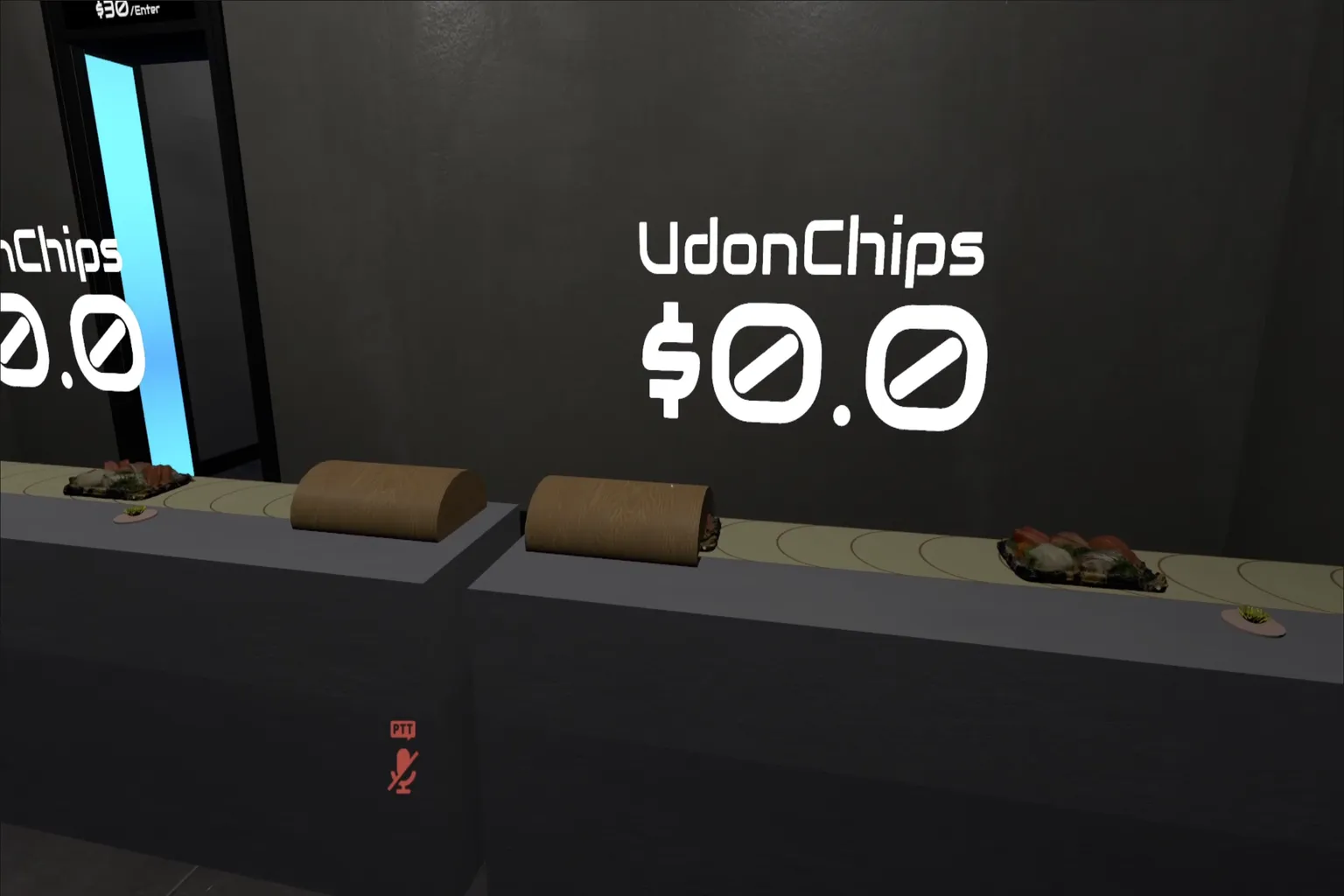
This world works well whether you play solo or with friends. It’s a horror-style world that I can confidently recommend even to people who are brand new to VRChat. Running around together, screaming as a group while trying to survive, is where the fun really kicks in.
Escape from Monday—
it hits a great balance between fear and humor on your first run, making it an excellent entry point for anyone just getting started with VRChat.
Party Games (Group Play)
This is where VRChat really shows what it’s all about. These games focus on asymmetric multiplayer with large groups, where everyone jumps in together and things get loud fast. Well-known examples include Among Us and Murder 4, both long-time favorites.
Each player is assigned a job or role, and to be honest, it’s not fair at all. But that imbalance is exactly what makes it fun.
During a match, you’ll hear screams and laughter coming from all directions. That kind of chaos is part of what makes VRChat feel like VRChat.
Murder 4
This is one of the most popular worlds in VRChat, with thousands of players online at any given time. It’s a party-style social deduction game built around a simple but intense idea: “There’s a cold-blooded killer among us—is it you, that person, or maybe even me?” Your goal is straightforward: find the killer and take them down.
Each room supports up to 24 players. At the start of the game, everyone is randomly assigned one of these roles.
Bystander
Regular players with no weapons at the start. However, by collecting clues scattered around the map, they get a chance to fight back. Once you collect five clues, you receive a random weapon, such as a handgun, shotgun, grenade, or smoke grenade.
Killer
The killer searches the map for knives and traps, then quietly hunts other players. If the killer cuts the power, they can strike in the darkness and wipe people out quickly.
Detective
The only role that starts with a gun. When you identify the killer, don’t hesitate—take the shot. The tension and mind games here are addictive, and once it clicks, it’s hard to stop playing.
The mansion is filled with items that can completely change how a round plays out. Here are the main ones.
Clues
They spawn randomly around the map, often inside shelves or drawers. Collect five, and you’ll receive one random item:
- Smoke grenade: creates smoke to block vision.
- Frag grenade: defeats players within its blast radius.
- Silenced handgun: lets you quietly eliminate a target.
- Shotgun: delivers a powerful hit at close range.
Photos
Five photos are scattered across the map, each labeled with a room name like Kitchen. Once you collect all five, head to the study and arrange the first letters of the room names on the detective’s desk. If done correctly, you’ll receive a camera.
Camera
A special item that lets you take pictures of other players. Anyone photographed drops whatever item they’re holding, creating an opening to steal weapons or escape.
Knife
A killer-only weapon. It can be used for direct attacks or thrown. If another player touches it, they die instantly.
Box
When opened, a snake jumps out and attacks nearby players.
Trap
A placeable killer-only weapon. If a bystander steps on it, they die instantly. If another killer steps on it, their movement speed is reduced.
Gun
A detective-only weapon. The detective starts with it, but if they accidentally kill a bystander, the gun is dropped. Nearby bystanders can then pick it up and use it.
Switch (Lights)
Only the killer can use this. Turning off the lights creates darkness, making it easier to quietly take down targets.
These three roles are assigned randomly each round. The chances of becoming the killer or detective are relatively low, so most players will end up as bystanders.
The map itself is set in a large Western-style mansion that feels a lot like Luigi’s Mansion on the Nintendo Switch. It’s a three-story house with a lot of rooms to explore.
The group I played with this time was especially playful. One player even brought along a ghost-hunting vacuum cleaner, just like Luigi’s. Little touches like that instantly raise the energy and make the whole match even more fun.
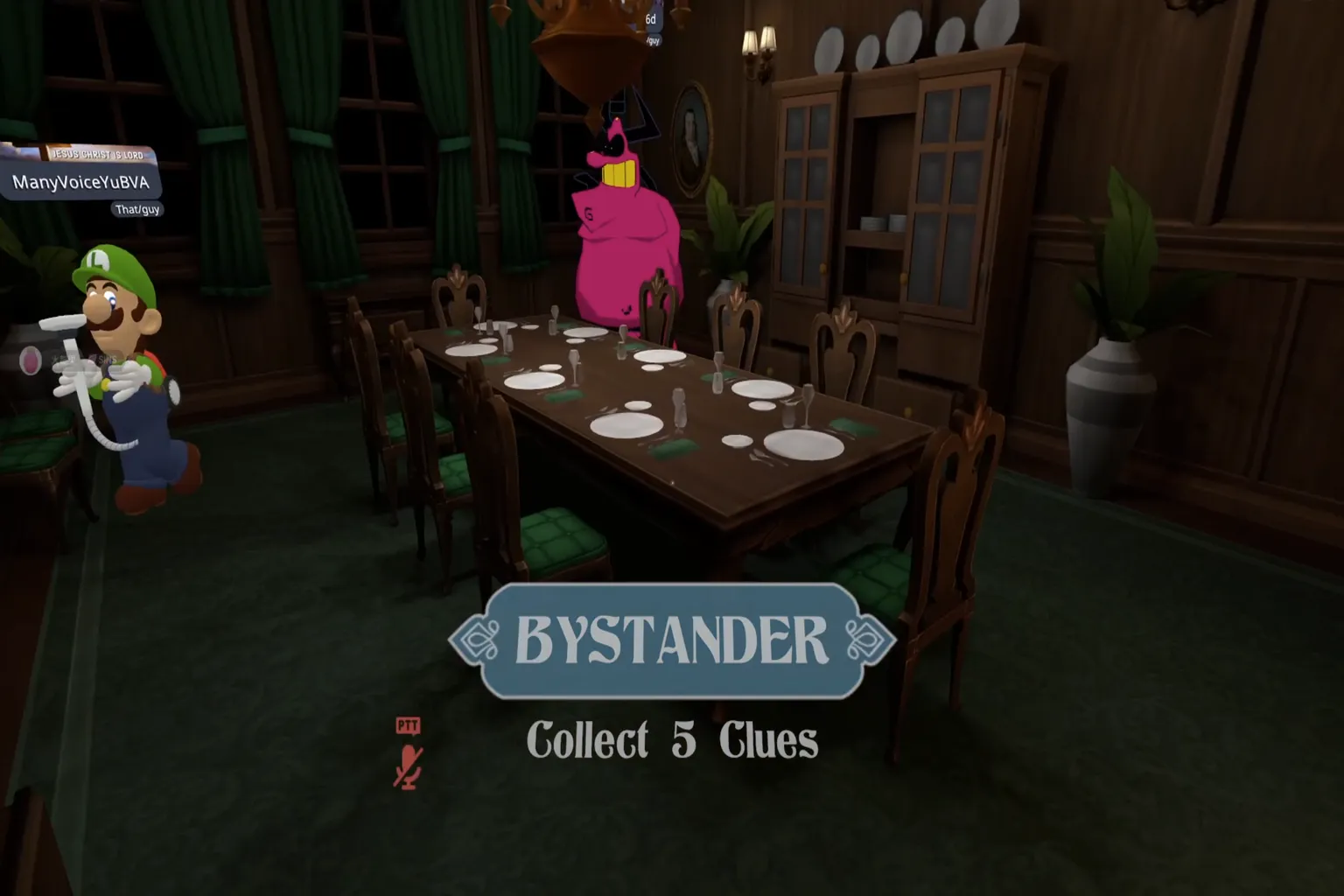
Once the game starts, if your role is a bystander, your first job is to explore the rooms and collect clues. Check desks, open drawers, and look through anything you can interact with—that’s the key.
When you collect five clues, you’ll get a weapon. But clues are limited across the map, so it quickly turns into a first-come, first-served race against the other bystanders.
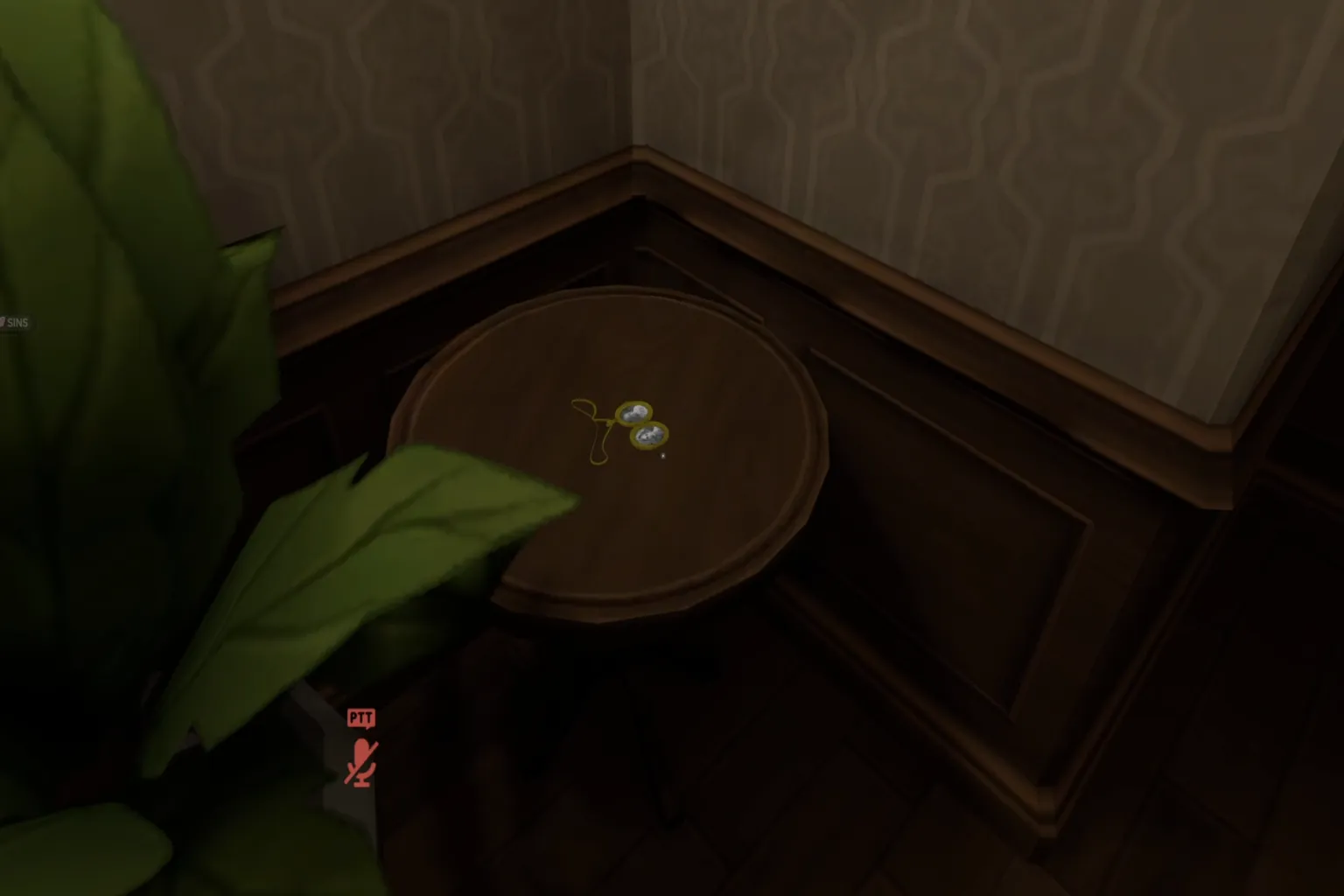
Somewhere in the map, a knife will spawn on a table. This weapon can only be picked up by the killer, and it allows direct attacks on other players.
If you happen to be the killer—congratulations. You’ve just picked up the most important item in the game. From there, it’s all about choosing the right moment to hunt the other players.
But be careful. If someone sees you holding the knife, your cover is blown instantly. The moment that happens, everyone knows you’re the killer, and you’ll become the target. When you move, try to stay out of sight and avoid drawing attention.
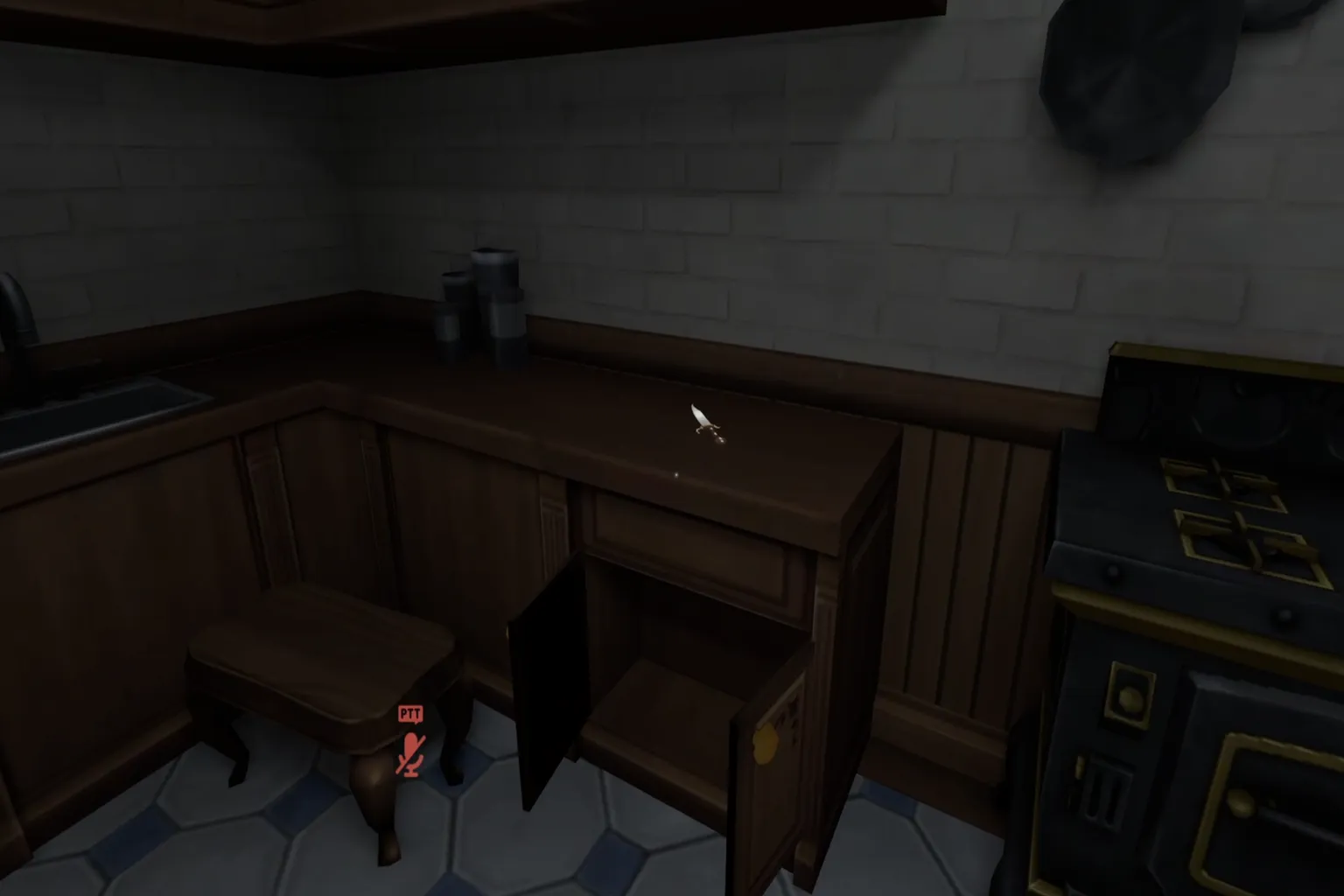
Traps and the power switch are mechanics that only the killer can use.
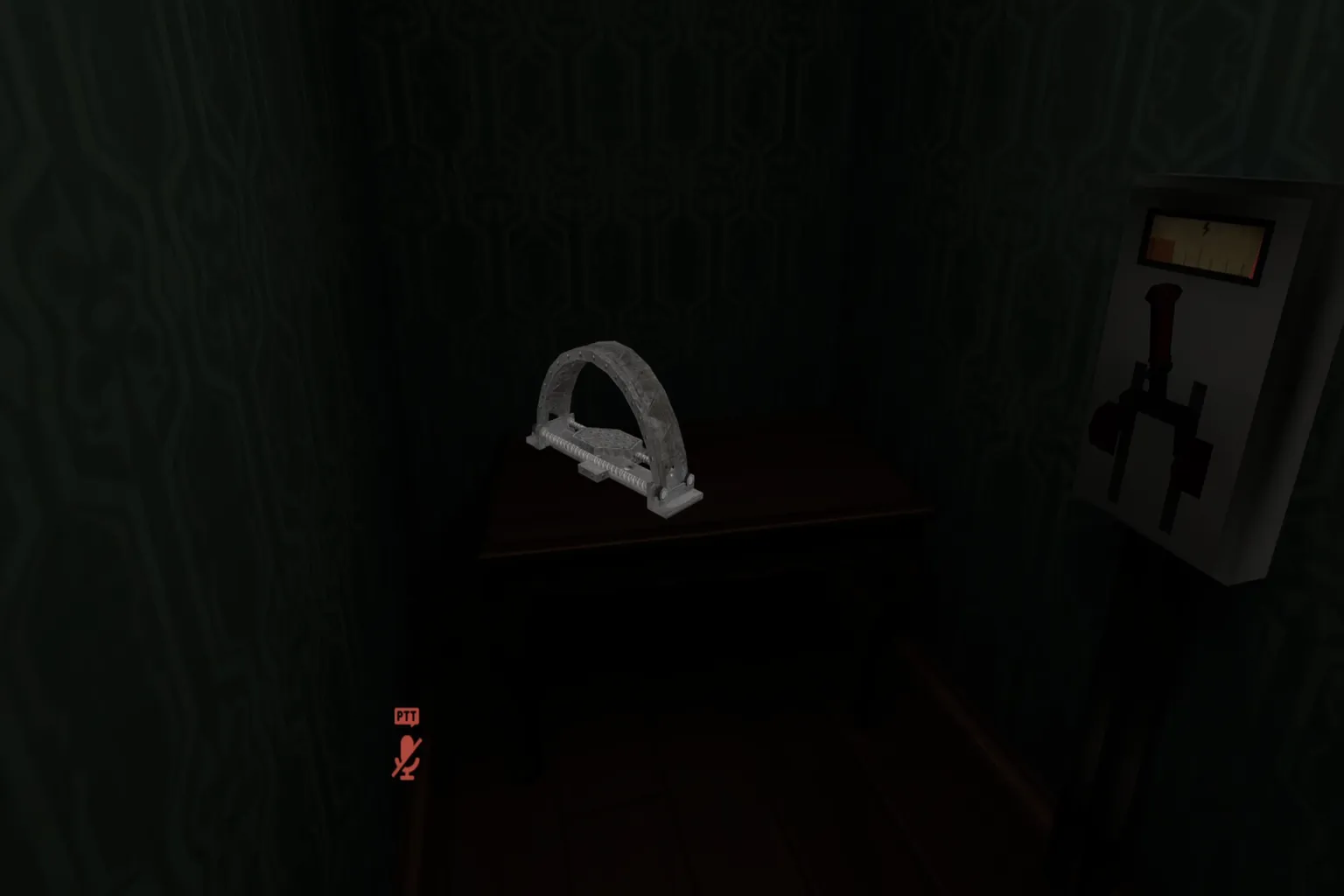
When the killer cuts the power, the room lights drop instantly and everything goes pitch black. That darkness creates the perfect chance to quietly take out a target. Of course, if someone turns the switch back on, the lights come right back. That’s why speed matters so much—how quickly the killer moves during a blackout can decide the round.
If you manage to get the photos, take them to the study. The first letter of each room name written on the photos tells you where to place them on the desk. Put them all in the correct order, and you’ll receive the camera.
This camera is extremely useful. When you take a picture of another player, they drop whatever item they’re holding. That opening lets you steal weapons or make a clean escape.
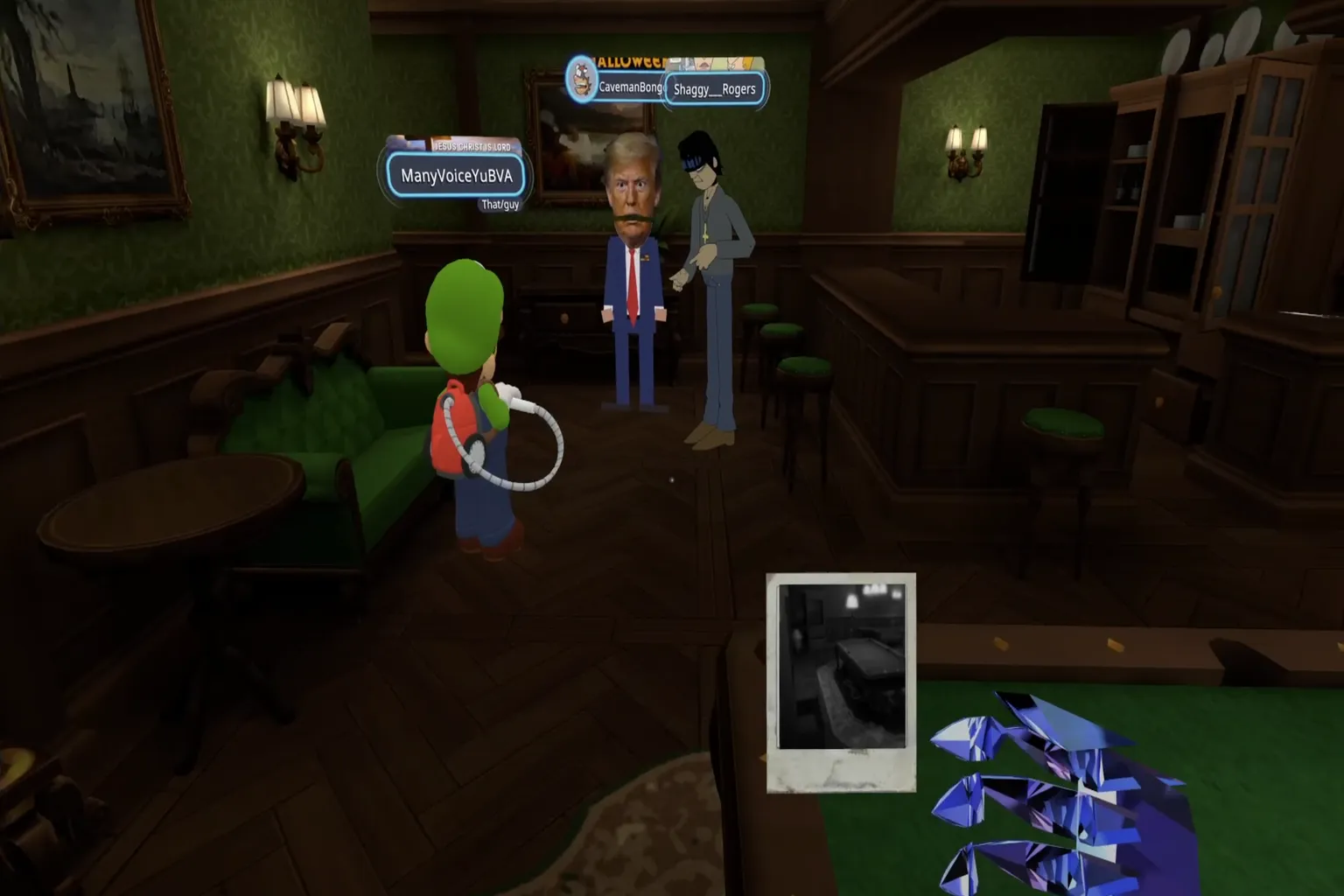
Try to keep your distance from the killer. If you’re unlucky and get taken out, you’re sent back to the starting lobby and have to wait there until the next round begins. The goal is to identify and defeat the killer, but sometimes you’ll run into a detective who’s a little trigger-happy and shoots anyone they see. When that happens, all you can really do is leave it up to luck.
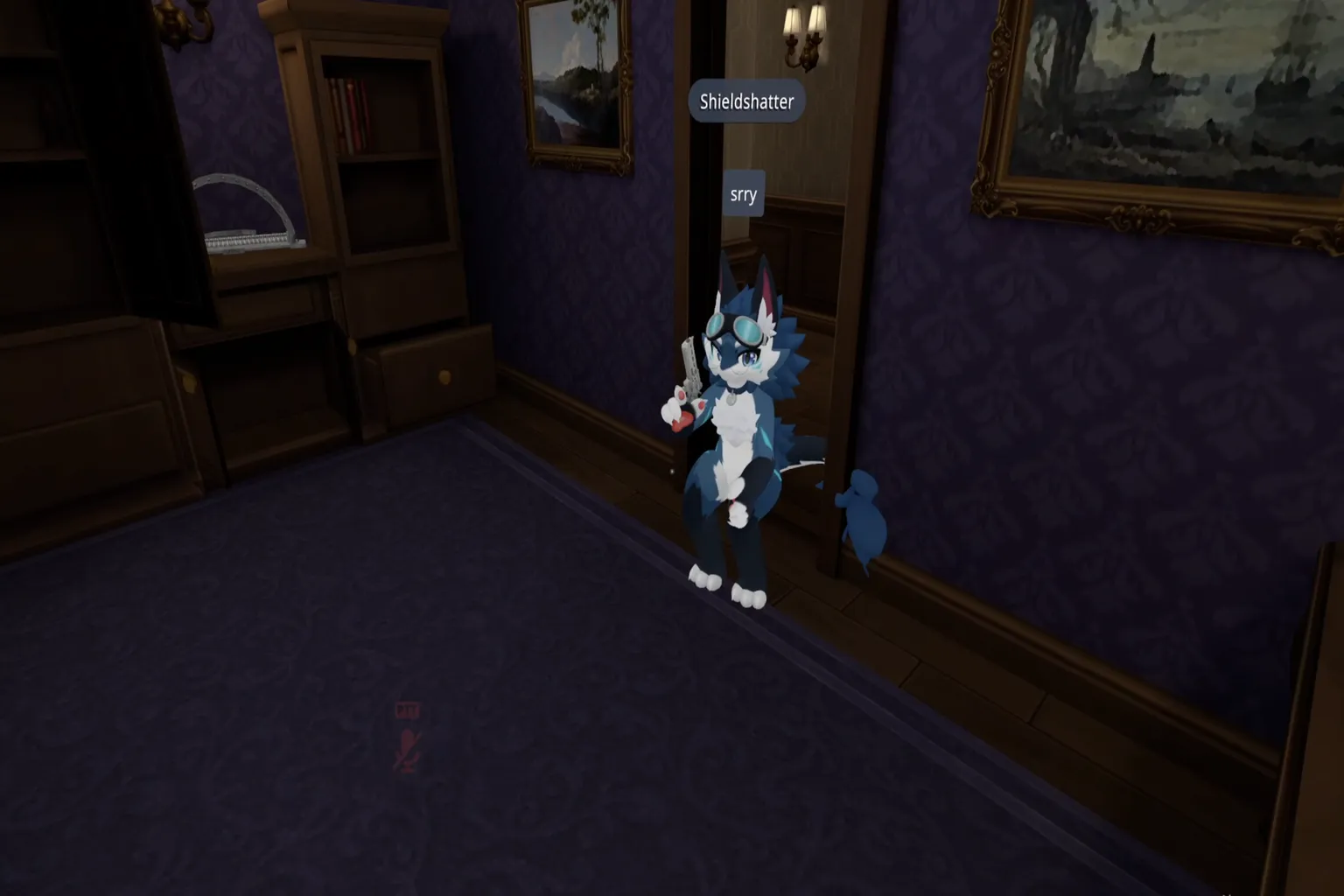
Murder 4 is a perfect fit for anyone who enjoys tension and suspense. From the lobby to the middle of a match, you’ll run into all kinds of players. Everyone moves differently, and no two rounds ever play out the same way, so even after many games, it rarely feels repetitive. It’s the kind of world that makes your VRChat experience a lot more fun.
Among Us Game
Have you ever watched Among Us on YouTube? That game—the one that took over the internet with its memes and sound effects—can now be played inside VRChat too.
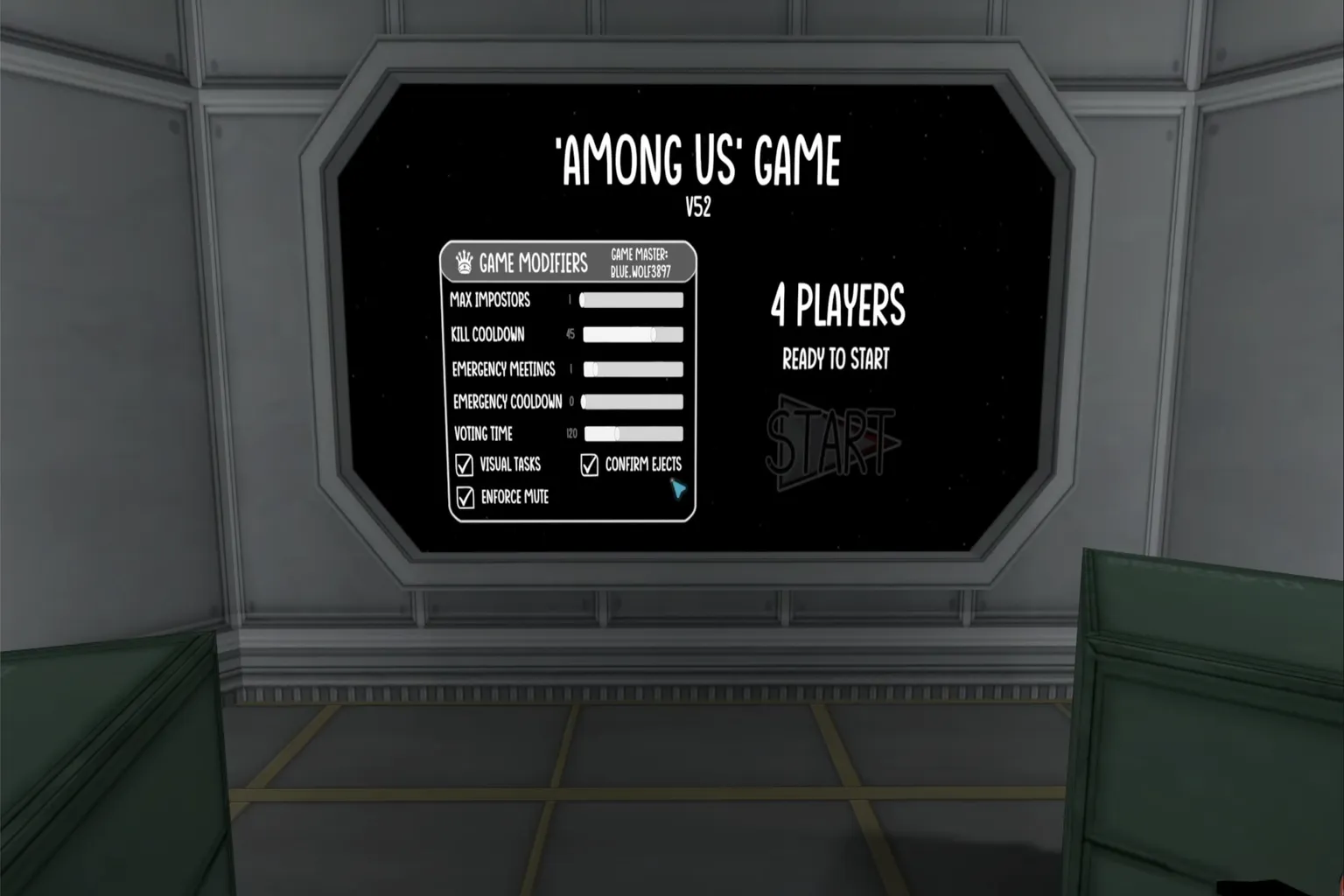
You only need at least four players to start. The goal is simple: find the impostors hiding among the crew on the ship and vote them out. Experiencing that tension and mutual suspicion in VR feels surprisingly fresh.
In the pre-game lobby, you can adjust several settings based on how many players are in the room. The main options include the maximum number of impostors, kill cooldown, number of emergency meetings, emergency meeting cooldown, and voting time.
Maximum number of impostors
In rooms with more players, increasing the number of impostors makes the game more intense. Setting it higher quickly ramps up the tension.
Kill cooldown
This is the waiting time required after an impostor eliminates a crew member. There’s an initial cooldown at the start of the game, and the cooldown applies again after each kill.
Number of emergency meetings
Press the red button in the center of the lobby to call an emergency meeting. Everyone can discuss what’s going on and vote on who seems suspicious.
Emergency meeting cooldown
After a round starts, a certain amount of time has to pass before another emergency meeting can be called.
Voting time
This is the time limit for discussion and voting after a report or meeting is triggered. During this window, players argue their case and try to gather enough votes.
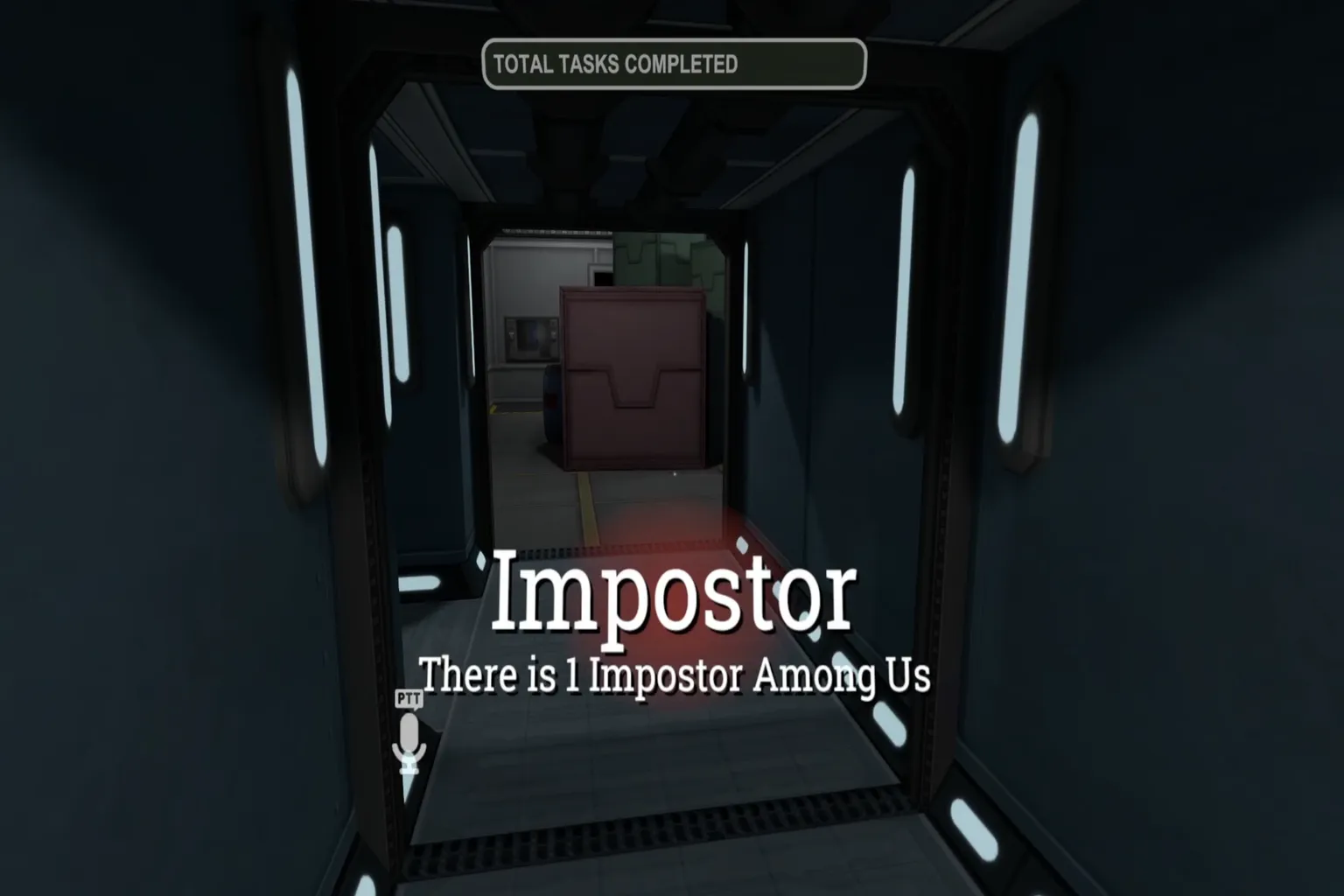
Once the game starts, your role appears on the screen. There are only two roles in this game: Crewmate and Impostor.
Crewmate
Your goal is to complete tasks scattered around the ship while figuring out who the impostor is.
Impostor
You hide your identity and eliminate the other crew members one by one. If you get exposed, you’re immediately voted out, so how you move and act really matters in Among Us.
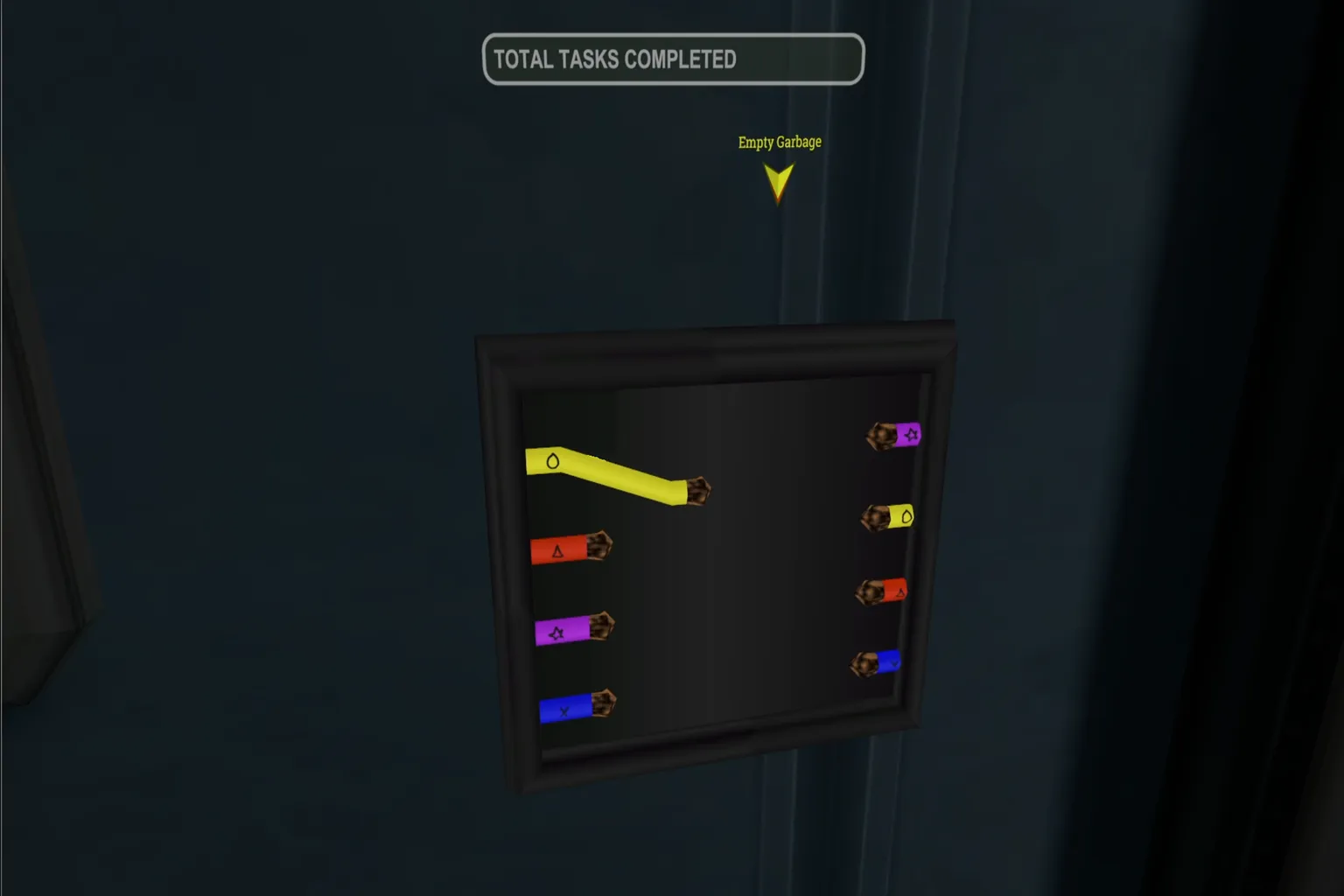
As a Crewmate, you handle simple tasks to keep the ship’s systems running. But don’t let your guard down—the Impostor could be right behind you at any moment.
If all tasks are completed safely, the Crewmates win the game.
During meetings, everyone talks it out and then votes for the player they think is the most suspicious. If you’re not sure who to accuse, you can vote Skip in the lower-left corner instead.
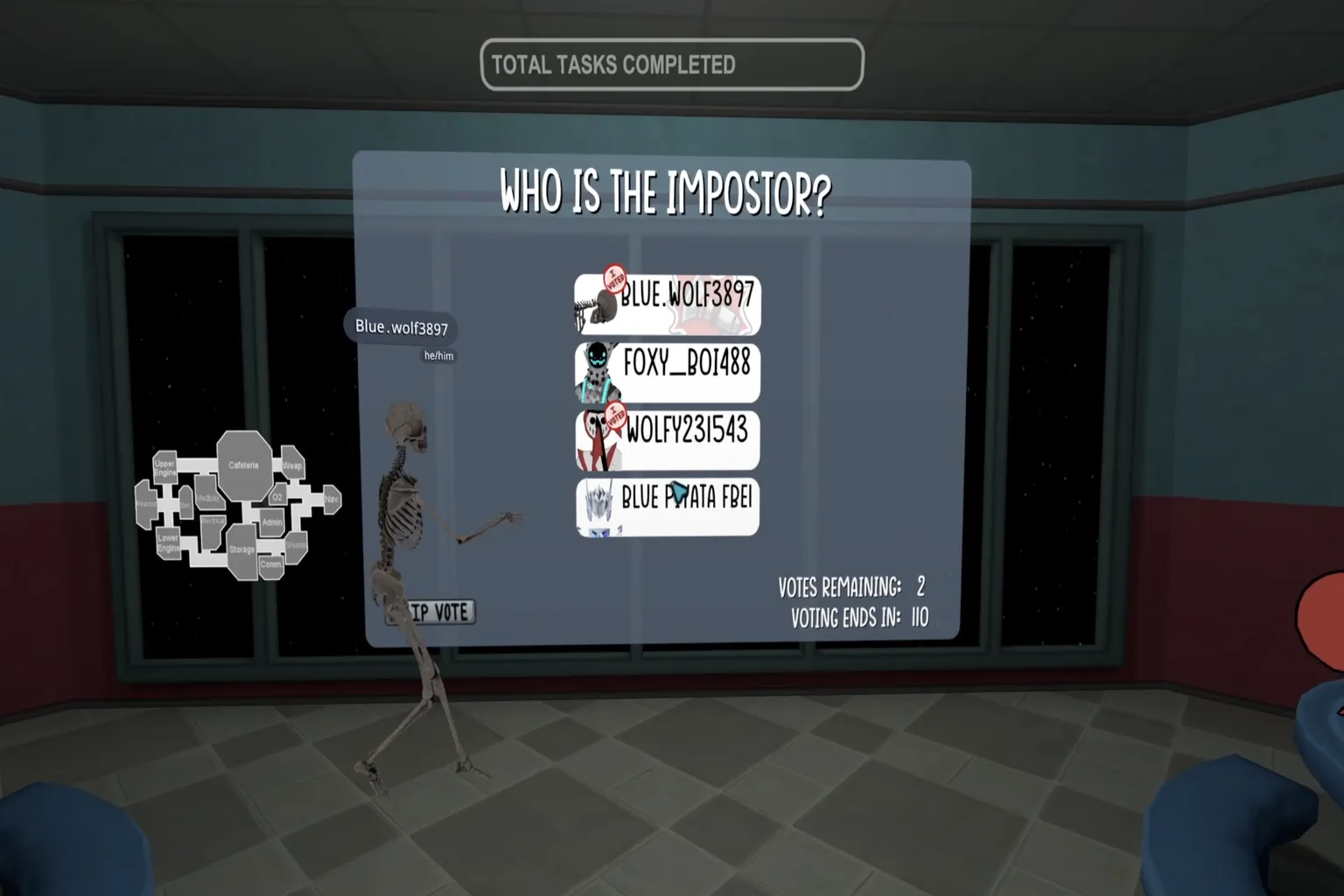
Use observation and deduction to figure out who the Impostor is. If you’re the Impostor yourself, your job is to stay calm, blend in, and quietly thin out the Crewmates one by one.
In the world of VRChat, games are the fastest way to turn strangers into friends. If you’ve made it this far, try playing a few rounds yourself. Next time we meet, maybe we’ll end up sitting side by side at that little bar, actually taking our time to talk.
FAQ – Common Questions
How do you find interesting worlds?
Start by checking Worlds → Popular and look for worlds with a high number of players online. You can also tap the search icon in the top-right and try keywords like “murder 4,” “among us,” or “escape.”
What should you check before entering a room?
Look at the current player count and the maximum limit, shown as something like “12/24.” Rooms with too few people tend to be quiet, so for party-style worlds especially, it’s better to pick a room that already feels active.
Can’t search in Japanese on the Quest version?
The Quest app version only supports English keyword searches. If you want to search in Japanese, type the name in English or use the Steam version, which supports English, Japanese, and Chinese.
Can you play solo?
Yes. Solo-style worlds like Beat Saber–style games or puzzle worlds are fun even alone. Party-style worlds usually need other players to work properly, so choose rooms with higher player counts.
How do you play in the same room as friends?
From your Friends list, press Join, or ask them to send you an Invite. When entering a world, choosing room types like Public or Friends+ also makes it easier to play together.
What if you experience lag or voice issues?
Try switching to a server region closer to you. Using 5GHz Wi-Fi, or playing on a PC with a wired connection when streaming, can improve stability. Voice issues sometimes get better by adjusting the input device in the settings menu.
What should you do if you run into harassment or cheating?
Mute or block the player right away and create distance. If it’s serious, send a report. Having recordings or screenshots can help as evidence later.
Not sure how the roles work in Murder 4?
Bystanders collect five clues to obtain tools or weapons.
The Detective starts with a gun and tries to identify the killer.
The Killer uses knives, traps, and light switches to take out other players.
Where do you change settings in Among Us?
In the lobby’s settings panel, you can adjust things like the number of Impostors, kill cooldown, and meeting or voting times. With more players, increasing the number of Impostors makes the game more intense and fun.