Your avatar sets your first impression in VRChat, but the default options can feel basic, and paid models get expensive quickly. You do not need to spend money to look great. This guide shows you exactly how to navigate Prismic’s Avatar World to find high-quality, fully optimized free avatars. Whether you are looking for cute anime styles or detailed humanoid models, we will walk you through the search system so you can step into your next lobby with total confidence.
The Importance of Your Avatar
VRChat is what people usually call a “social VR” game. Players from all over the world gather in different worlds and hang out together. And the very first thing others notice about you there is your look—your avatar.
As mentioned in beginner guides, you can buy avatars from the official site. But the selection is small, and the prices aren’t exactly cheap.
There are also free official avatars, but honestly, the designs are very basic. When everyone around you is using cute or cool avatars and you’re the only one with something that looks a bit plain, it’s hard not to feel a little self-conscious.
Of course, you could make your own original avatar. But for a beginner, getting something that actually looks good takes hours of work and a fair amount of knowledge. You want to jump in and play right away, but you also want an avatar you’re happy with.
That’s exactly who this is for. From here on, I’ll show you how to get free avatars that are cute, practical, and easy to use.
If you haven’t installed VRChat yet, or you’re not comfortable with the basic controls, it’s a good idea to check a beginner guide first and get your game and account set up before moving on.
Enter Prismic’s Avatar World
Among the many worlds in VRChat, the first one I recommend is Prismic’s Avatar World. It hosts millions of avatars, and most of them are available for free.
Note: Prismic’s Avatar World is convenient, but it may include avatars with unclear permission from the rights holders.
Beginners shouldn’t decide based on looks alone—choose avatars with a clear source, rights/credit info, and usage terms.
If you’re unsure, it’s safer to look for avatars from places with clear conditions, such as Booth.
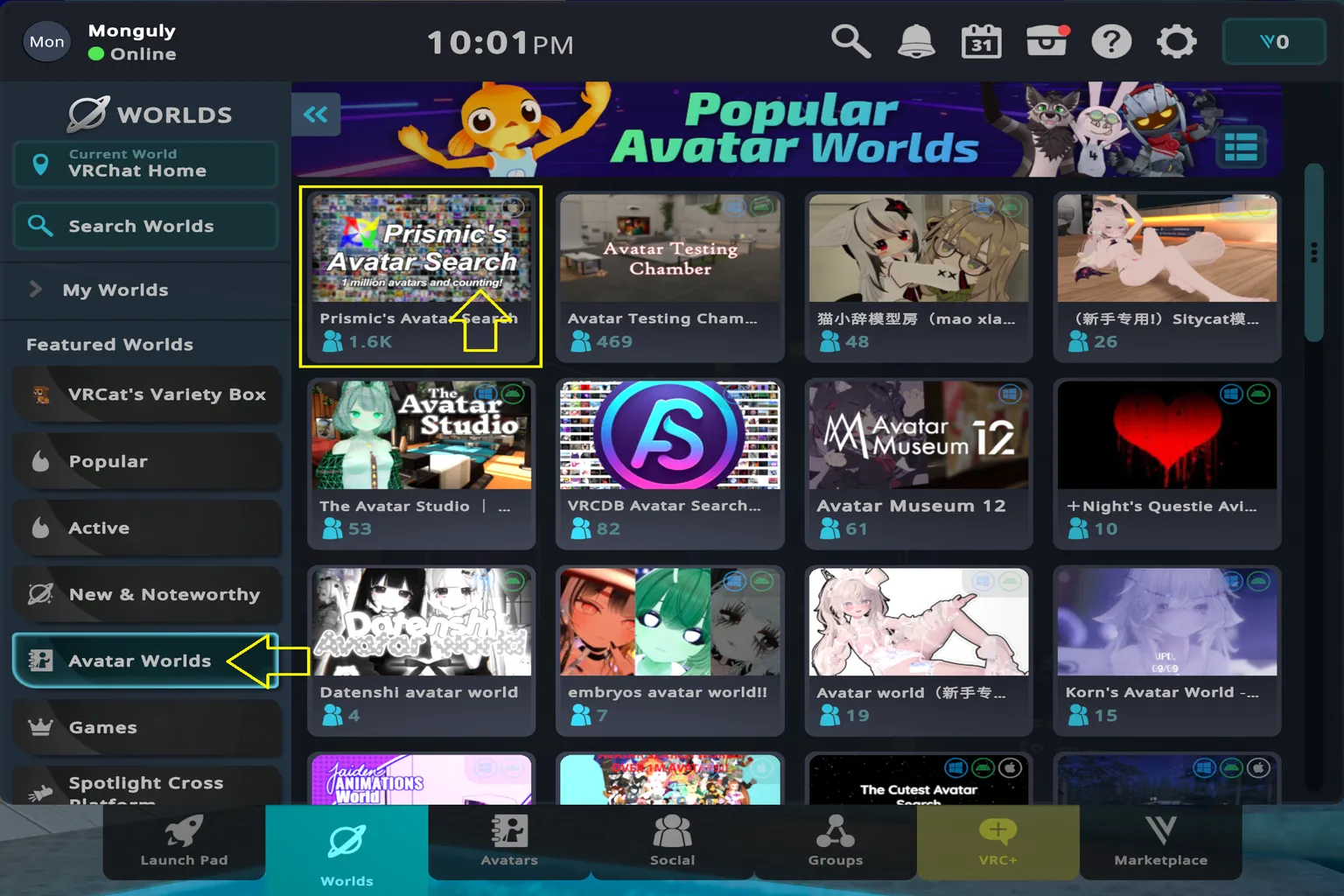
Getting there is simple. Open the in-game control panel, select Worlds, then check Avatar Worlds. You’ll see Prismic’s Avatar World listed on the top left. Select it and jump in. That’s all there is to it.
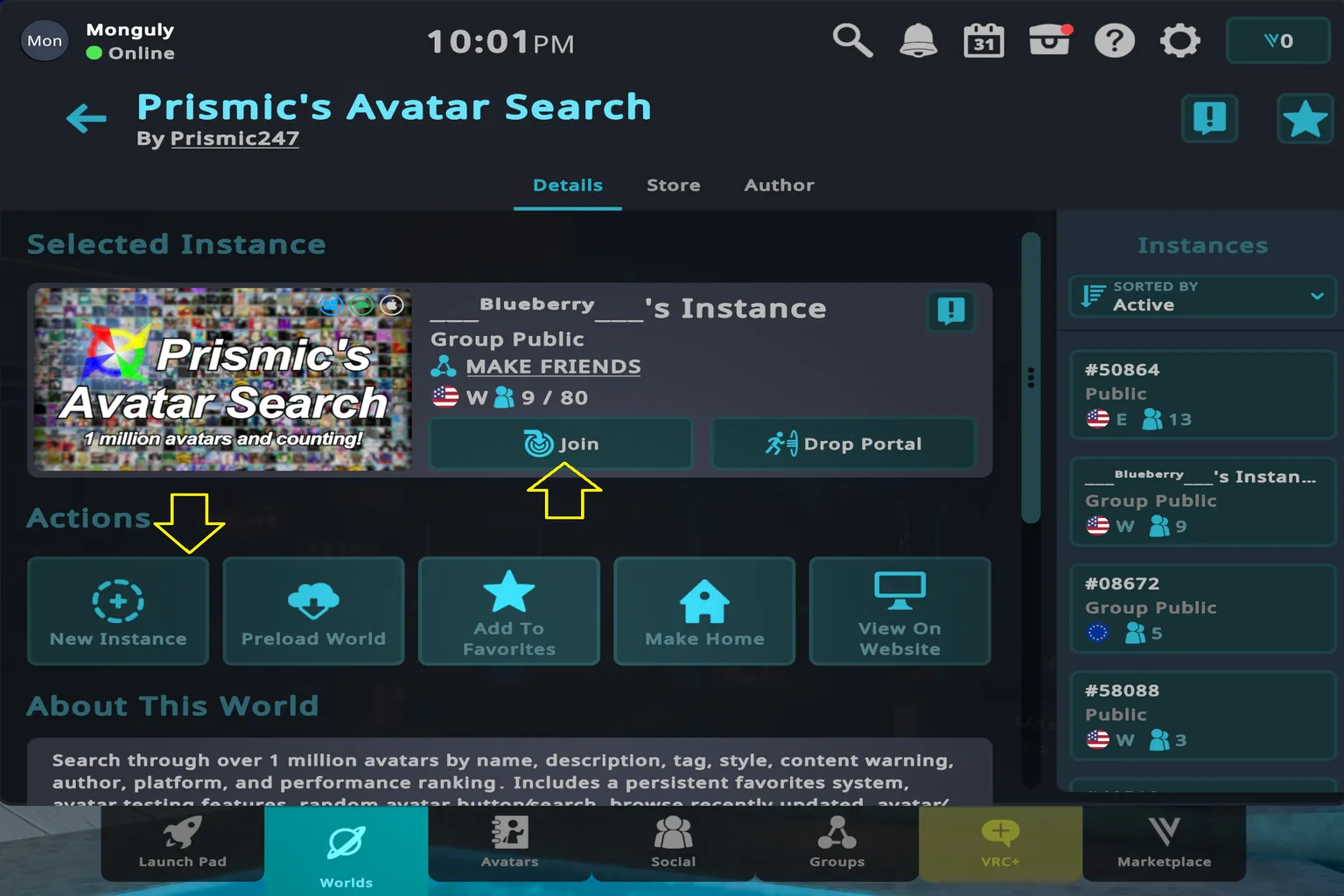
Next, press Join, and you’ll be placed into a random instance.
That said, when there are a lot of people around, it can be hard to take your time and really check avatars properly. If you want a quiet space to browse, choose Create New Instance instead. This creates a private room just for you, so you can try out different avatars without anyone bothering you.
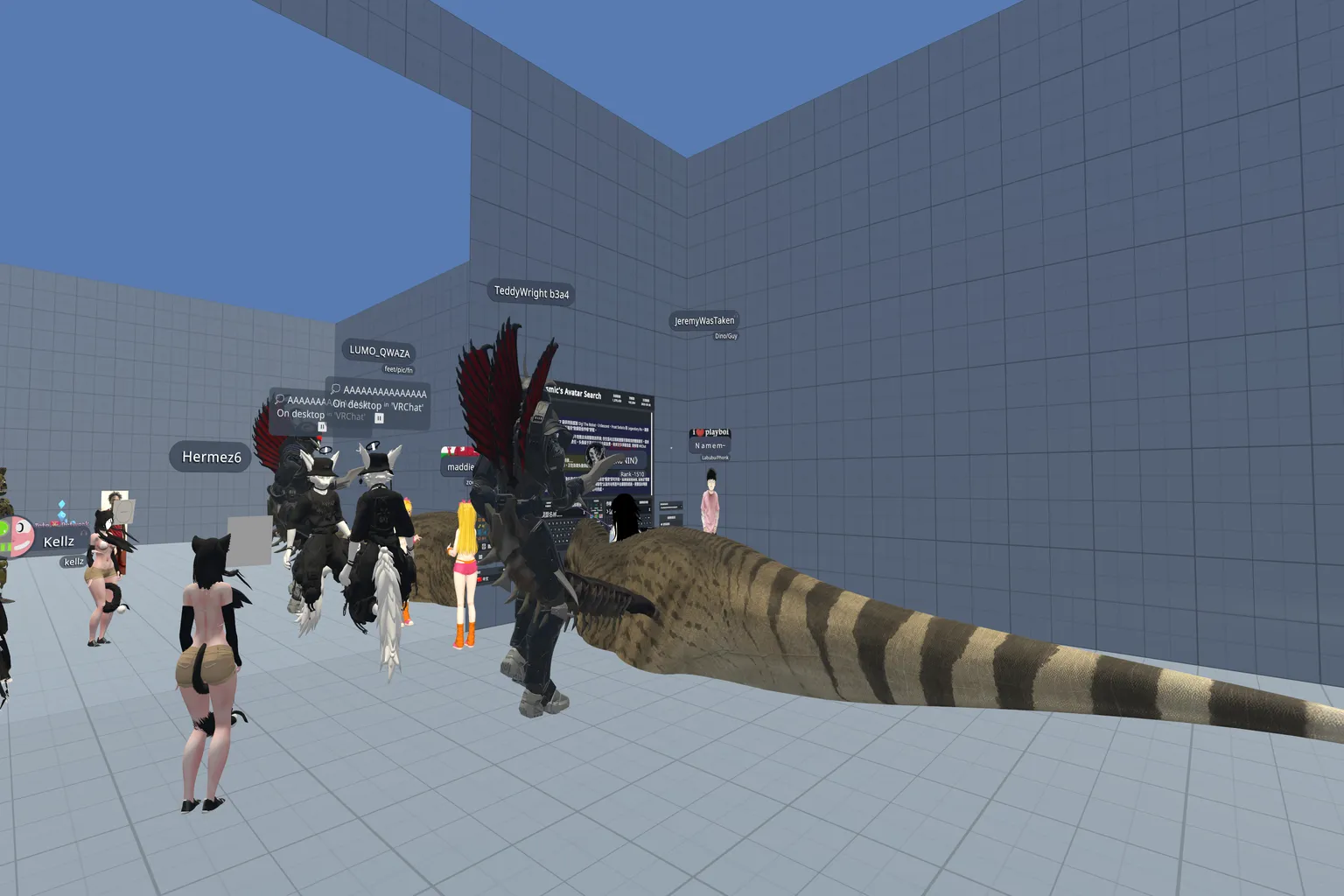
If you enter a random public room, it’s usually packed with players. You’ll see plenty of normal humanoid avatars, and sometimes some very fantasy-style ones mixed in too. This time, there was even a legless dinosaur crawling around the room, which honestly made me laugh.
Avatar Search System Overview
In the center of the world is Prismic’s avatar search system. It’s divided into three main areas: the left side is Environment & Settings, the middle is the Search Panel, and the right side is the Data Area.
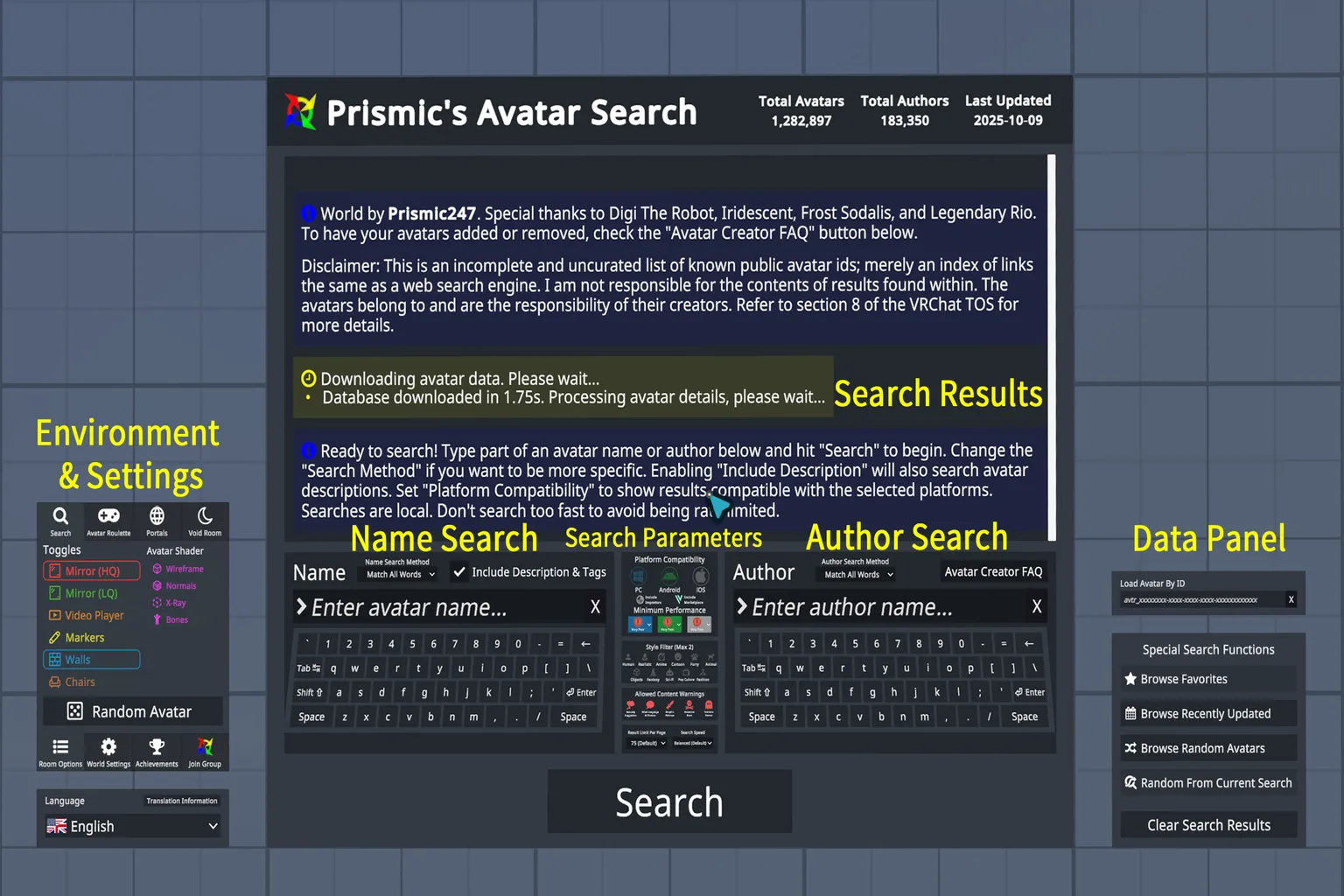
Environment & Settings
Here you can choose things like random avatars and display modes, including mirror types or darker room setups. When you use the random avatar option, the system pulls one avatar at random from the database. It feels a bit like rolling a gacha—you never know what you’ll get, which makes it surprisingly fun.
You can also switch the search language here, letting you browse in Chinese, English, Japanese, or whichever language you’re most comfortable with.
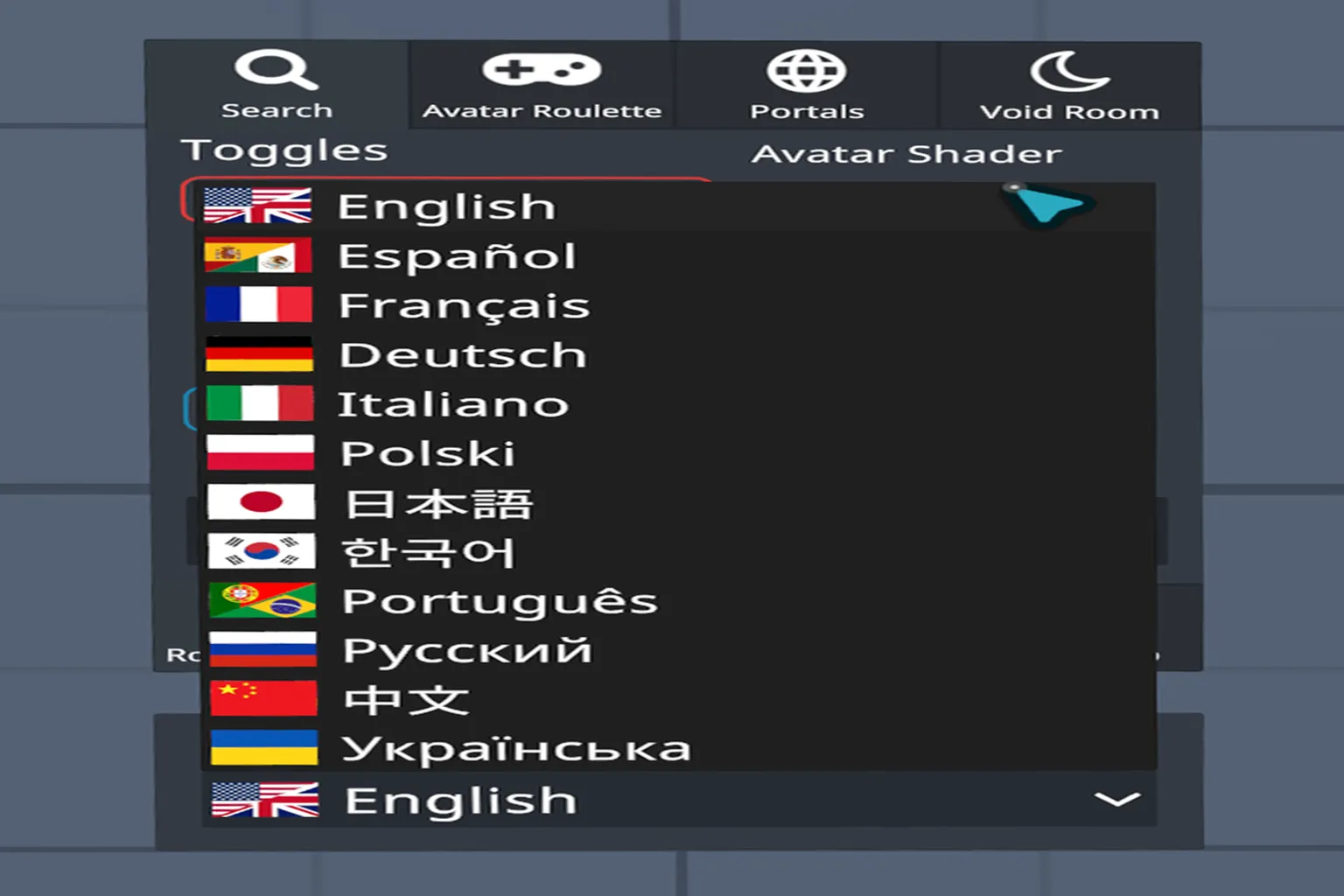
The random avatar option is definitely worth trying at least once. As for the other settings, it’s generally safer not to touch them unless you know what you’re doing.
Search Panel
Name Search: This lets you search by character name or keywords. You can narrow things down further by combining it with descriptions or tags.
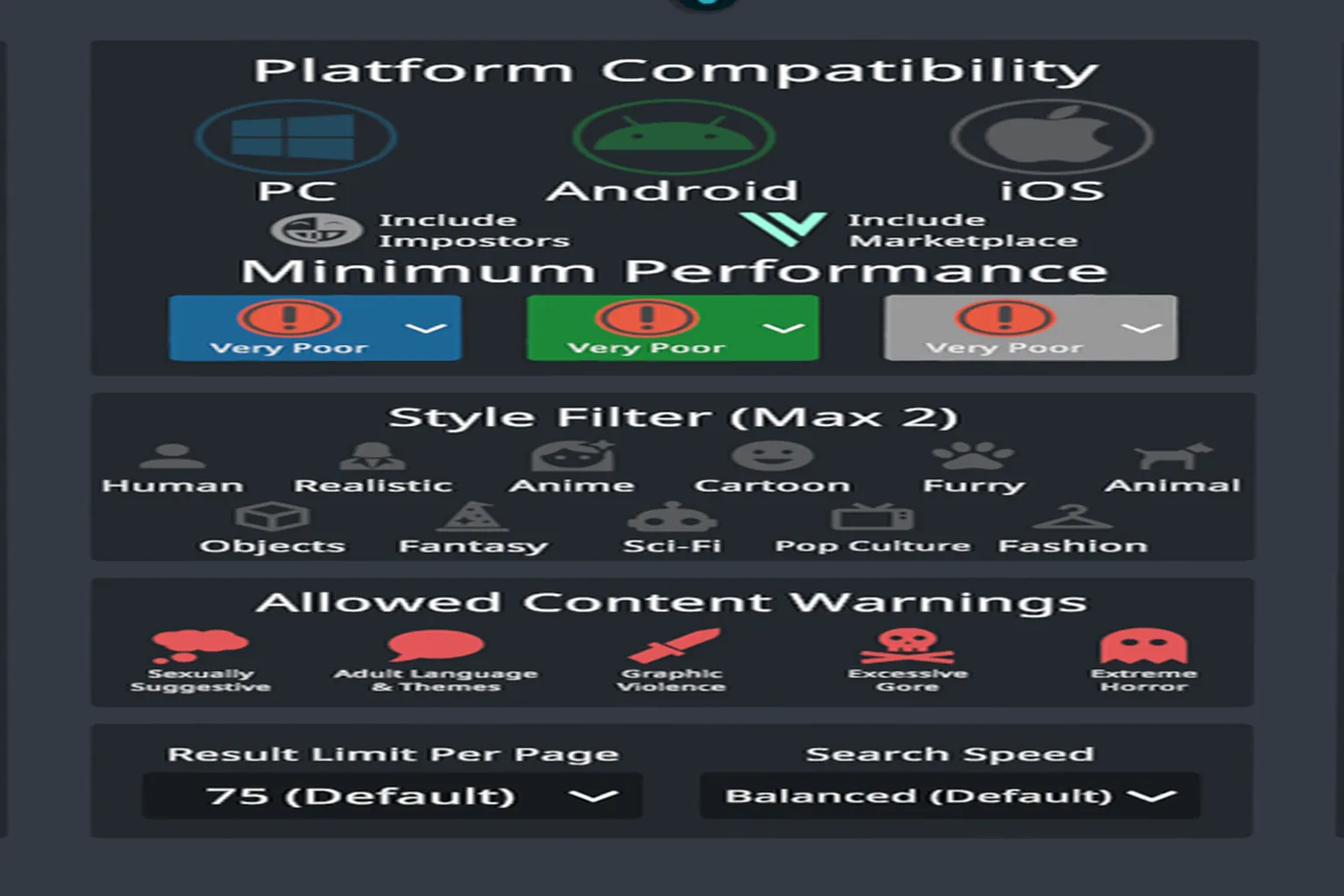
In the search parameters, you can adjust the following options:
- Platform Support (PC, Android, iOS)
- Meta Quest is Android-based, so if you’re playing directly on the headset, you need avatars that support Android.
- Performance Rating (Excellent, Good, Medium, Poor, Very Poor)
- By default, this is set to Very Poor. If you raise it too much, the number of results drops quickly, and it becomes harder to find avatars.
- Style Filters (Humanoid, Anime, Realistic, Animal, Fantasy, etc.). You can select up to two styles at the same time.
- Allowed Content:
- Sexually Suggestive
- Adult Language & Themes
- Graphic Violence
- Excessive Gore
- Extreme Horror
- Author Search: This lets you search directly by the creator’s name. It’s more useful if you already know specific creators, so most beginners won’t need this much.
In the data area at the top of the screen, you’ll see the search results. This is where you can check how many avatars match your current conditions.
From the data area, you can view your favorites list, check recently updated avatars, or pull up a random avatar. You can also reset the search at any time and clear all results.
Put simply, this is the search interface VRChat players use inside Prismic’s Avatar Search world. You can search by keywords or creator names, and by combining filters, you can narrow things down and find exactly the kind of avatar you’re looking for.
How to Search for and Get Avatars
You can search in English or other languages, but the results don’t always line up the same way. For example, if you use the Chinese word for “girl” and set the filters to PC + Android with Performance set to Excellent, you’ll get zero results. Switch to the English word “Girl” with the exact same filters, and suddenly 2,017 avatars show up.
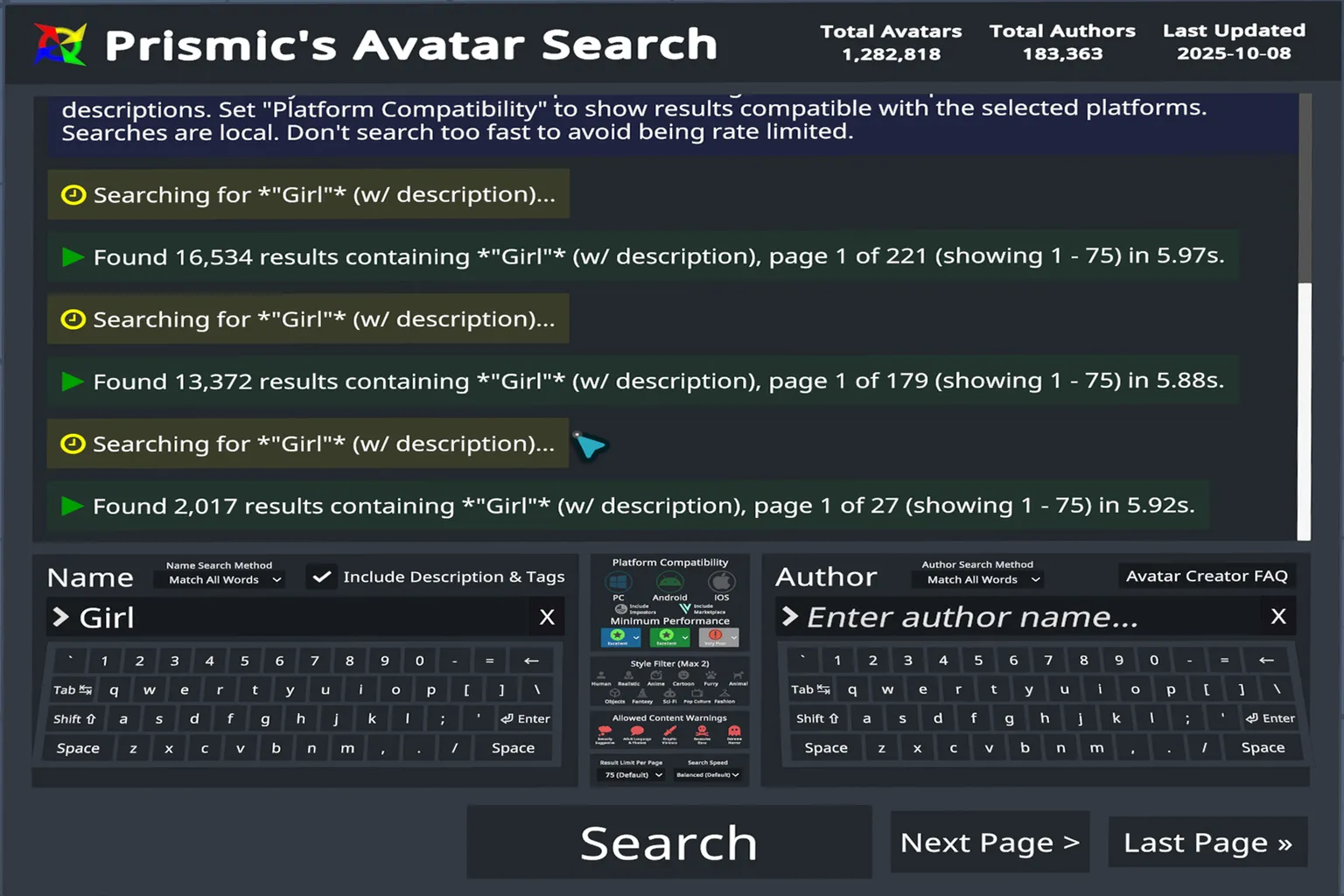
If you relax the filters and don’t limit platform or performance at all, a simple search for “girl” returns 16,534 results. The keyword language alone can make a huge difference.
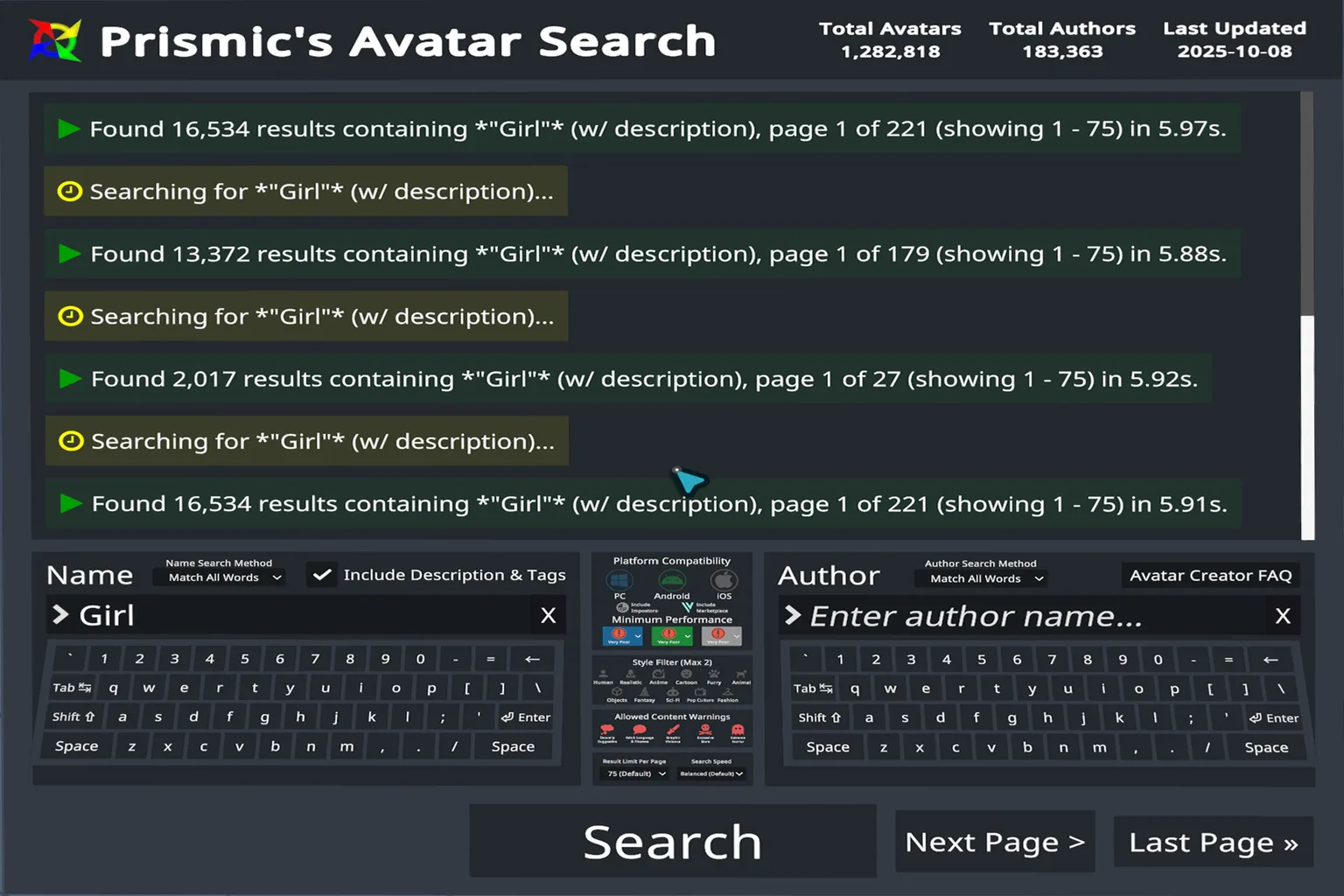
So if nothing shows up at all, try easing up the filters a bit.
For example, when I searched for “Girl” and set the performance to Excellent, two avatars came up. Their posters appeared on the wall next to me, and by walking closer, I could check more detailed information about each one.
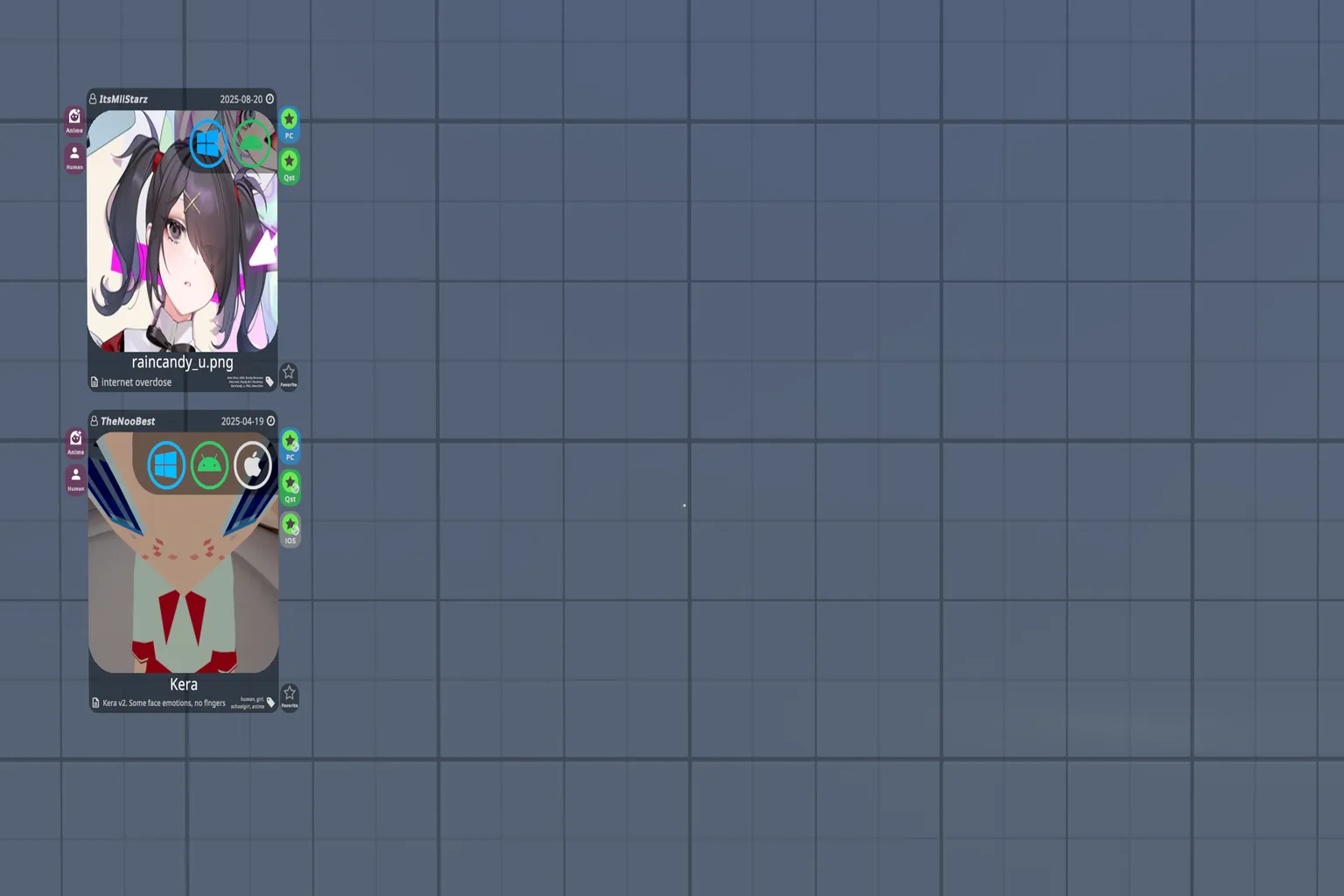
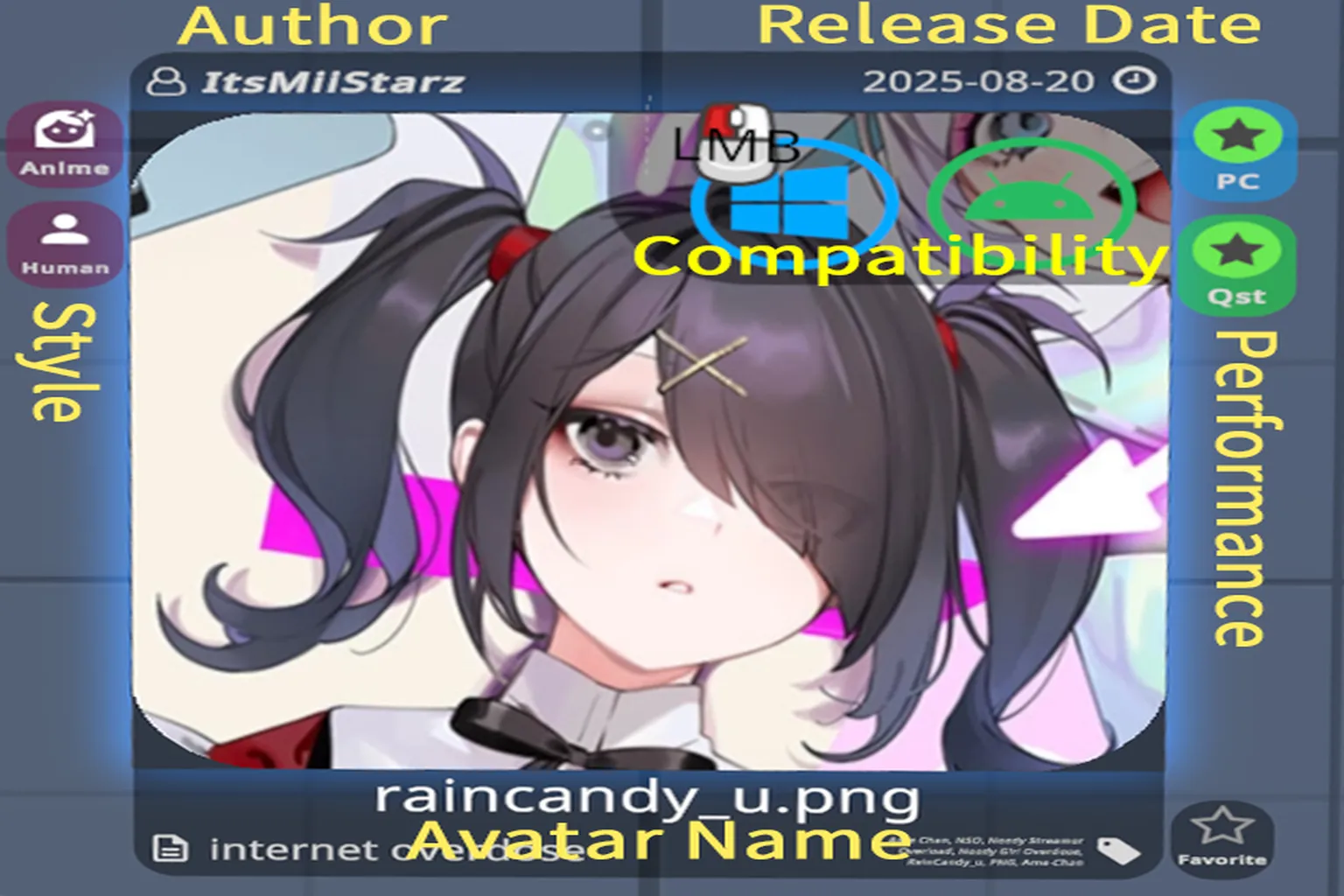
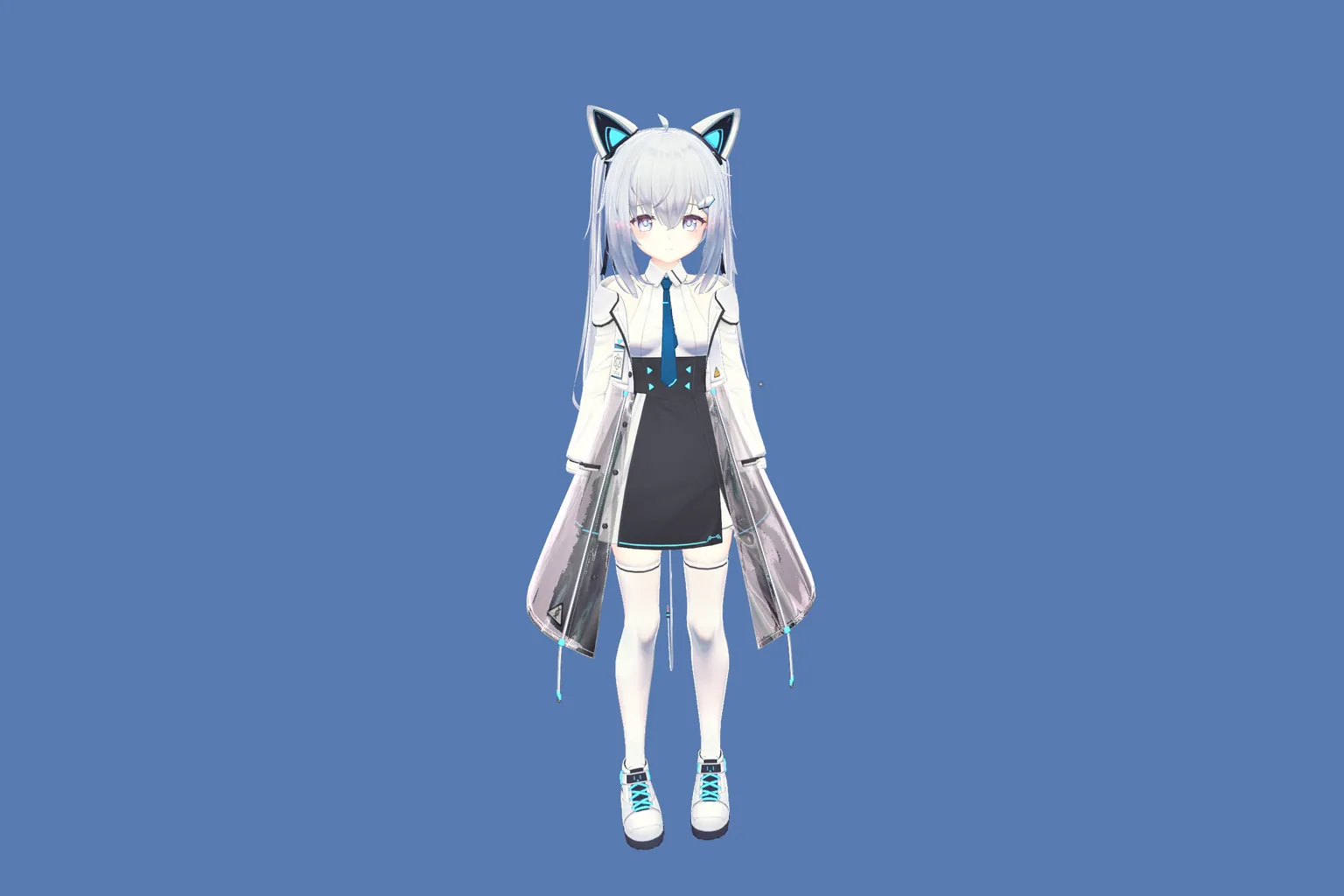
For example, if you look at an avatar called “raincandy_u.png,” the details are shown like this:
- Author: ItsMilStarz (the creator of the avatar)
- Release Date: 2025-08-20
- Style: Anime, Human
- Compatibility: PC / Android
- Performance: Excellent
- File Name / Avatar Name: raincandy_u.png
With this kind of information clearly displayed, it’s much easier to decide whether an avatar is a good fit before you pick it.
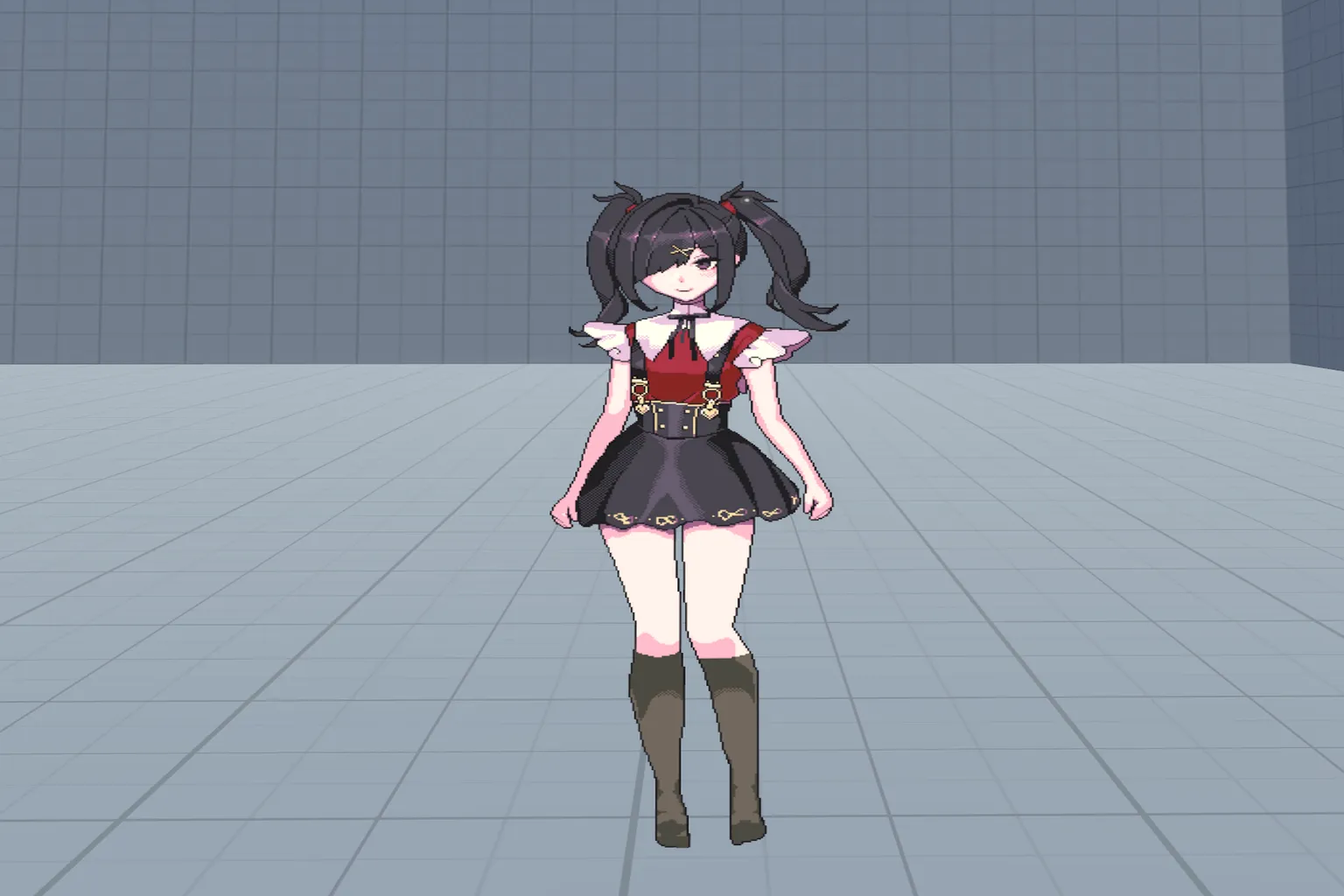
When you click the poster, the avatar is applied automatically, and your new look appears in the mirror next to you.
That said, this particular avatar doesn’t have very high resolution. When you actually try it in-game, it ends up feeling more like a flat, human-shaped standee than a fully detailed character.
Any avatar you apply is added to Recent in the control panel. From there, you can click the icon to open its detailed information.
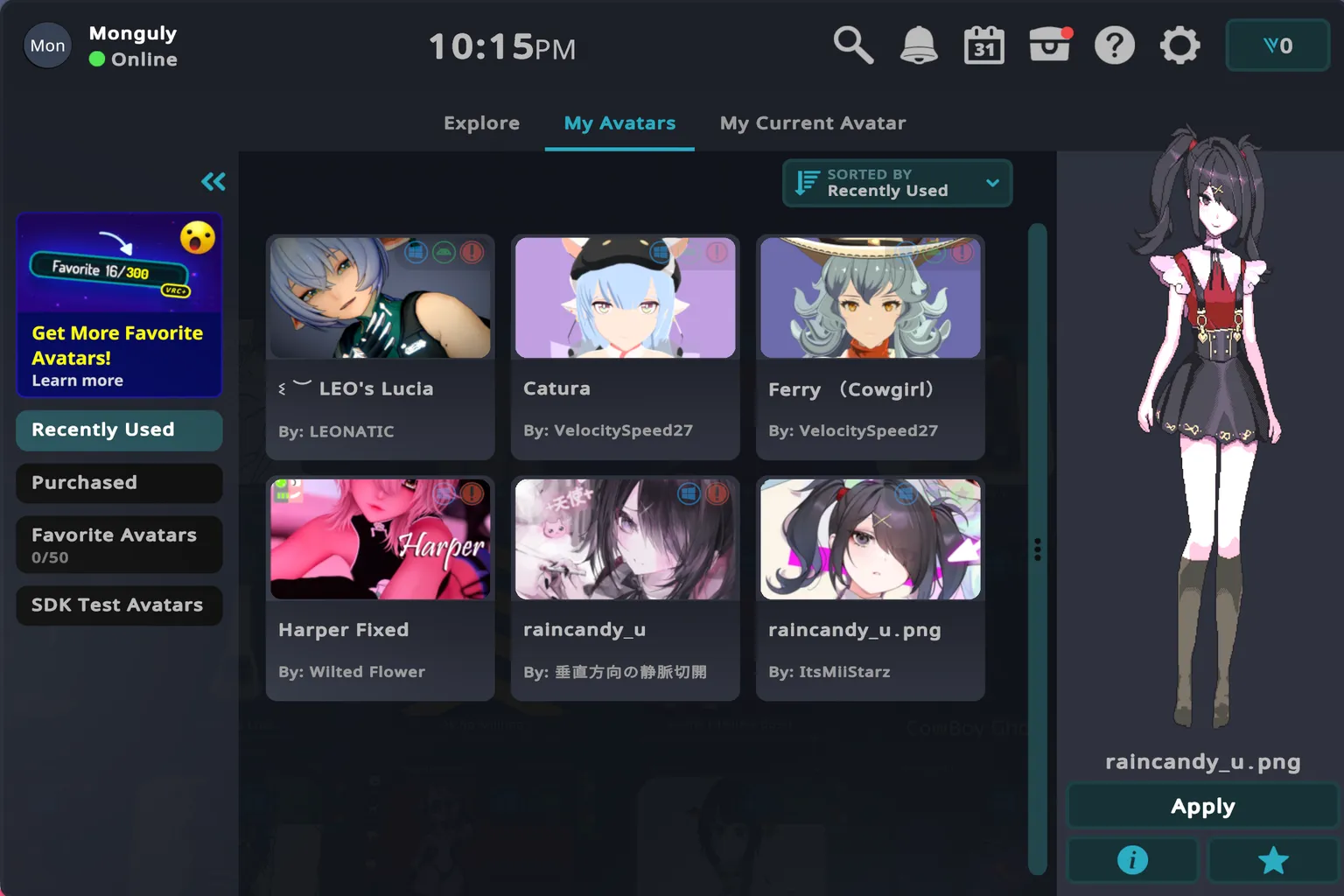
All of the avatar details are clearly recorded on this screen.
As you can see from the preview on the right, this character is completely flat, almost like an advertising standee. And if you check the feature list at the bottom, there aren’t any special extra functions listed at all.
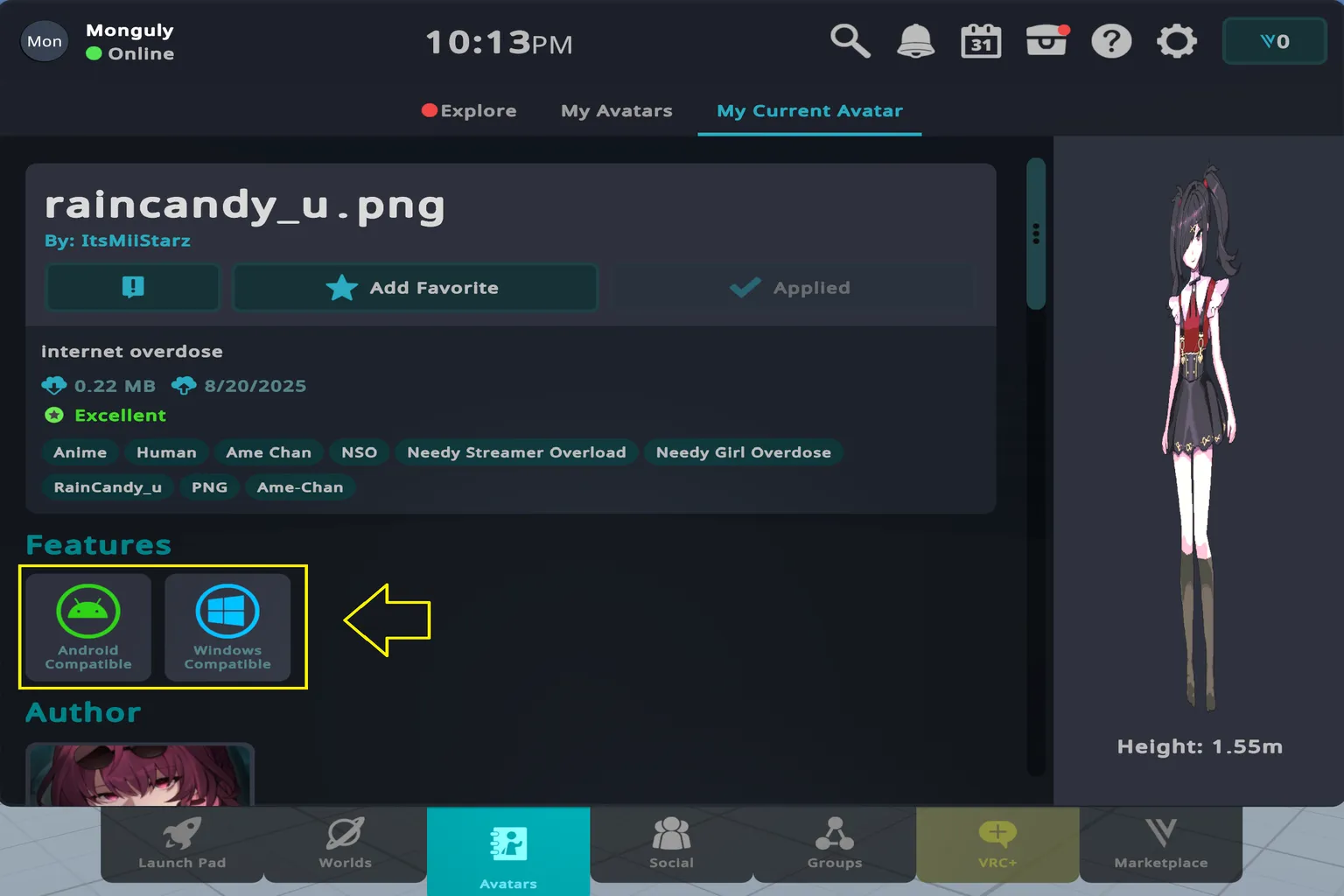
If you scroll further down this page, you’ll see a long list of detailed model data. But honestly, most regular players don’t need to worry about this. That information is mainly for people who do development or customization, so if you’re just here to play, you can safely ignore it.
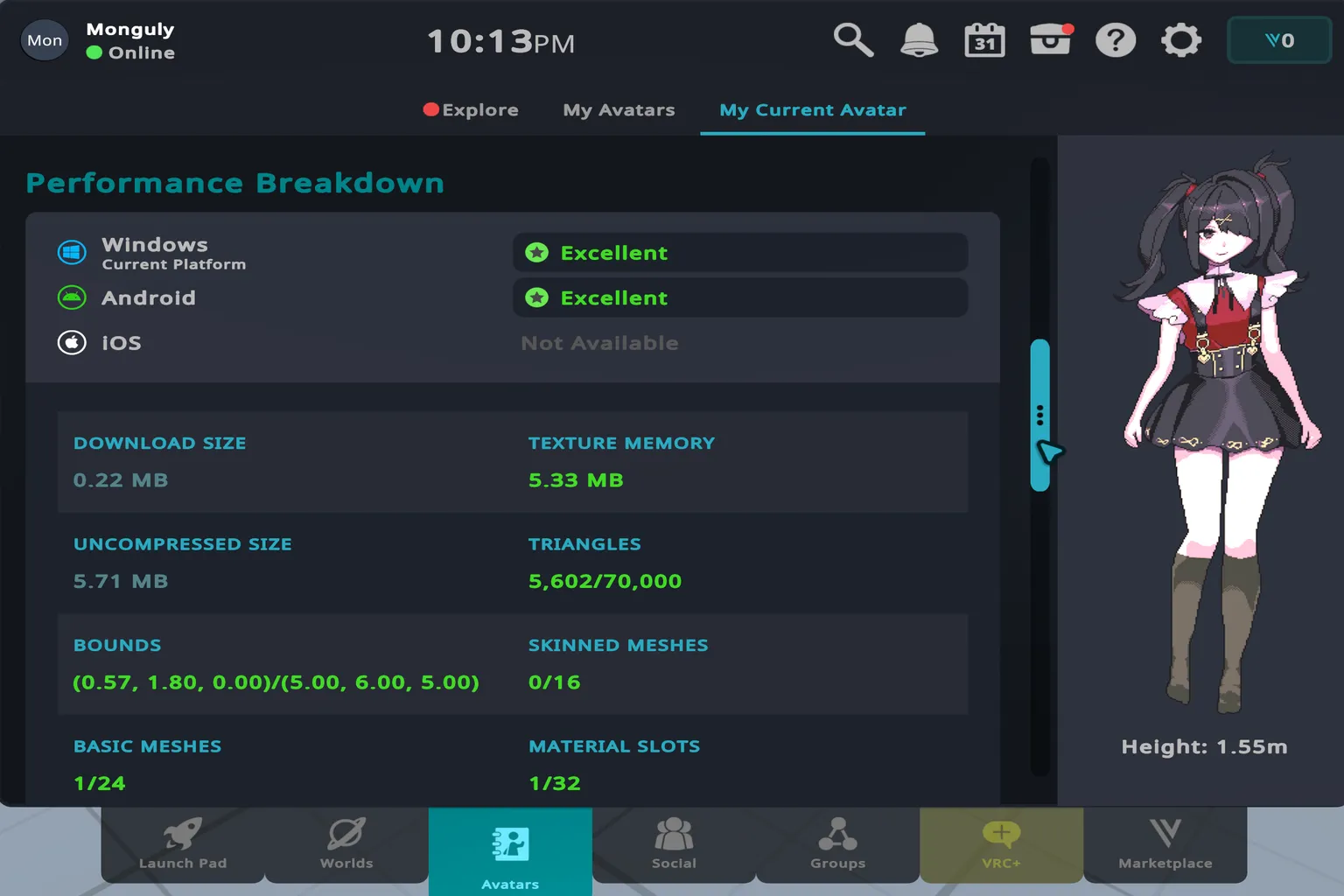
Yeah, exactly.
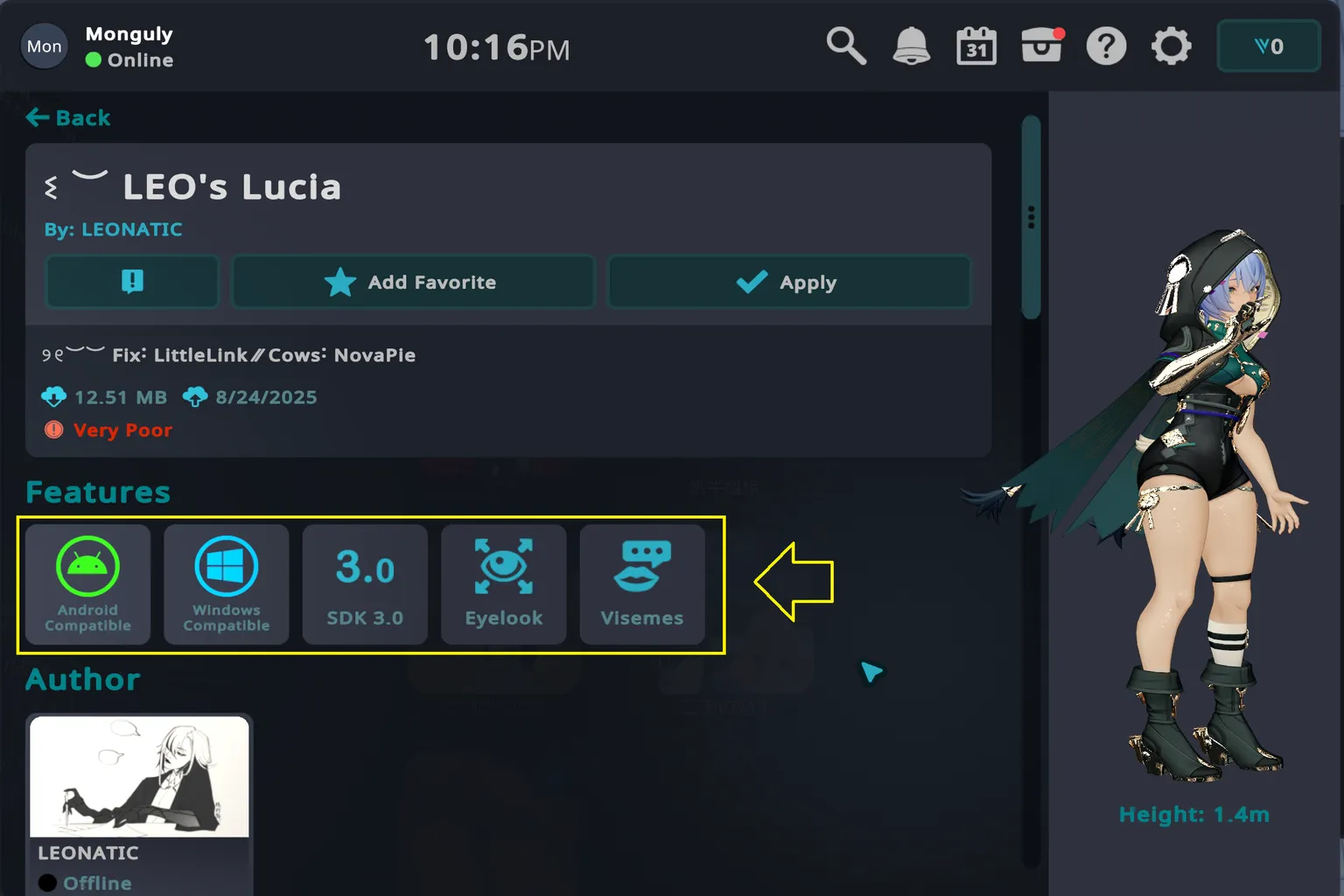
When you use a fully 3D avatar that supports Eye Look and Visemes (lip sync and mouth shapes), the in-game experience feels completely different. If you have compatible hardware, your eyes move naturally and your mouth opens and closes in sync with your voice. From the other person’s point of view, your avatar looks much more alive.
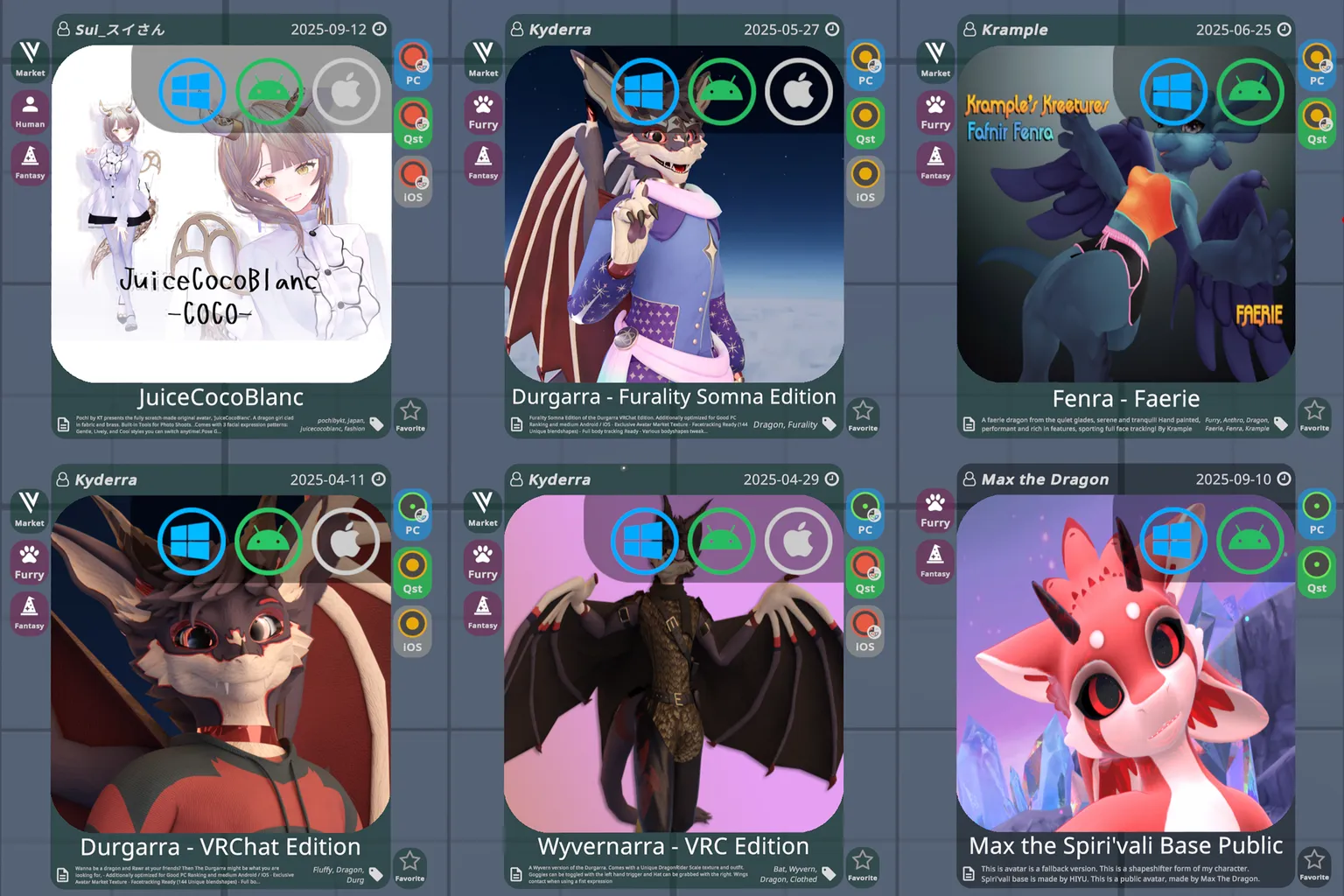
I ran another search, this time using the keyword “dragon.”
One of the avatars that showed up was called “JuickCocoBlanc,” and it had a Market tag in the top right.
That tag means it’s a paid avatar that’s being sold, not a free one.
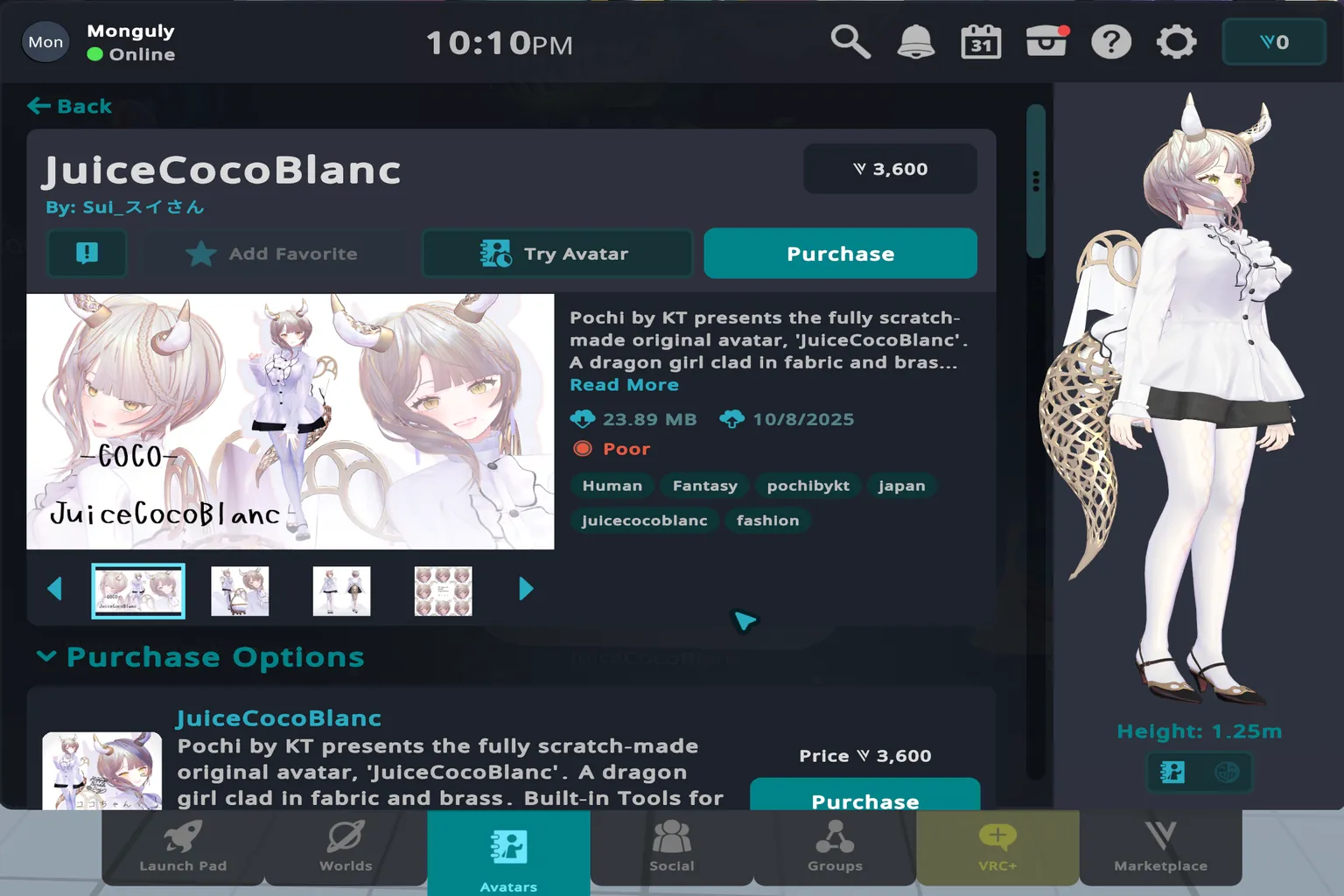
When I opened that avatar’s page, the price was listed as 3,600 coins.
That works out to roughly around $30 to get it.
Tips for Finding Cute Avatars
Paid avatars definitely look more detailed and polished, and there’s no denying their appeal. But free avatars really aren’t that far behind. The key is to try different keywords. For example, if you search for “Girl,” you’ll often see a whole lineup of cute, stylish avatars that are completely free.
The examples here are just samples to show what the search results look like. When you actually use an avatar, only choose ones with a source, rights/credit info, and usage terms you can clearly verify.
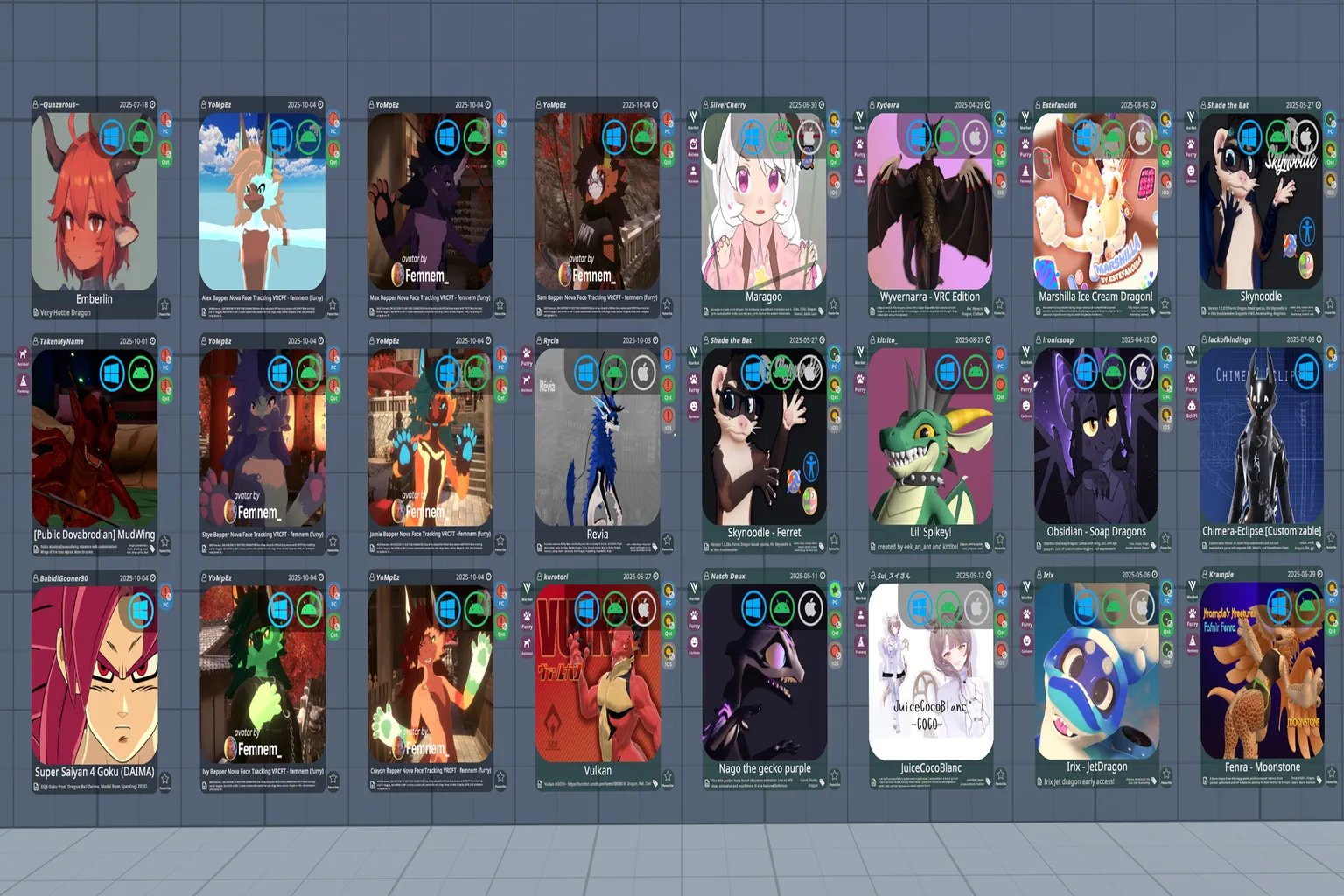
For example, there’s an avatar tagged as sexually suggestive and adult content. Even from the thumbnail alone, it has a very provocative look.
Avatars like this are also distributed for free, so if you’re okay with that kind of style, it might be something worth checking out.
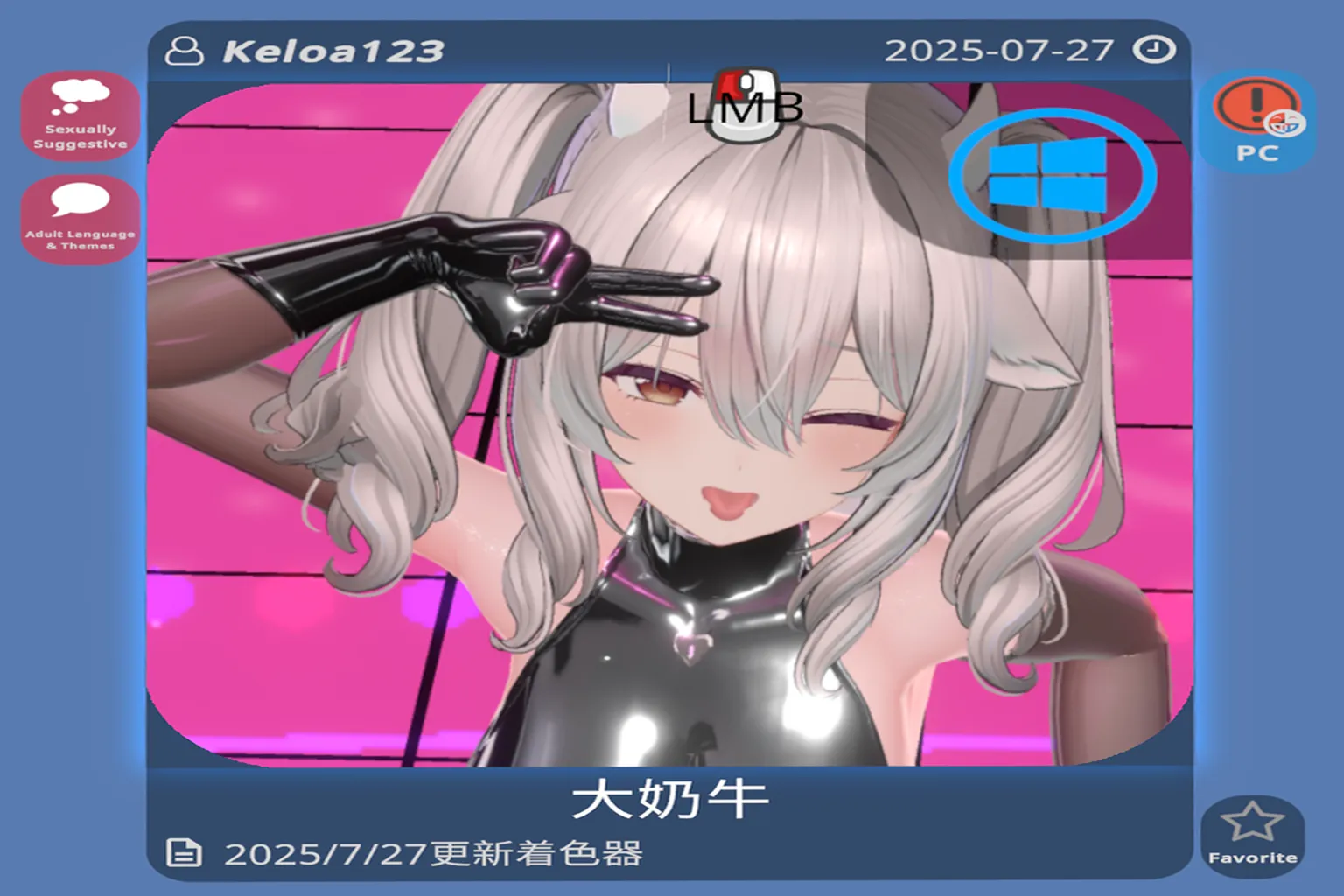
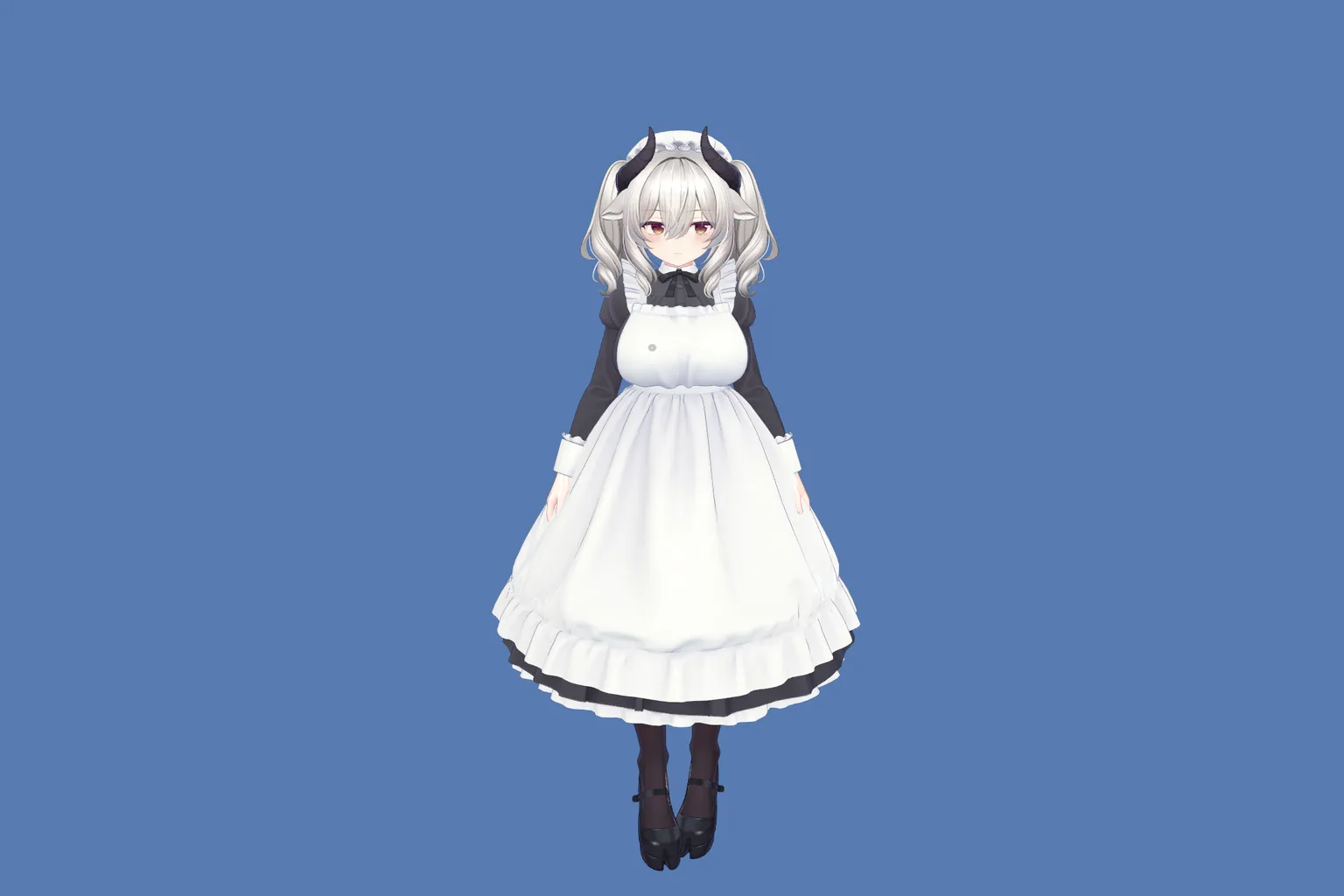
When I actually installed it, it turned into a cute cow-themed maid character, and the model quality is surprisingly high. It’s put together so carefully that it honestly doesn’t feel like a free avatar at all.
“Sapphy” is a cute cat-girl avatar with a slightly boyish, almost tomboy vibe. The innocent feel combined with the cat ears gives her a kind of charm that stands out.
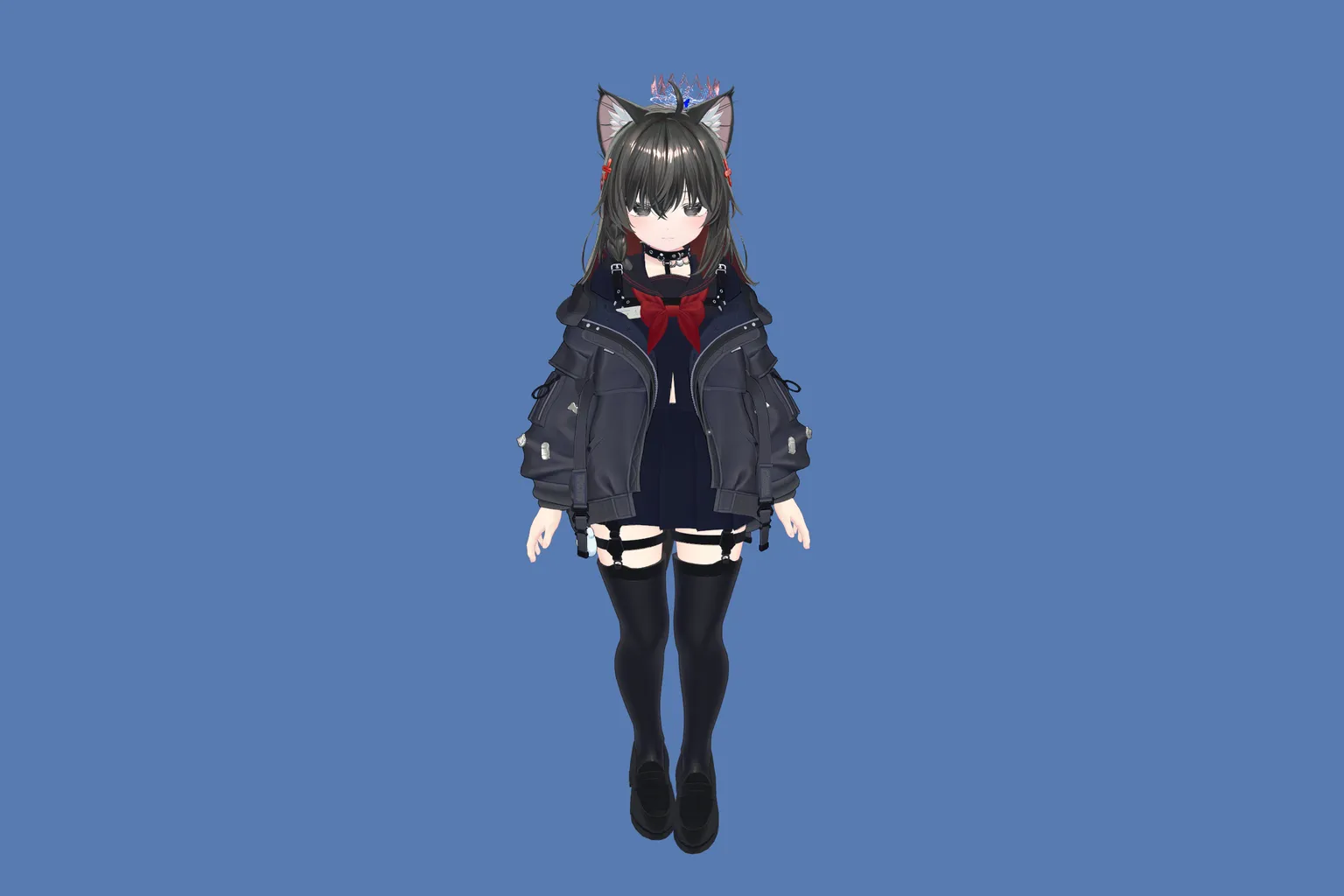
“Skipping Class Girl” is a lively, cheerful cat-girl avatar. It has a light, playful atmosphere, and the design feels friendly and full of personality.
In this world, you can really get your hands on a huge number of cute avatars. VRChat is the most popular social app in VR, with tons of users, so before you start making friends, it’s a good idea to first get your look sorted and jump in with an avatar you actually feel good about.
FAQ – Common Questions
Are VRChat’s official avatars easy to use?
The official avatars are limited in number and very simple in design. They’re easy for beginners to use, but they don’t offer much in terms of looks or variety.
What is Prismic’s Avatar World?
It’s one of the largest free avatar worlds inside VRChat, with millions of avatars available. Most of them can be downloaded and used for free.
Any tips for searching avatars?
It’s best to keep your conditions loose. For example, if you don’t restrict performance or platform, you’ll get a lot more results.
Are paid avatars worth buying?
Paid avatars usually have more detailed designs and higher quality, but they can cost $30 or more. For casual socializing, free avatars are more than enough.
Do free avatars actually look good?
Definitely. There are plenty of cute free options, like maid outfits, cat-eared characters, and fantasy-style girls that look just as good as paid ones.