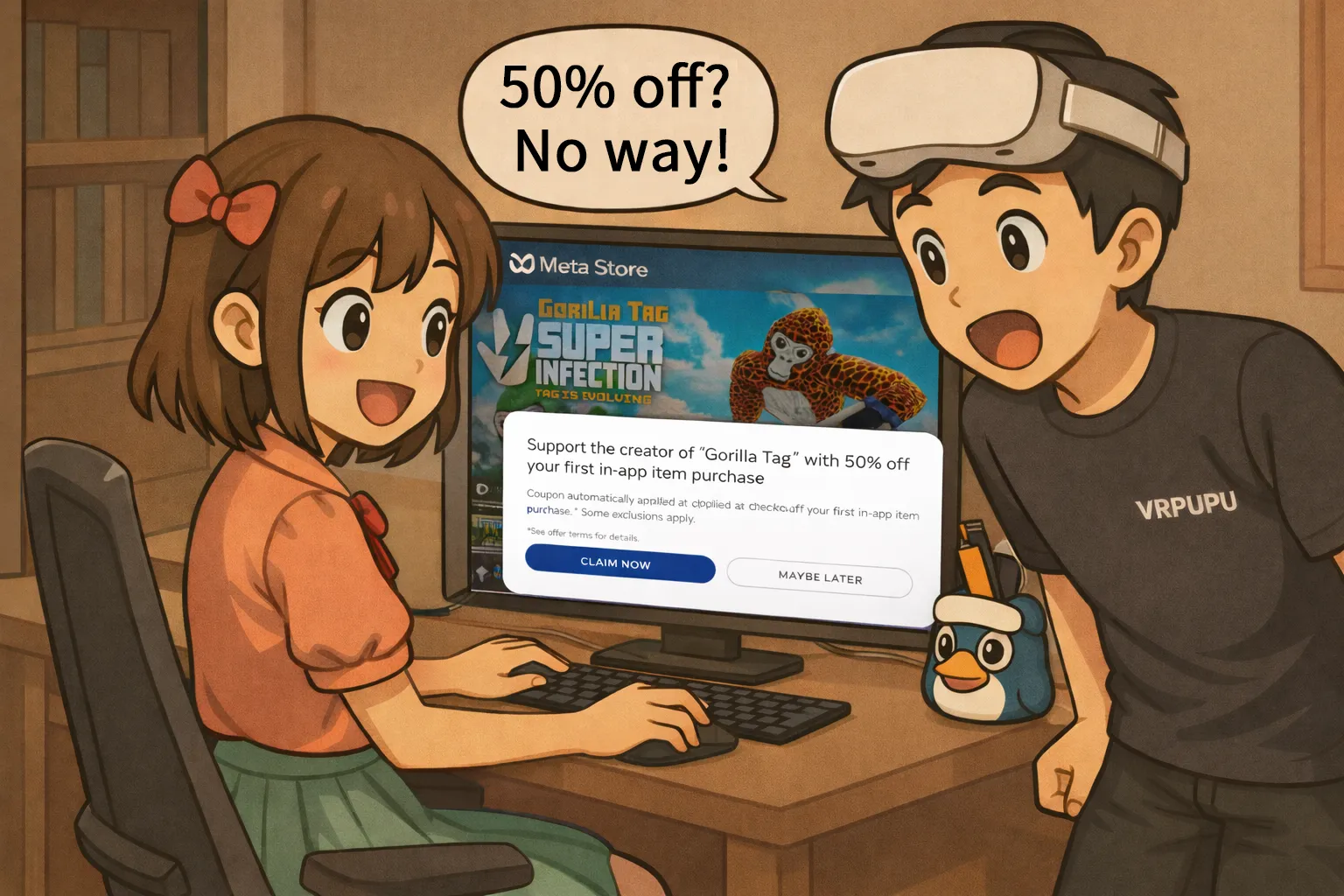
Playing free games on Meta Quest is great, but once you start buying in-game currency or skins, the costs can add up pretty quickly. What if you could get those for half the price?
By combining official creator links with the Meta store’s Gift feature, there’s a fully legitimate way to get 50% off DLC for certain free VR games—and you can even use it more than once. This guide walks you through the exact steps to claim the discount, along with a full list of supported games.
Free Games and Sales on Meta
The Meta store has thousands of games, so if you’re just getting into VR, it’s natural to want to try a bit of everything.
Broadly speaking, there are two main types of games.
- Paid games are usually more polished, like rhythm, fighting, or shooting titles. They’re built to be played seriously, with proper gameplay systems, level design, and sometimes even a full story. Think Beat Saber, Maestro, or Eleven Table Tennis. Most of these fall somewhere around $9.99 to $49.99.
- Free games, on the other hand, are usually more like tag-style games, social hangouts, or multiplayer-focused experiences. The base game is free, but they often monetize through subscriptions, in-game currency, or DLC like skins and items. Examples would be VRChat, Gorilla Tag, Animal Company, and Gym Class.
Free games usually keep the graphics pretty simple, but the gameplay and social side are surprisingly well built. The whole “jump in and hang out with people” experience is done really well.
For popular titles, it’s not unusual to see way more players than in some paid solo games. You’ll have thousands or even tens of thousands of people online, and honestly, just jumping in, chatting, or casually walking around can already be a lot of fun.
As for the Meta store, there are sales happening almost every month, so paid games often drop to pretty decent prices. On the other hand, DLC for free games usually doesn’t go on sale that often.
Right now, the most common method is entering a creator code like “VRPUPU” at checkout to get 10% off.
That said, 10% isn’t a huge discount. So naturally, the next question is… is there a way to get a better deal than that?
How to Buy DLC for Free Games at a Lower Price
Meta actually has a bigger creator perk that a lot of people don’t realize—when you buy DLC for a free game for the first time, it can sometimes be discounted by 50% right away.
Here’s how it works.
If you open the store page of a free game through a creator link, and you’ve never claimed that game before, Meta may apply a one-time 50% discount.
To use this discount, you need to meet all three conditions at the same time:
- The game must be free
- You must have never claimed the game before
- You need to enter the store through a creator link
If all three are met, you can buy your first DLC for that game at half price.
That said, not every free game has a working 50% creator discount link.
The games and apps where this has been confirmed to work are listed later in this article.
Buying DLC for a Game
Once you’ve met the conditions, you can move on to actually buying DLC at half price.
Here’s how it works, using Gorilla Tag as an example.
Step 1: Open the creator discount link
First, open the creator link for Gorilla Tag and go to its store page.
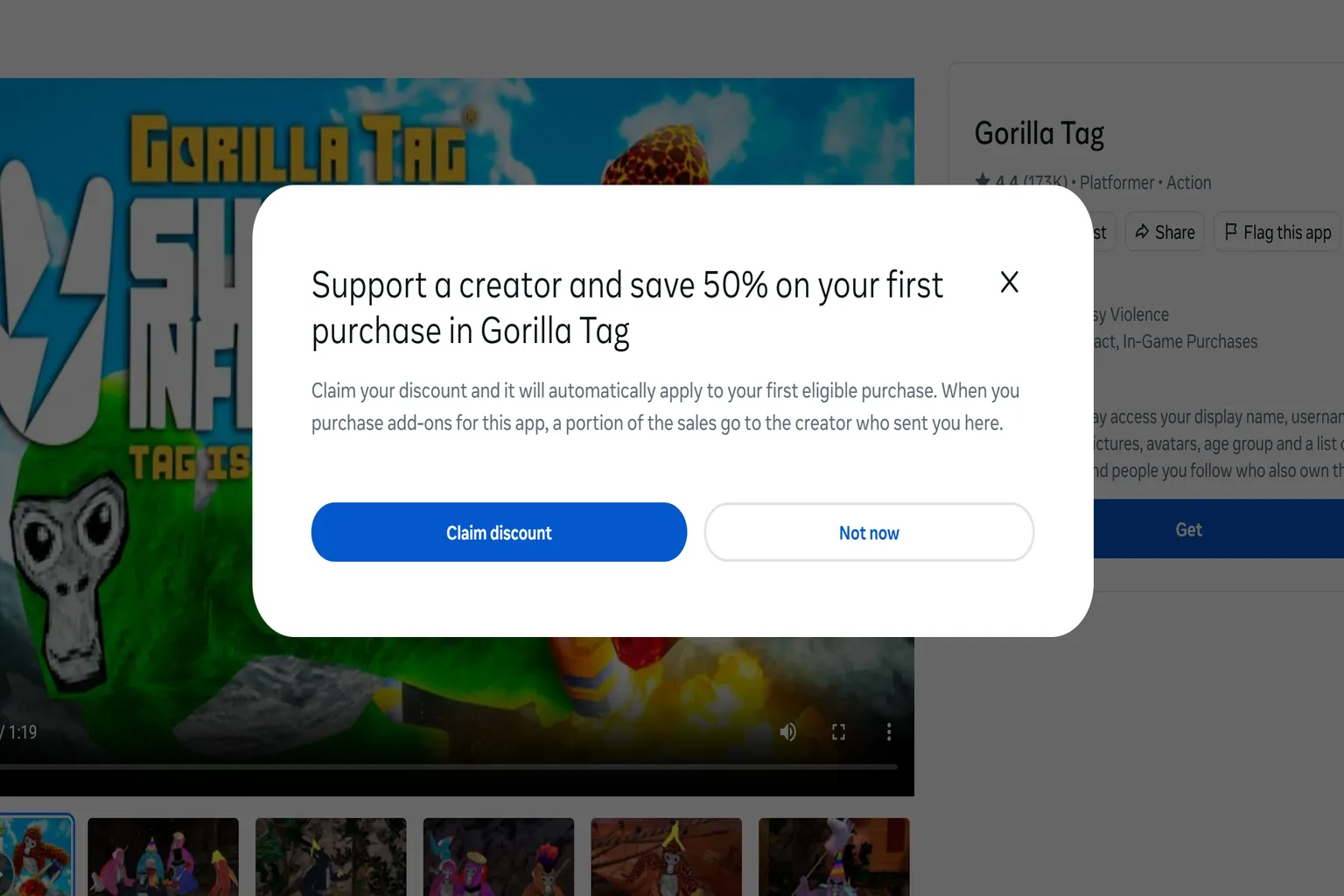
When you enter, you’ll see a message like:
“Support a creator and get 50% off your first purchase in Gorilla Tag.”
At that point, just click “Claim Discount” and you’re good to go.
Step 2: Download the Game
Click “Get” to add the game to your library.
One thing to watch out for here—if you don’t own the game first, any DLC you buy later won’t be usable on your account.
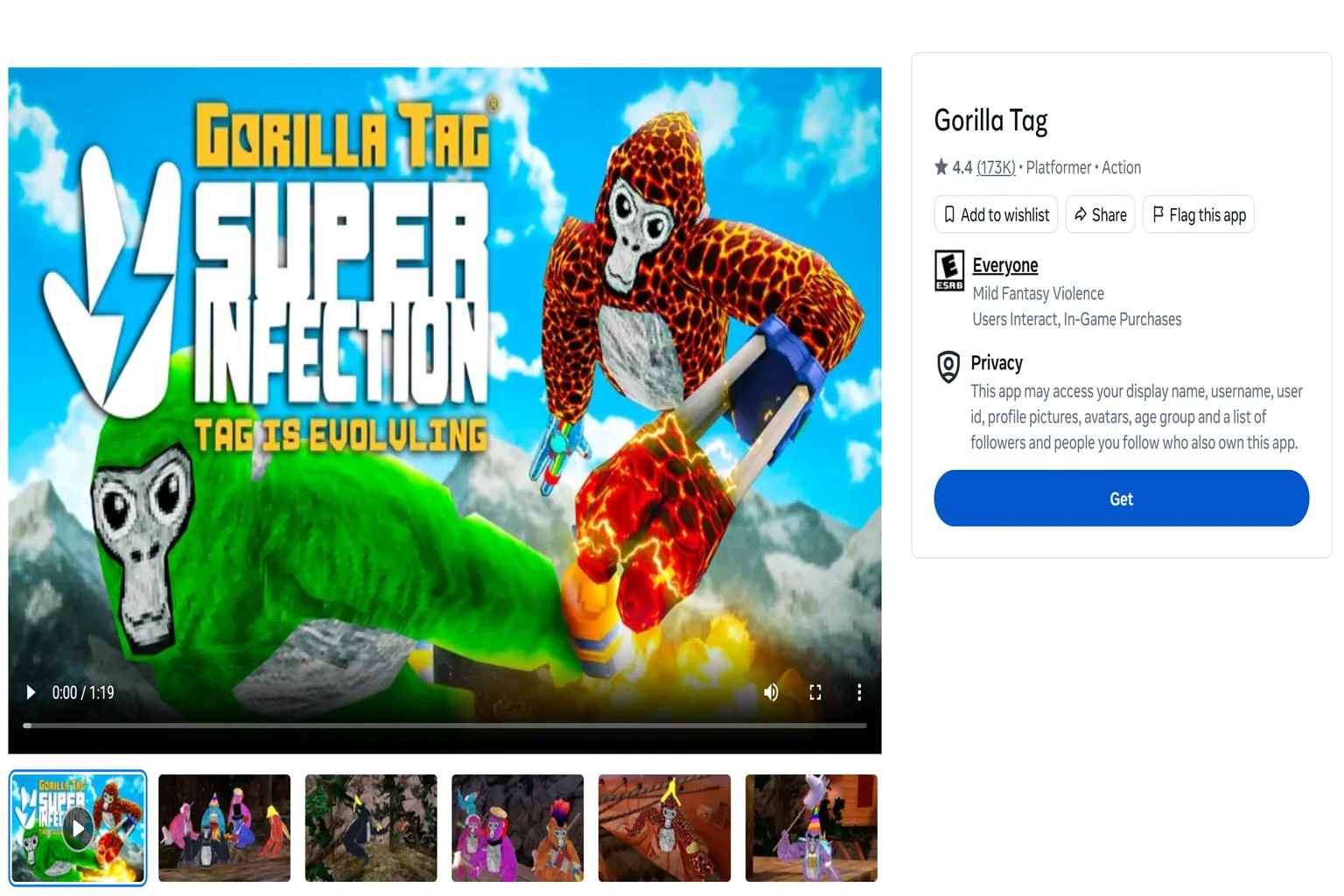
Once the download is complete, you’ll see “Purchased” on the screen.
If that shows up, it means the game has been successfully added to your library.

Step 3: Choose the DLC
Scroll down on the game page and look for the “Add-ons” section.
This is where you’ll find the DLC available for purchase.

When you open the DLC page, you’ll see the original price listed as $29.99.
From there, just tap the price button to move on to checkout.

Step 4: Purchase the DLC
When you reach the checkout page, you’ll see that the discount has already been applied automatically.
If it looks like that, you can go ahead and complete the purchase with the 50% discount.
For example, a DLC originally priced at $29.99 will be reduced to $15 after the discount.

What if you already own the game?
Most of the time, you try a free game first and then decide later if you want to buy DLC. But by that point, you’ve already claimed the game, so you no longer meet the second condition—and that means you can’t use the 50% discount as-is.
- The game must be free
- You must have never claimed the game before
- You need to enter the store through a creator link
Once you’ve already added the game to your account, that second condition is no longer met.
That said, there’s actually another way to make use of this system.
This 50% discount isn’t limited to buying for yourself—you can also use it when sending DLC as a gift to someone else.
So even if you’ve already claimed the game on your own account, you still have options. You can ask a friend who hasn’t claimed the game yet, or set up a new account, use that account to get the 50% discount, and then send the DLC as a gift to your main account.
The overall flow is almost the same as before—the only difference is how you complete the purchase.
From here, we’ll use Gorilla Tag as an example to walk through how to get DLC at 50% off through gifting.
Step 1: Open the creator discount link
First, open the creator link for Gorilla Tag and go to the store page.
When you enter, you’ll see a message like:
“Support a creator and get 50% off your first purchase in Gorilla Tag.”
From there, just click “Claim discount” below it.
One thing to watch out for here—after claiming the discount, don’t press “Get.”
Step 2: Choose the DLC and send it as a gift
Once you’ve picked the DLC you want, purchase it as a gift.
You can send it to a friend, or even to your own main account.
If you’re using the PC version of the Meta store, click More first, then select Gift this add-on.

After that, just enter the email address linked to the recipient’s Meta account, and you can move on to the next step.

If you’re buying from the mobile Meta Horizon Store, just tap Gift.

Then enter your friend’s Meta ID.
As a side note, on mobile you can send gifts using either an email address or a Meta ID. But email doesn’t always pull up the correct account, so using a Meta ID tends to work more reliably.

When you move to the checkout page, you’ll see the 50% discount has been applied automatically.
Once the payment is complete, the DLC usually arrives within about 3–5 minutes.
How many times can you use the 50% DLC discount?
If you’re using it on your own account, you need to claim the game first. But once you do that, you no longer meet the condition, so for the same game, you can basically only use the 50% discount once.
On the other hand, it works a bit differently when sending DLC as a gift.
As long as the account used for the purchase hasn’t claimed the game yet, you can go back through the creator link and get the discount again—even if you’ve already used the 50% offer before.
That’s essentially how the whole system works.
| Buyer | Recipient | Recipient owns the game | Can purchase? | 50% discount usage |
| Yourself | Yourself | No | Not possible | – |
| Yourself | Yourself | Yes | Possible | 1 time |
| Friend | Yourself | No | Not possible | – |
| Friend | Yourself | Yes | Possible | Unlimited (as long as the purchasing account hasn’t claimed the game) |
This Meta perk doesn’t have a clear end date.
If you’re going to use it, it’s better to do it sooner rather than later.
List of Games Where You Can Buy DLC at 50% Off
This link lists free games that support the 50% off coupon in alphabetical order.
You can check a short introduction for each game or use the search function to find the one you want to play. Open the game link to claim the Creator discount.
FAQ – Common Questions
What is the 50% creator discount?
If you open a free game’s store page through a creator link—and you’ve never claimed that game before—Meta will automatically apply a one-time 50% discount to your first purchase.
This discount can be used on any DLC for that game.
Why isn’t the 50% discount showing at checkout?
You need to meet all three conditions for it to appear:
- The game must be free
- You must have never claimed the game on that account
- You must enter through a creator link
If even one of these is missing, the 50% discount won’t show up.
Can you use the 50% discount multiple times on one account?
No.
If you’re buying for yourself, it’s basically limited to once per game.
You need to press “Get” and claim the game before buying DLC, and once you do that, you no longer meet the “first-time” condition.
Can you still use the 50% discount if you already claimed the game?
There is a workaround.
You can either ask a friend who hasn’t claimed the game yet, or create a new Meta account and access the creator link from there to get the 50% discount.
Then, at checkout, choose Gift this add-on and send the DLC to your main account.
Does the 50% discount apply to gifts?
Yes.
As long as the account used for payment hasn’t claimed the game yet, the 50% discount will be applied automatically at checkout.
Is the 10% creator code (VRPUPU) still usable?
Yes.
This is the standard creator discount, so it doesn’t have the same first-time restrictions.
However, it only gives 10% off.
If you don’t want to use gifting, or can’t meet the 50% discount conditions, you can just enter “VRPUPU” at checkout and get 10% off.